September 3, 2016 12:59 am
I return to Infor Process Automation (IPA) 😱 to develop approval flows for purchase orders in Infor M3 and to setup the users and roles that will take action in the Infor Smart Office (ISO) Inbasket.
Note: The IPA product is dead and Infor is replacing it with ION, so my endeavor is obsolete; furthermore, the integration of IPA and ION with M3 is flawed by design at many levels, ergo working on it is flawed too; but my customer still uses IPA for M3, so I return.
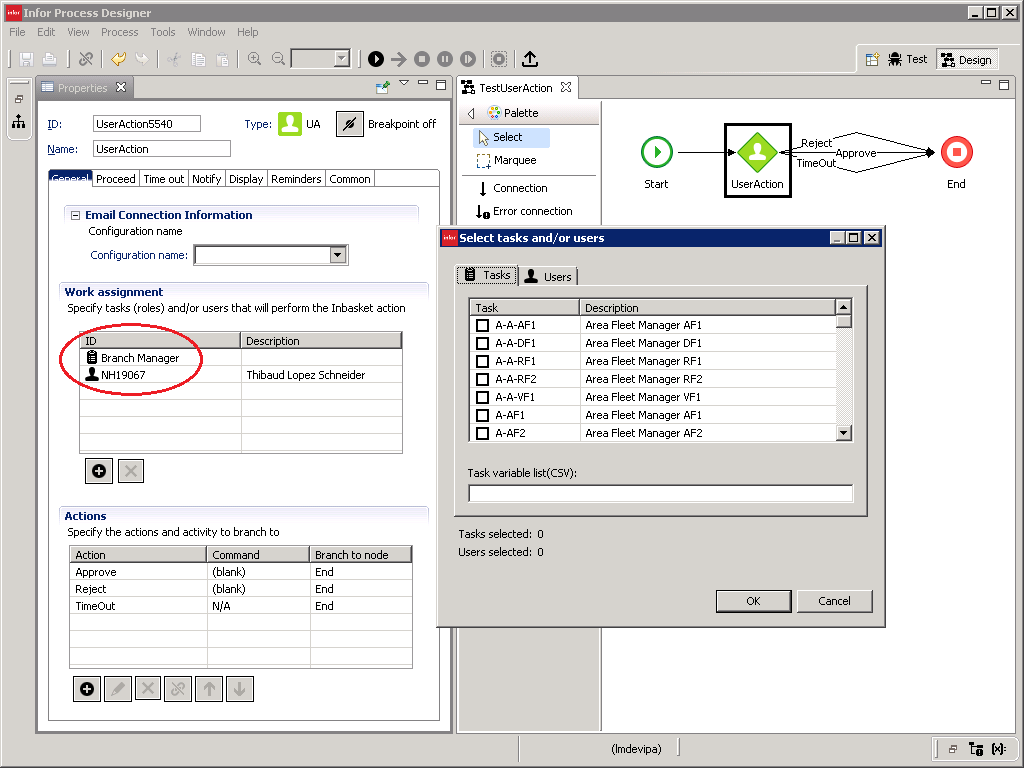
The UserAction activity node defines who can take what actions:
The Inbasket displays the work to the respective users so they take the action (e.g. approve/reject in this purchase order to branch managers):

Email addresses are needed to be able to allow actions via emails (e.g. Accept/Reject in this sale approval):

If the user is not setup in IPA, they will get the error “Inbasket Error, Unable to populate Inbox for the LPA server”:
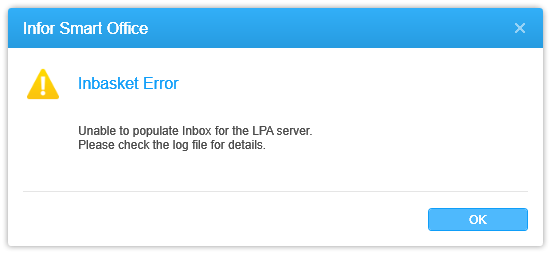
To avoid the error, we have to setup the user in IPA, even if the user does not need the Inbasket.
There are some workarounds: 1) setup two Smart Office Installation Points, with or without the Infor.PF10 feature, 2) setup two Smart Office profiles, with or without the PF configuration enabled, 3) setup the Mango.Core application settings to enable roaming profiles with or without the Process Server inbasket, 4) maybe use the Category File Administration for profile.xml with or without the Inbasket and Connect Roles and Users, etc. Each workaround has advantages and disadvantages. Nonetheless, we still have to setup at least those users that need the Inbasket.
No users are setup in IPA upon installation, IPA is blank, and M3 and IPA do not have a built-in synchronization mechanism. Hence, for every M3 user that needs the Inbasket, we have to setup the user in IPA. If we have thousands of users, it is too much work to do manually. I need an automatic solution. Note: as a consolation, at least we do not need to manage passwords in IPA as IPA has LDAP binding.
I will implement a solution to automatically synchronize users between M3 and IPA.
My design decisions are:
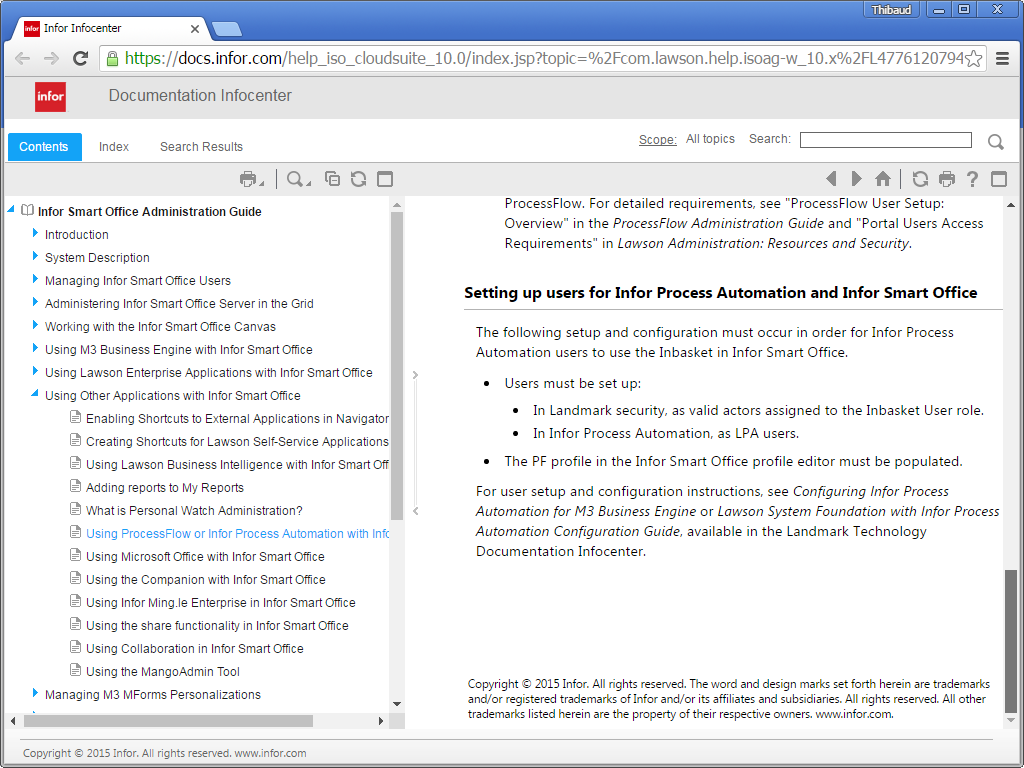
There is some documentation about the setup, but it is not everything we need:
Setting up users for Infor Process Automation and Infor Smart Office:
Mass-loading actors for Infor Process Automation: Overview:

Here are the programs, tables, and fields for M3:
Users (MNS150, CMNUSR), CONO, DIVI, USID, TX40:

Roles (MNS405, CMNROL), ROLL, TX40:
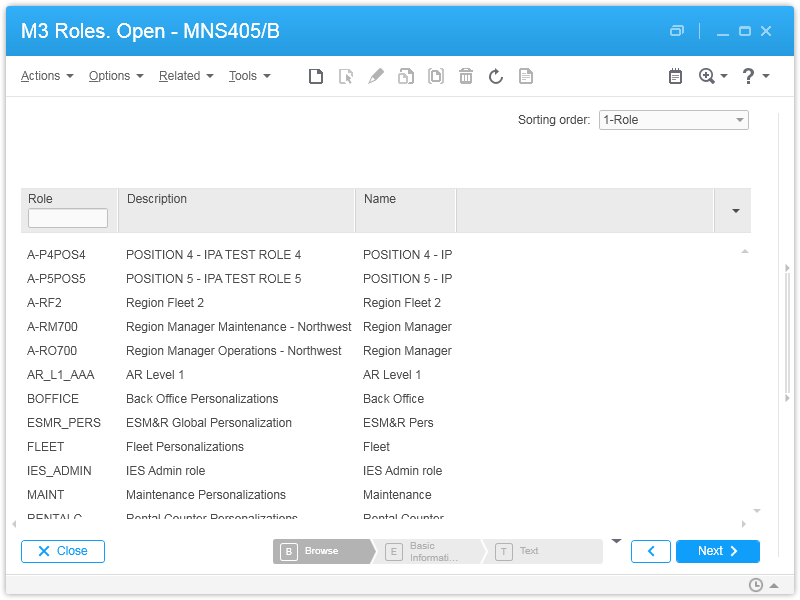
User-Roles (MNS410, CMNRUS), USID, ROLL:

Email address (CRS111, CEMAIL), CONO, EMTP, EMKY, EMAL:
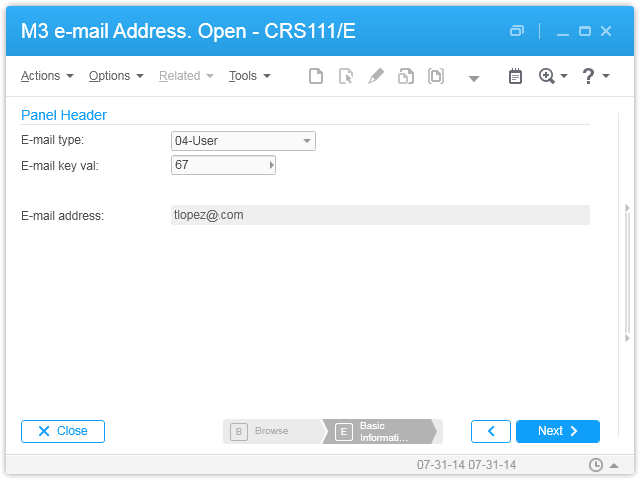
Everything is stored in the M3 database in the respective tables:

MetaData Publisher (MDP) has information about the tables, columns, and keys:

Here are the programs involved for IPA:
In the general data area:

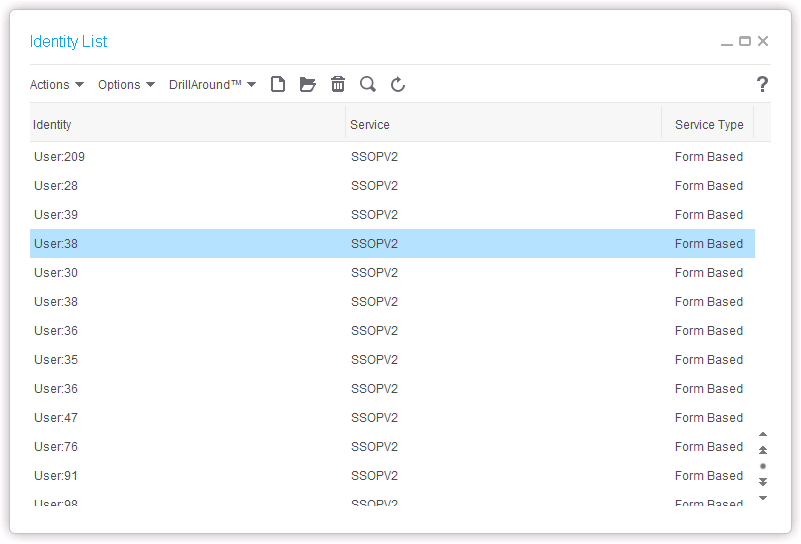
Identity (with Service SSOPV2):
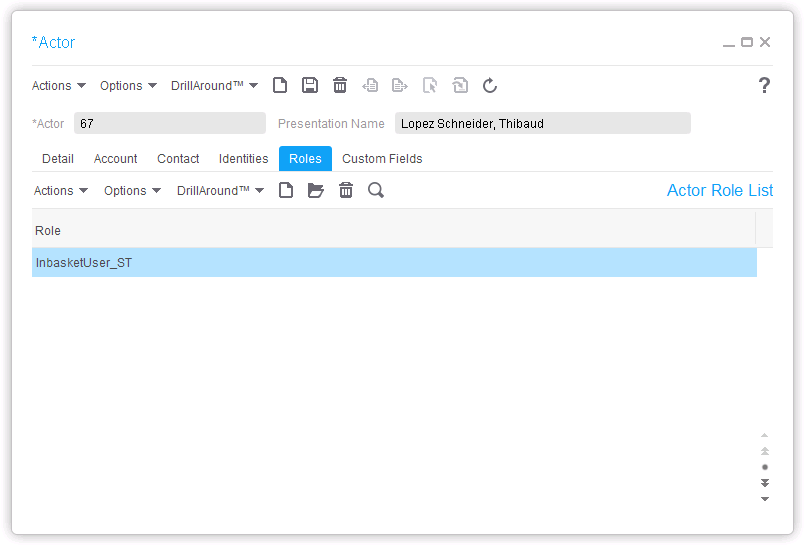
Actor (FirstName, LastName, and Email address):


Actor-Identity (one-to-one):

Actor-Roles (at least InbasketUser_ST):
In each data area (e.g. DEV, TST):

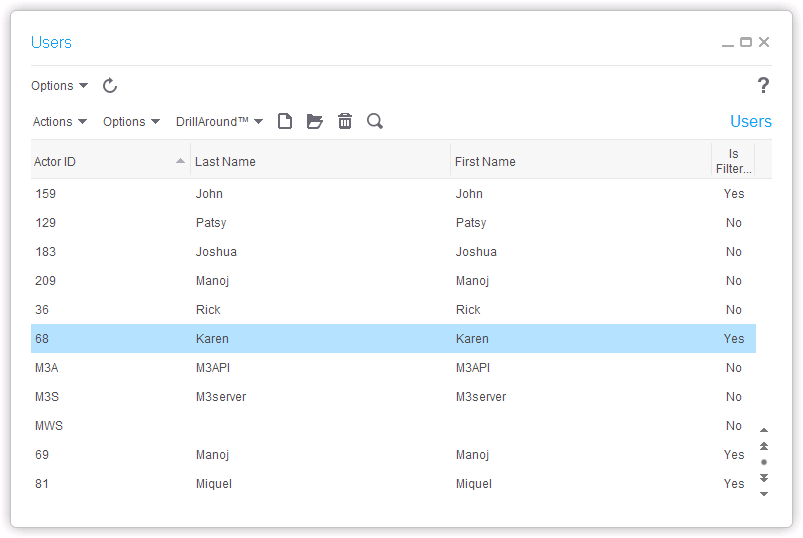
Users (one-to-one with Actor):
Tasks (equivalent of M3 Roles):

User-Tasks:
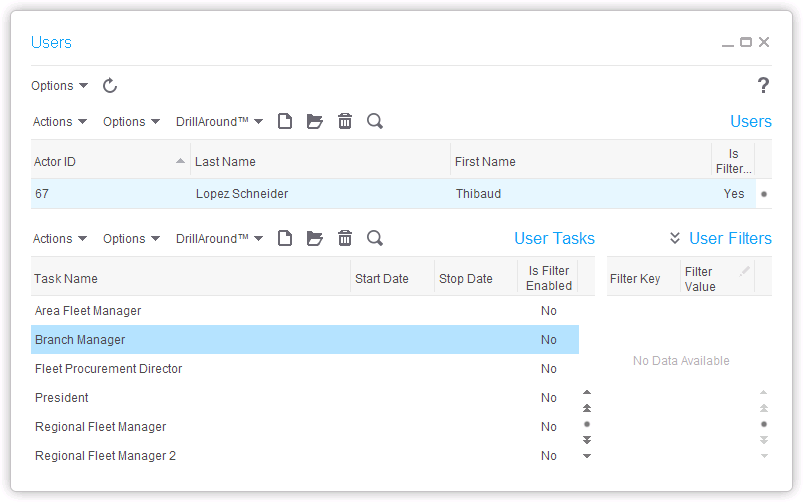
The data is stored in the IPA database in the respective tables (gen: IDENTITY, ACTOR, IDENTITYACTOR, ACTORROLE; DEV/TST: PFIUSERPROFILE, PFITASK, PFIUSERTASK):
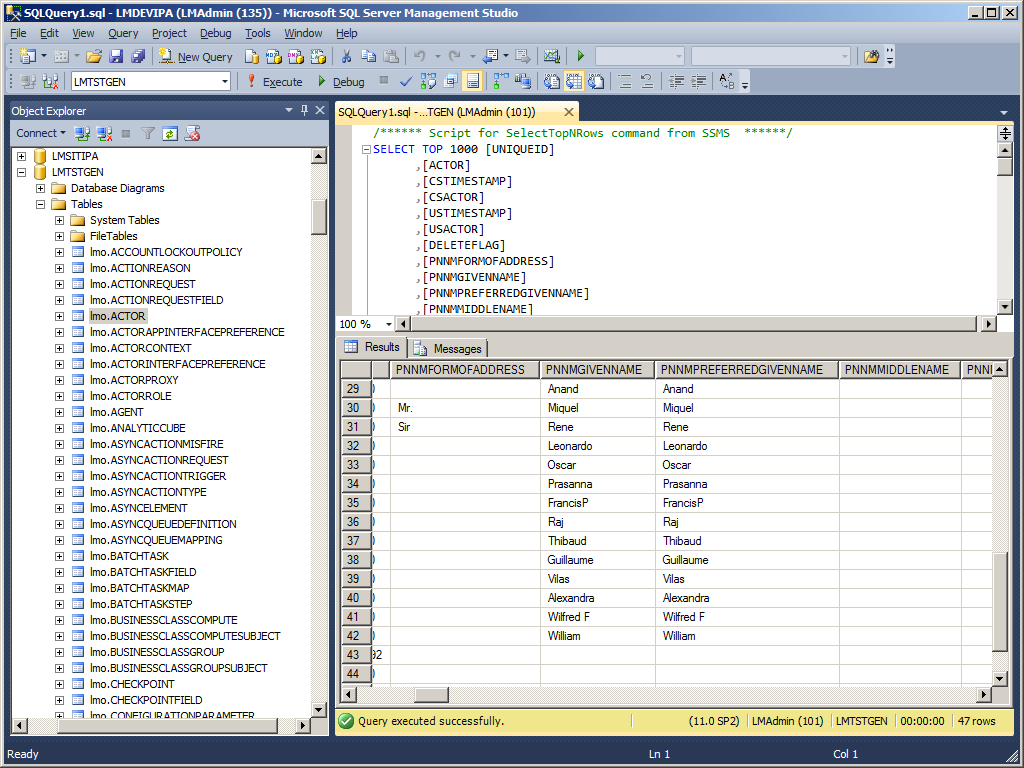
I will continue in part 2.
Posted by thibaudatwork
Categories: Infor Process Automation (IPA)
Tags: M3, Process Automation
Mobile Site | Full Site
Get a free blog at WordPress.com Theme: WordPress Mobile Edition by Alex King.
Hi Thibaud
spent quite some time pulling my hair out on it. Ended up breaking down all MNS410/IPA roles by level, cono, divi, faci etc. and shaping relevant IPA keys from default MNS150. Cant wait for part II !
LikeLike
By Alain Tallieu on September 5, 2016 at 1:49 pm
Bonjour Alain,
Please share details of your solution to give me ideas, because I need fresh points of view to help me.
My part 2 will be about the secadm command to create the Identity, Actor, Actor-Identity, and Actor-Role, all in the gen data area, where after de-compilation I managed to find the parameter to add the email address to the Actor, which is needed for the email actions.
Also, it will be the importPFIdata command to import the Users, Task, and User-Task in the DEV/TST data areas, as explained in http://www.lawsonguru.com/forums/integration/lawson-pflow/command-line-to-add-users-and-tasks-in-ipa/
That’s for the bulk load.
Then part 3 will be the classic Event Analytics and process flow for the incremental backup of the above.
As for the authorization matrix, I have used the following in the past: https://m3ideas.org/2015/09/28/authorization-hierarchies-for-approval-flows-in-m3/
If you have another idea please share it here.
/Thibaud
LikeLike
By thibaudatwork on September 5, 2016 at 9:01 pm
Bonjour Thibaud
I inherited an IPA install upgraded from a non landmark PFI. All user/role administration was handled through workflows landmark nodes. A boot run then increments. New users and M3 roles with specific syntax were pulled over via SQL on planned processes jobs. Actor/User/role were created based on MNS150/CRS111 and any role with either no filter or filters buillt on MNS151/CRS006/7 branch security.
With an additional company, some department from cmp A would receive notifications from cmp B. Group object access would also spread IPA user actions to all super users with multi branch authority. Not to mention M3 user maintenance flaws would drag off loads of errors. Long story short, for steadiness and sustainability sakes, I decided to keep administration to the basics. It would cover most users needs and reduce Landmark administration.
MNS150 holds default company, division and branch which fitted business administration. With thousands of users, the few ones with IPA roles in MNS410 would be treated as exceptions through support channel shall they need any extra IPA roles keys.
In MNS405 IPA role had to be set up. Valid choices for name were cmp, div and branch. Description carried the IPA role itself. Depending on the role syntax, its level keys were CMP for company, CMPDIV for division or CMPBRA for branch; CMP, DIV & BRA pulled from MNS150. If anything not valid send notification.
For users, Event Analytics (btw great guide as usual) would post just the relevant fields from CMNUSR/MNS150 (CD) not to clog the variables table. Would get the core details, fname lname and email, from AD via system command (had to log in via cmd to dodge lawson local/domain account). That way M3 tables maintenance was bypassed plus if no valid AD no IPA. If valid creation then landmark nodes for creation of actor, actor inbasket gen role and user. For delete scenario remove all pfimetrics, delete user, delete gen roles, identities and actor. With V13 you would have a scenario with CMNUSR status update involving 90.
For roles, EA would post CMNSRUS (CUD) / CMNUSR (U). If CMNRUS (D) delete task. If UC, check if task needed, delete user task if any previous one, create user task, create task filter and filter value. Then send a PDF guide (IPA brief, inbasket actions and delegation instructions on the portal). I added a small mashup to allow M3 users to interrogate their IPA tasks and keys from LSO; thanks to Karin for providing me with the xml schema! For CMNUSR U trigger a role sub-process for role keys update.
No secadm and stuff, hope it helps anyway, always a pleasure to read you.
Alain
LikeLike
By Alain Tallieu on September 6, 2016 at 3:53 pm
Alain,
Thank you for the great details.
Yes, you’re doing the pull method, and I’m doing the push method; each method is valid with advantages and disadvantages. My preference for push is that it’s more immediate than the pull, i.e. we can do an update in M3 and almost immediately see the update reflected in IPA, whereas with pull we have to wait for the next schedule; also, push is arguably not worse to implement than pull; thus the net result in my opinion is that push is arguably better than pull. But again, who cares, they both get the job done.
I don’t know what you mean, I guess I’m not at that level yet.
Indeed CONO spill is a design flaw of the poor integration IPA/M3. I like your idea of prefixing the names with the CONO.
I don’t know what you mean, I guess I’m not at that level yet.
Yes, the user maintenance causes useless noise in the IPA logs and WorkUnit logs whereas the logs should be kept for the all important purchase orders.
What do you mean by that? You mean Actor Roles, or User Tasks?
Indeed, I forgot about the deep cleanup.
Yes, the Inbasket is not very verbose.
Thank you, and likewise it’s always a pleasure to see engagement from the readers.
You should definitely write part 4 of this guide! The feedback you just shared is very valuable and beyond my original idea, it pushes the envelope. I can create an author account for you on the blog. I would love for you to share your experience! And we’re always looking for new ideas and new authors. Let me know.
/Thibaud
LikeLike
By thibaudatwork on September 6, 2016 at 9:28 pm
Hi Alain can you share the Mashup file please, I am very interested about this topic?
LikeLike
By Ahmed Taha on January 1, 2017 at 5:33 am
Hi Alain Can you share the Mashup file please
LikeLike
By Ahmed Taha on January 1, 2017 at 5:34 am
Thibaud
glad you found if of interest.
For branch security my bad I always mix up the names of the groups.
In MNS151 you setup companies/divisions users have access to and you can also attach them to user group (CRS004). In CRS006 you set up object access groups which can be connected to user groups in CRS007. If you enter an object access group in facility CRS008, user access to this facility/warehouse(s) will then be checked against MNS151.
For the keys yes I meant User Task filter keys. Filter keys would be Company, Division or Branch depending on MNS405 IPA role setup and then relevant filter value is created from MNS150.
Im flattered Id love to help but unfortunately I dont have access to an IPA installation 😦
Take care
Alain
LikeLike
By Alain Tallieu on September 7, 2016 at 2:03 pm
Thank you for the clarifications. OK, I will mention your comments in the guide.
LikeLike
By thibaudatwork on September 7, 2016 at 2:05 pm
[…] User synchronization between M3 and IPA – Part 1 September 3, 2016 […]
LikeLike
By User synchronization between M3 and IPA – Part 2 – M3 ideas on September 11, 2016 at 9:26 pm
UPDATE: I added a paragraph on the constraint mismatch
LikeLike
By thibaudatwork on September 14, 2016 at 4:55 pm
[…] User synchronization between M3 and IPA – Part 1 September 3, 2016 […]
LikeLike
By User synchronization between M3 and IPA – Part 3 – M3 ideas on September 14, 2016 at 10:38 pm
UPDATE: added section for email actions
LikeLike
By thibaudatwork on September 15, 2016 at 11:04 am
UPDATE: Added the challenge about UTF-8 vs. ISO-8859-1
LikeLike
By thibaudatwork on September 21, 2016 at 1:17 am
[…] User synchronization between M3 and IPA – Part 1 September 3, 2016 […]
LikeLike
By User synchronization between M3 and IPA – Part 4 – M3 ideas on December 30, 2016 at 3:14 am
[…] User synchronization between M3 and IPA – Part 1 […]
LikeLike
By Site map – M3 ideas on May 9, 2017 at 12:23 pm