How to call Lawson Web Services from PHP

Here are examples to call Lawson Web Services from PHP for all three adapters: API, M3 Display Program (MDP), and SQL.

Which SOAP client ?

In the past, I used the external NuSOAP toolkit to make SOAP calls in PHP.

Now, PHP 5 comes built-in with SoapClient.

To determine which SOAP client your PHP server provides, use:

phpInfo();

It will show:

What’s the Endpoint ?

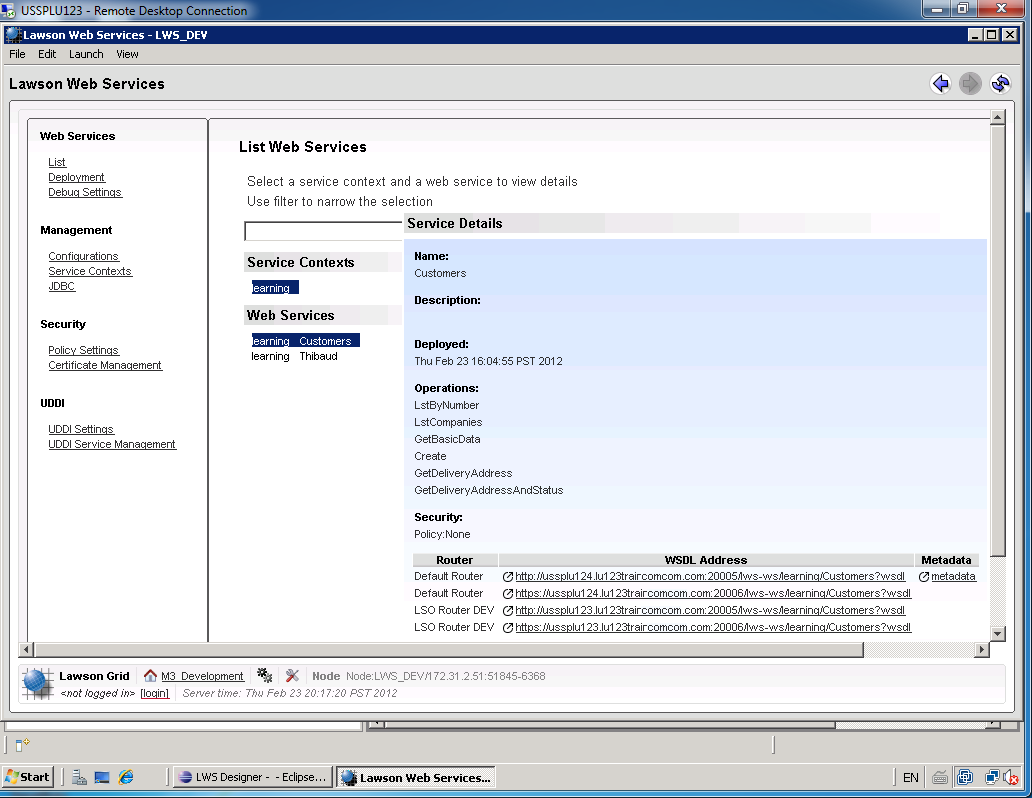
To determine the endpoint or the WSDL to our Lawson Web Service open the Lawson Web Services Runtime Management Page which you can launch from LifeCycle Manager or from Lawson Web Services Designer.

Select List, select the Service Context, and select the Web Service.

The bottom right corner will show the WSDL Address:

How’s the SOAP ?

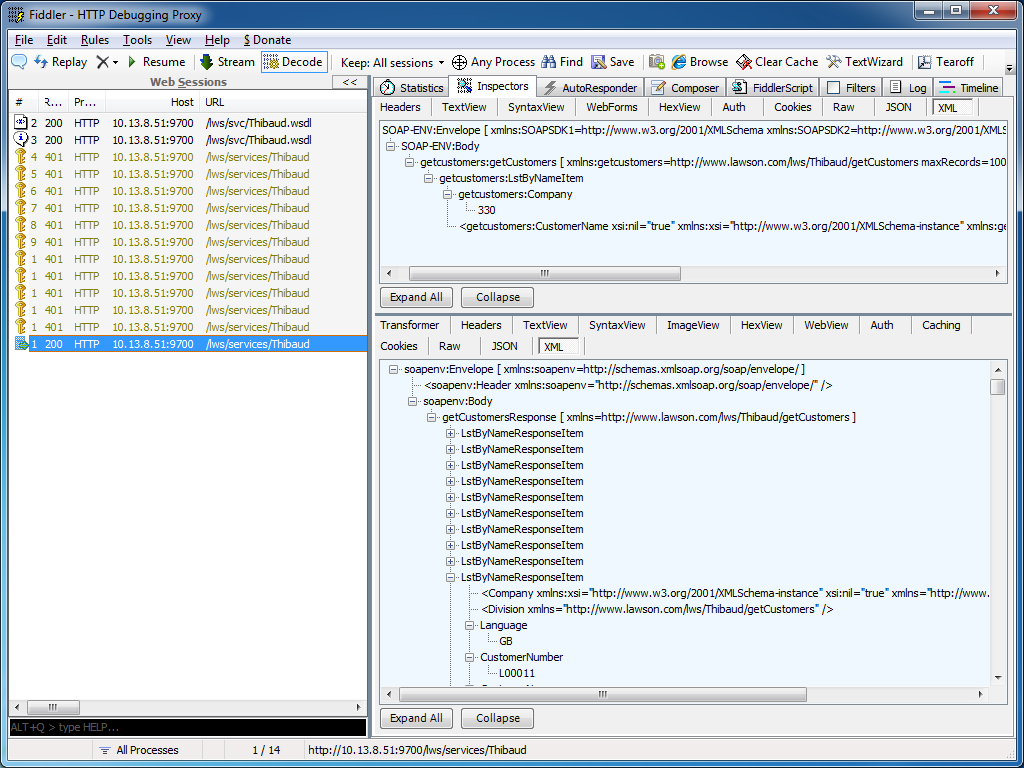
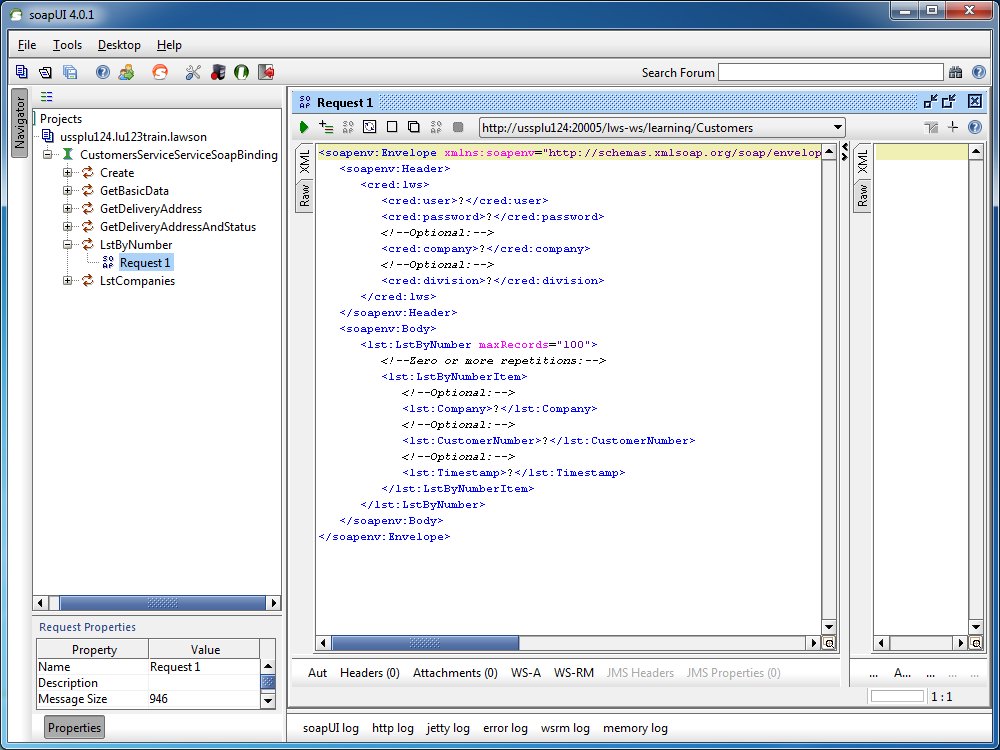
I recommend using tools like Fiddler or soapUI to determine the exact structure of the SOAP Request and SOAP Response to call our Lawson Web Services.

Fiddler can intercept HTTP calls from most SOAP clients, for example from Lawson Web Services Designer, from Microsoft InfoPath, from PocketSOAP, or from Microsoft Visual C# Express, and we can use that SOAP Request and SOAP Response as a reference to write our PHP code:

Similarly, soapUI will create a sample SOAP Request from a WSDL, it will show the SOAP Response after the web service is executed, and we can use that SOAP Request and SOAP Response as a reference to write our PHP code:

M3 API adapter

Here is a sample PHP code to call a Lawson Web Service of type API.

The Web Service name is Customers, the operation name is LstByNumber. It calls the API CRS610MI.LstByNumber. It accepts Company and CustomerNumber as input fields; note the suffix Item in LstByNumberItem for the collection of input fields. It returns CustomerNumber and CustomerName as output fields; note the suffix ResponseItem in LstByNumberResponseItem for the collection of output fields.

<?php
	try {
		$client = new SoapClient("http://hostname:10000/LWS_DEV/svc/Customers.wsdl",
		array(
			'login'=>'M3SRVADM',
			'password'=>'*******'
		)
		);
		$response = $client->LstByNumber(array("LstByNumberItem"=>array(
			"Company"=>"001",
			"CustomerNumber"=>"00100001"
		)));
		foreach ($response->LstByNumberResponseItem as $item) {
			print($item->CustomerNumber." ".$item->CustomerName."\n");
		}
	} catch (Exception $e) {
		echo 'Message: ' .$e->getMessage();
	}
?>

M3 Display Program adapter

Here is a sample PHP code to call a Lawson Web Service of type M3 Display Program (MDP).

The Web Service name is Customers, the operation name is GetName. It works in CRS610/A/E, it accepts W1CUNO as an input field, and returns WRCUNM as an output field.

<?php
	try {
		$client = new SoapClient("http://hostname:10000/LWS_DEV/svc/Customers.wsdl",
		array(
			'login'=>'M3SRVADM',
			'password'=>'*******'
		)
		);
		$response = $client->GetName(array("CRS610"=>array(
			"W1CUNO"=>"0010001"
		)));
		print($response->CRS610->WRCUNM);
	} catch (Exception $e) {
		echo 'Message: ' .$e->getMessage();
	}
?>

SQL adapter

Here is a sample PHP code to call a Lawson Web Service of type SQL (JDBC).

The Web Service name is Customers, the operation name is Search. It works by doing a SELECT FROM WHERE on OCUSMA, it accepts CustomerName as an input field. And it returns OKCUNO and OKCUNM as output fields; note the new1Collection and new1Item automatically generated.

<?php
	try {
		$client = new SoapClient("http://hostname:10000/LWS_DEV/svc/Customers.wsdl",
		array(
			'login'=>'M3SRVADM',
			'password'=>'******'
		)
		);
		$response = $client->Search(array("CustomerName"=>"%ARMY%"));
		foreach ($response->new1Collection->new1Item as $item) {
			print($item->OKCUNO.", ".$item->OKCUNM."\n");
		}
	} catch (Exception $e) {
		echo 'Message: ' .$e->getMessage();
	}
?>

That’s it!

Related articles

How to call M3 API from .NET

Here is an example to call M3 API from .NET in C#.

Background

To call M3 API in .NET there are several options: 1) we can use Interop to wrap the COM unmanaged library, 2) we can use netmodules which were introduced in the M3 API Toolkit version 9.0.1.1, or 3) we can use the native .NET managed library which were introduced in the M3 API Toolkit version 9.0.3.0. I suggest the latter option.

Example

  1. Download and install the M3 API Toolkit version 9.0.3.0 or later.
  2. That version includes the .NET library MvxSockN.dll:
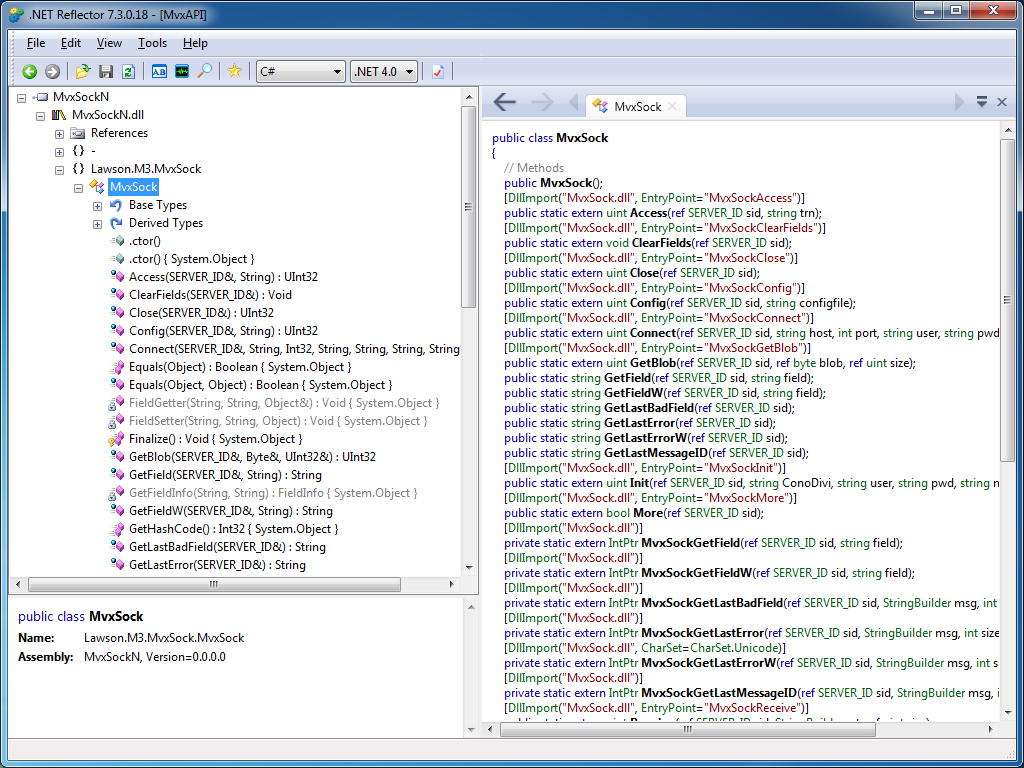
  3. You can use .NET Reflector to introspect the assembly:
  4. That version also includes documentation specifically for .NET:
  5. That version also includes C# examples:
  6. If you are using Microsoft Visual C# Express, add a New Reference to the DLL:
  7. Then add the namespace Lawson.M3.MvxSock to the source code:
    using Lawson.M3.MvxSock;
  8. Then start using MvxSock with IntelliSense:
  9. Here’s my sample source code:
    using System;
    using Lawson.M3.MvxSock;
    
    namespace ConsoleApplication1
    {
        class Program
        {
            static void Main(string[] args)
            {
                SERVER_ID sid = new SERVER_ID();
                uint rc;
                rc = MvxSock.Connect(ref sid, "hostname", 6800, "userid", "*********", "CRS610MI", null);
                if (rc != 0)
                {
                    MvxSock.ShowLastError(ref sid, "Error no " + rc + "\n");
                    return;
                }
                rc = MvxSock.Access(ref sid, "LstByNumber");
                if (rc != 0)
                {
                    MvxSock.ShowLastError(ref sid, "Error no " + rc + "\n");
                    MvxSock.Close(ref sid);
                    return;
                }
                while (MvxSock.More(ref sid))
                {
                    Console.WriteLine(MvxSock.GetField(ref sid, "CUNO") + ", " + MvxSock.GetField(ref sid, "CUNM"));
                    MvxSock.Access(ref sid, null);
                }
                MvxSock.Close(ref sid);
            }
        }
    }
  10. Here’s a sample result of calling CRS610MI.LstByNumber:

That’s it!

Related articles

How to call M3 API with REST & JSON

With the Lawson Grid, M3 introduced a new REST endpoint for calling M3 API where the response is returned in XML or in JSON.

Background

Historically, software clients that called M3 API needed to use proprietary libraries, such as MvxSockJ.class for Java and MvxSockX_SVR.dll for Microsoft languages. Over the years, Intentia introduced Movex Web Services to call M3 API using the SOAP standard. Then, Lawson introduced the Grid for cloud computing. In the process, Lawson replaced IBM WebSphere Application Server by open source software, it also replaced the Core Web Services for Lawson Smart Office, and it added Jersey, an open source implementation of JAX-RS (JSR 311). The positive outcome is that now, software clients can call M3 API using REST/JSON.

Why does it matter?

REST is increasingly popular, and years ago it started supplanting SOAP for web services [1].

Also, JSON is becoming the de facto data-interchange format, nicknamed “The Fat-Free Alternative to XML” [2].

Most importantly, it’s now possible to call M3 API without needing the proprietary libraries, and without needing Lawson Web Services. Software clients can now make simple HTTP Requests to call M3 API. This makes it easier to call M3 API from third-party software (such as Tibco, Business Objects, Web Methods, etc.) and from previously unsupported or difficultly supported programming languages (such as JScript.NET, JavaScript, Ruby, PHP, etc.).

What about Lawson Web Services?

The new REST endpoint for M3 API doesn’t preclude using Lawson Web Services. Lawson Web Services is still necessary for calling M3 API with the SOAP protocol, and for using the unavoidable M3 Display Program adapter which cannot be found in any other Lawson product. Also, Lawson Web Services is still necessary for Lawson Smart Data Tool.

REST endpoint

To access the new REST endpoint for M3 API, open a Grid Information page, which is accessible from any participating Host in the Grid:

For example: http://ussplu123:20005/grid/info.html

At the bottom of the page is the Application Name M3-API-WS, and it has a Link to the Rest Service‘s WADL:

For example: http://ussplu123:20005/m3api-rest/application.wadl
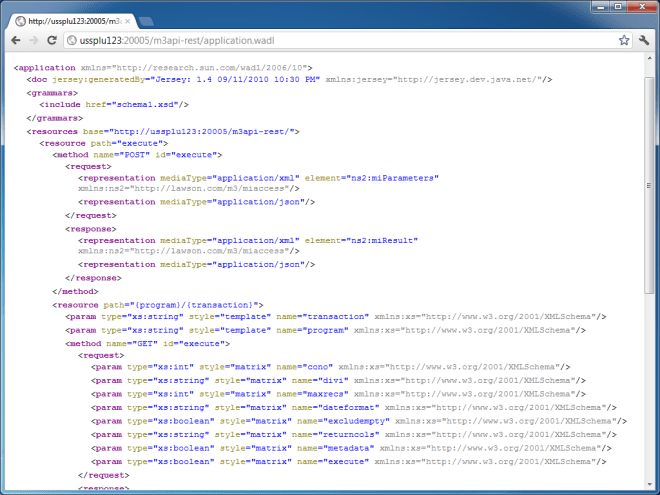
This WADL gives us the resource path:

execute/{program}/{transaction}

Where {program} is the M3 API Program, like MNS150MI, CRS610MI, MMS200MI, etc. And where {transaction} is that API’s transaction, like GetBasicData, AddAddress, LstByNumber, etc.

Let’s try to call the API CRS610MI.LstByNumber. The URL in my example would be: http://ussplu123:20005/m3api-rest/execute/CRS610MI/LstByNumber

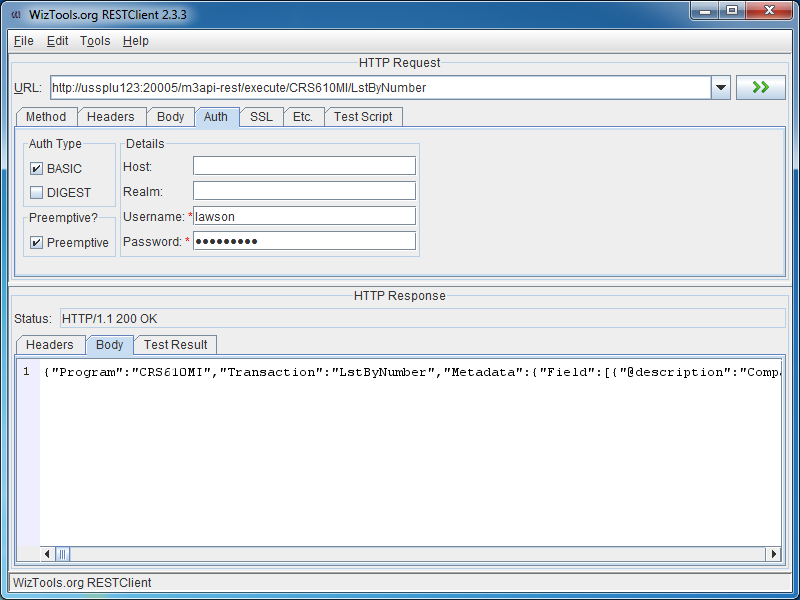
The server will challenge us for HTTP Basic Authentication, we need to provide a valid M3 userid and password:

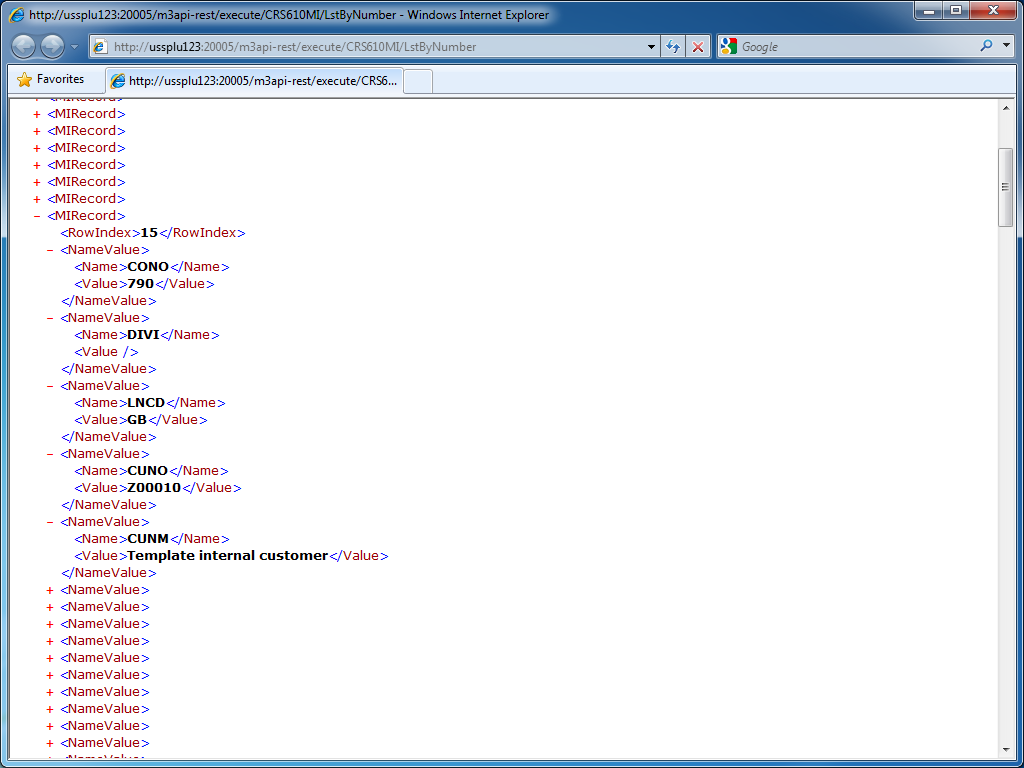
And the result in XML is a collection of MIRecord elements with Name/Value pairs:

JSON

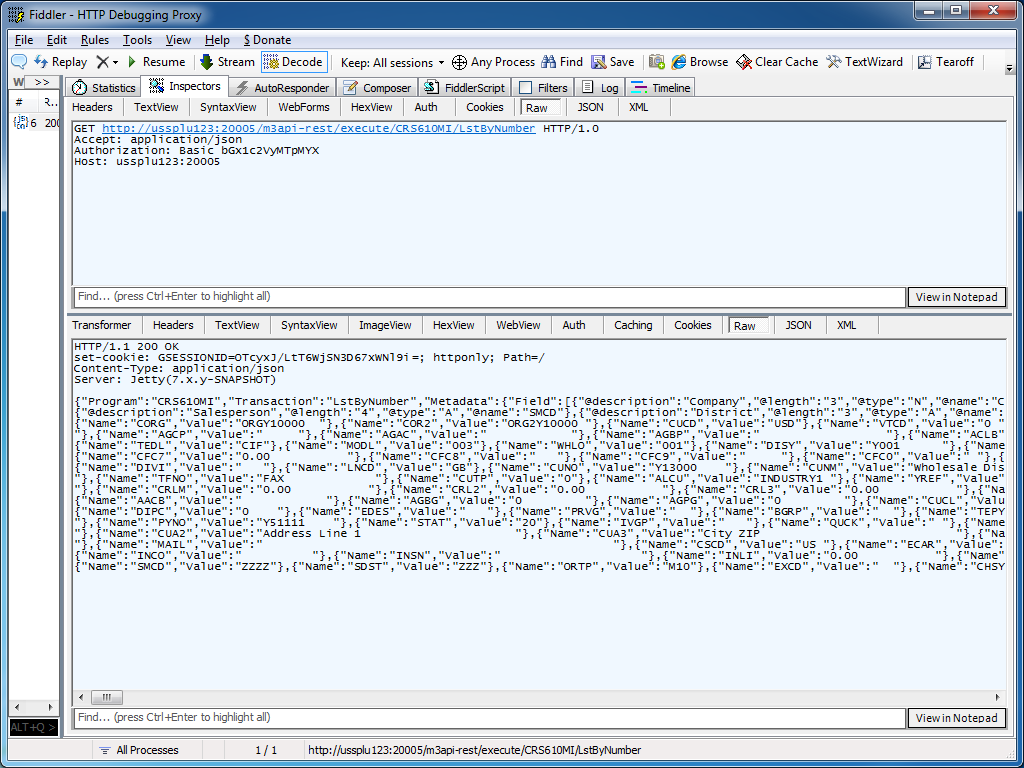
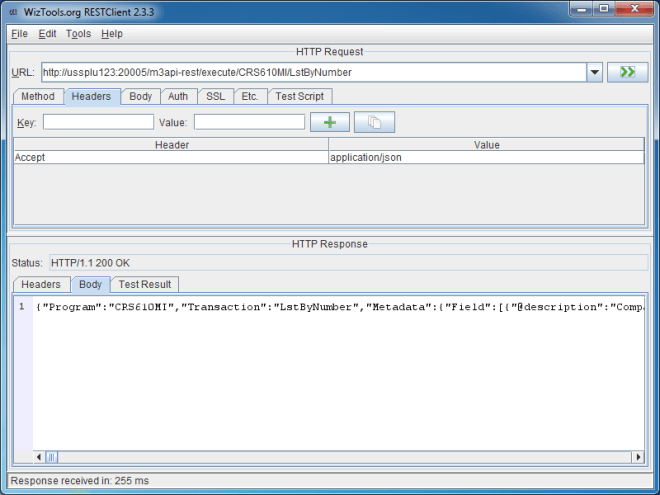
We can get the result in JSON by adding the HTTP Header field:

Accept: application/json

The result is:

REST GUI

RESTClient is a great REST graphical user interface which we can use to test M3 API; you can download it at http://code.google.com/p/rest-client/

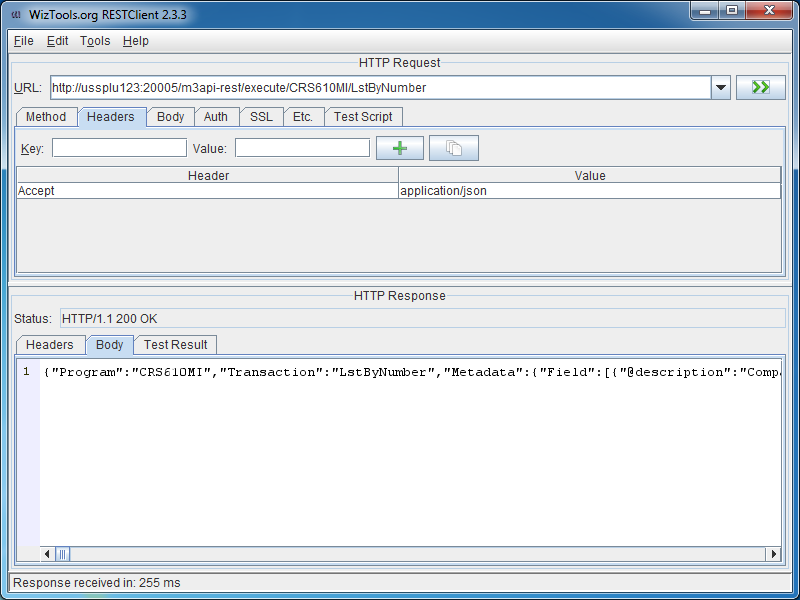
Paste the URL, set the M3 userid and password in the Authentication tab, optionally set the Header to get the response in JSON, and click Go!

Conclusion

With the Lawson Grid, software clients can now natively call M3 API from third-party software, and from previously unsupported or difficultly supported programming languages, without the need for proprietary libraries, and without the need for Lawson Web Services.

Updates

Input parameters

UPDATE 2012-07-17: You can set input parameters in the URL, for example: http://hostname:port/m3api-rest/execute/MMS200MI/GetItmBasic?CONO=531&ITNO=ABCDEF . Also, you can hook RESTClient to use Fiddler as a proxy in Tools >;; Options.

Max number of records

UPDATE 2012-07-31: You can set the maximum number of records returned with the matrix parameter maxrecs, for example: http://hostname:port/m3api-rest/execute/CRS610MI/LstByNumber;maxrecs=20?CONO=1

Output fields

UPDATE 2012-08-02: You can set the output fields returned with the parameter returncols, for example: http://hostname:port/m3api-rest/execute/CRS610MI/LstByNumber;returncols=CUNO,CUNM,CUA1,STAT,PHNO

Related articles