M3 API with jQuery DataTables

Here is a sample JavaScript code to render a list of results of an M3 API call using DataTables for jQuery. This is useful for web developers who need to easily display M3 data in a web page. This article builds on my previous post about How to call M3 API from JavaScript.

jQuery is a great JavaScript library for cross-browser compatibility, ease of programming, and added functionality. DataTables is great for rendering, pagination, sorting, and filtering of table data, all client-side; this will not be suitable for large amounts of data in which case a server-side positioning will be necessary by setting the necessary API input fields.

Here’s the source code:

<!DOCTYPE HTML PUBLIC "-//W3C//DTD HTML 4.01//EN" "http://www.w3.org/TR/html4/strict.dtd">
<html>
    <head>
        <title>M3 API with jQuery DataTables</title>
        <meta http-equiv="Content-type" content="text/html; charset=utf-8"/>
        <style type="text/css" media="screen">
            @import "http://datatables.net/media/css/site_jui.ccss";
            @import "http://datatables.net/release-datatables/media/css/demo_table_jui.css";
            @import "http://datatables.net/media/css/jui_themes/smoothness/jquery-ui-1.7.2.custom.css";
            body { padding: 10px }
            #container { width: 980px; }
        </style>
    </head>
    <body onload="run()">
        <h1>Customers</h1>
        
http://live.datatables.net/media/js/jquery.jshttp://datatables.net/download/build/jquery.dataTables.nightly.js // settings var userid = 'userid'; var password = 'password'; var program = 'CRS610MI'; var transaction = 'LstByNumber'; var maxrecs = 100; var returncols = 'CUNO,CUNM,CUA1,TFNO,STAT'; var inputFields = ''; // ex: CONO=1&CUNO=10001 // call the API and show the result function run() { try { // construct the URL var url = '/m3api-rest/execute/'+program+'/'+transaction+';maxrecs='+maxrecs+';returncols='+returncols+'?'+inputFields; // execute the request var xhr = new XMLHttpRequest(); xhr.open('GET', url, true, userid, password); xhr.setRequestHeader('Accept', 'application/json'); xhr.onreadystatechange = function () { // handle the response if (this.readyState == 4) { if (this.status == 200) { // get the JSON var jsonTxt = xhr.responseText; var response = eval('(' + jsonTxt + ')'); // show the metadata var table = document.getElementById('results'); var thead = table.tHead; if (thead === null) { thead = document.createElement('thead'); var tr = document.createElement('tr'); var metadata = response.Metadata.Field; for (var m in metadata) { var th = document.createElement('th'); th.appendChild(document.createTextNode(metadata[m]['@description'] + ' ' + metadata[m]['@name'])); tr.appendChild(th); } thead.appendChild(tr); table.appendChild(thead); // paint the table with jQuery DataTables $('#results').dataTable({ "bJQueryUI": true, "sPaginationType": "full_numbers" }); } // show the data var rows = response.MIRecord; for (var i in rows) { var fields = rows[i].NameValue; var values = []; for (var j in fields) { values.push(fields[j].Value); } $('#results').dataTable().fnAddData(values); } } else { alert(xhr.responseText); } } }; xhr.send(); } catch (ex) { alert(ex); } } </body> </html>

Here’s a screenshot of the result:

Related articles

How to call M3 API from JavaScript

Here is a solution to call M3 API from JavaScript, for example to call MMS200MI.GetItmBasic from an HTML page, using the solution described in a previous post on how to call M3 API with REST & JSON. This solution is interesting for easily integrating M3 into third-party web applications.

In this example, I will call the API program MMS200MI and the transaction GetItmBasic to get the details of a specified Item. This API accepts three input fields: Company (CONO), Item number (ITNO), and Language (LNCD).

First, let’s set the variables (replace the values with those that suit your environment):

var userid = 'm3userid';
var password = 'm3password';
var CONO = 100;
var ITNO = 'AN21R8';
var LNCD = 'GB';

Then, let’s construct the URL to make the REST call, and make sure to URI-encode the parameter values:

var url = '/m3api-rest/execute/MMS200MI/GetItmBasic?';
url += '&CONO=' + encodeURIComponent(CONO);
url += '&ITNO=' + encodeURIComponent(ITNO);
url += '&LNCD=' + encodeURIComponent(LNCD);

There are many solutions in JavaScript to make REST calls. I will use the built-in XMLHttpRequest object of modern browsers, but you can choose to use another library of your choice such as jQuery Ajax, Dojo.xhr, etc.

However, all modern browsers implement a same origin policy that restricts cross-domain requests to prevent malicious attacks on a page. Thus, our HTTP Request must be made on the same domain as the REST Service endpoint. For example, if our REST Service endpoint is located at http://hostname:33005/m3api-rest/ then your HTML page must be served with the same origin, i.e. same host and same port number. For example, I placed my HTML page in the mne/script/ folder of my Smart Office server to ensure the same origin policy. There are several workarounds to make cross-domain requests, for example JSONP makes the HTTP Request using a dynamic <script> tag; I haven’t tested such workarounds.

Then, let’s make the HTTP Request assuming your HTML page respects the same origin policy:

var xhr = new XMLHttpRequest();
xhr.open('GET', url, false, userid, password);
xhr.setRequestHeader('Accept', 'application/json');
xhr.send();

Remember, if your HTML page is not in the same domain as the REST service endpoint the browser will throw a JavaScript exception about cross-domain requests.

Then, let’s check if we received a response or not:

if (xhr.status == 200) {
   // success
} else {
   // error
}

The status codes returned could be 200 OK, 401 Unauthorized (incorrect userid/password), 500 Internal Error (invalid data rejected by M3), or something else.

If it’s 200 OK let’s parse the resulting JSON and show the result, otherwise let’s show the error message:

if (xhr.status == 200) {
   // success
   var jsonTxt = xhr.responseText;
   var response = eval('(' + jsonTxt + ')');
   var metadata = response.Metadata.Field;
   var fields = response.MIRecord.NameValue;
   for (var i in fields) {
      console.log(metadata[i]['@description'] + ' (' + fields[i].Name + ', ' + metadata[i]['@type'] + metadata[i]['@length'] + ') = ' + fields[i].Value);
   }
} else {
   // error
   console.log(xhr.responseText);
}

I use eval to parse the JSON but you can use another parser like Doug’s JSON, jQuery.parseJSON, dojo/json, or another parser of your choice.

Also, I use console.log to output the results to the JavaScript console of Google Chrome. Feel free to use any other technique of your choice.

Here is the full source code:

MITest-JS// <![CDATA[
   // set the input fields
   var userid = 'm3userid';
   var password = 'm3password';
   var CONO = 100;
   var ITNO = 'AN21R8';
   var LNCD = 'GB';
   // construct the URL
   var url = '/m3api-rest/execute/MMS200MI/GetItmBasic?';
   url += '&CONO=' + encodeURIComponent(CONO);
   url += '&ITNO=' + encodeURIComponent(ITNO);
   url += '&LNCD=' + encodeURIComponent(LNCD);
   // execute the request
   var xhr = new XMLHttpRequest();
   xhr.open('GET', url, false, userid, password);
   xhr.setRequestHeader('Accept', 'application/json');
   xhr.send();
   // handle the response
   if (xhr.status == 200) {
      // success
      var jsonTxt = xhr.responseText;
      var response = eval('(' + jsonTxt + ')');
      var metadata = response.Metadata.Field;
      var fields = response.MIRecord.NameValue;
      for (var i in fields) {
         console.log(metadata[i]['@description'] + ' (' + fields[i].Name + ', ' + metadata[i]['@type'] + metadata[i]['@length'] + ') = ' + fields[i].Value);
      }
   } else {
      // error
      console.log(xhr.responseText);
   }
// ]]>

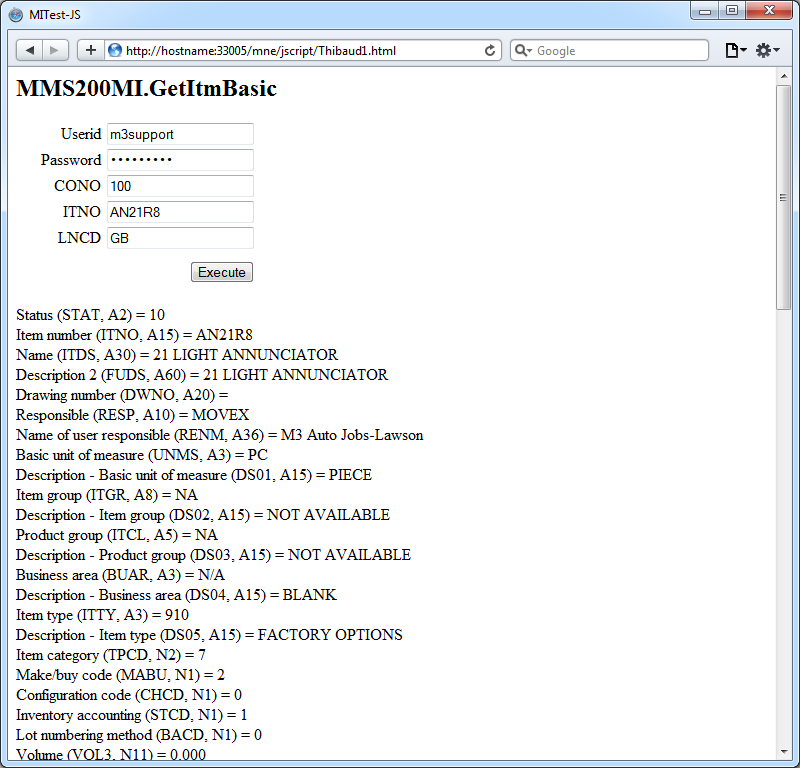
Here is a screenshot of the result in Internet Explorer, Google Chrome, Firefox, and Safari of an HTML page with a form that I made:

That’s it!

UPDATE 2012-09-12:

You can access a field value directly by its field name with the following code:

var record = {};
response.MIRecord[i].NameValue.map(function(o){ record[o.Name] = o.Value; }); // transform each record to an associative array accessible by a key
record['ITNO']
record['ITDS']
record['STAT']
record['RESP']

Related articles

How to call M3 API from .NET

Here is an example to call M3 API from .NET in C#.

Background

To call M3 API in .NET there are several options: 1) we can use Interop to wrap the COM unmanaged library, 2) we can use netmodules which were introduced in the M3 API Toolkit version 9.0.1.1, or 3) we can use the native .NET managed library which were introduced in the M3 API Toolkit version 9.0.3.0. I suggest the latter option.

Example

  1. Download and install the M3 API Toolkit version 9.0.3.0 or later.
  2. That version includes the .NET library MvxSockN.dll:
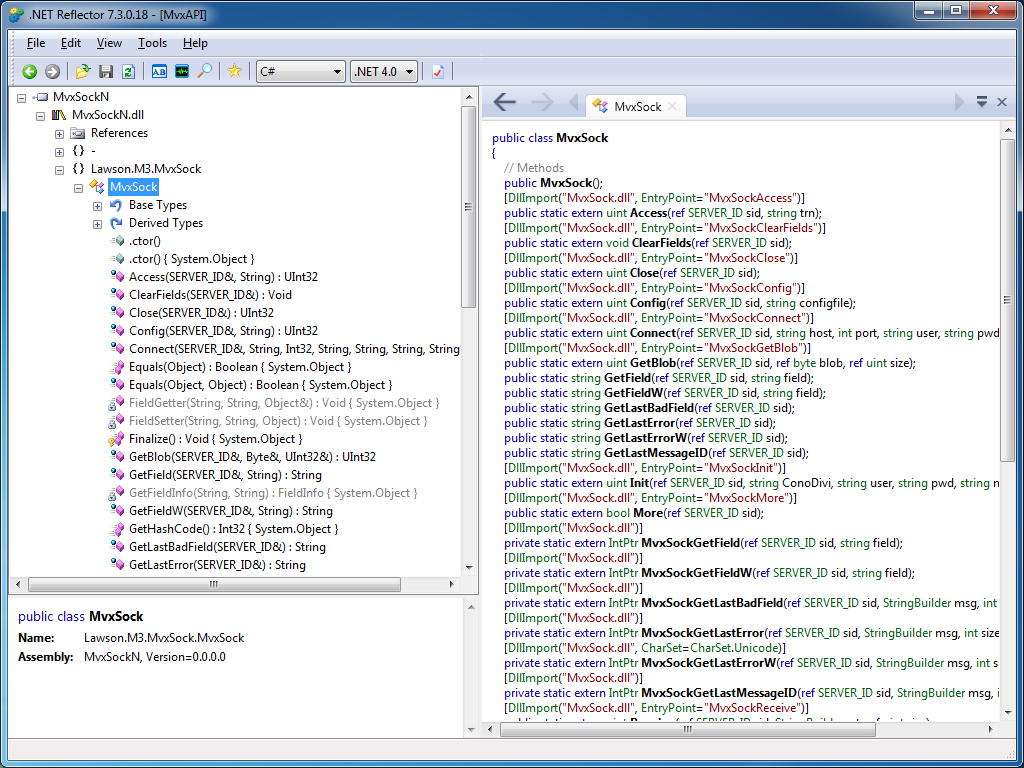
  3. You can use .NET Reflector to introspect the assembly:
  4. That version also includes documentation specifically for .NET:
  5. That version also includes C# examples:
  6. If you are using Microsoft Visual C# Express, add a New Reference to the DLL:
  7. Then add the namespace Lawson.M3.MvxSock to the source code:
    using Lawson.M3.MvxSock;
  8. Then start using MvxSock with IntelliSense:
  9. Here’s my sample source code:
    using System;
    using Lawson.M3.MvxSock;
    
    namespace ConsoleApplication1
    {
        class Program
        {
            static void Main(string[] args)
            {
                SERVER_ID sid = new SERVER_ID();
                uint rc;
                rc = MvxSock.Connect(ref sid, "hostname", 6800, "userid", "*********", "CRS610MI", null);
                if (rc != 0)
                {
                    MvxSock.ShowLastError(ref sid, "Error no " + rc + "\n");
                    return;
                }
                rc = MvxSock.Access(ref sid, "LstByNumber");
                if (rc != 0)
                {
                    MvxSock.ShowLastError(ref sid, "Error no " + rc + "\n");
                    MvxSock.Close(ref sid);
                    return;
                }
                while (MvxSock.More(ref sid))
                {
                    Console.WriteLine(MvxSock.GetField(ref sid, "CUNO") + ", " + MvxSock.GetField(ref sid, "CUNM"));
                    MvxSock.Access(ref sid, null);
                }
                MvxSock.Close(ref sid);
            }
        }
    }
  10. Here’s a sample result of calling CRS610MI.LstByNumber:

That’s it!

Related articles

How to call M3 API with REST & JSON

With the Lawson Grid, M3 introduced a new REST endpoint for calling M3 API where the response is returned in XML or in JSON.

Background

Historically, software clients that called M3 API needed to use proprietary libraries, such as MvxSockJ.class for Java and MvxSockX_SVR.dll for Microsoft languages. Over the years, Intentia introduced Movex Web Services to call M3 API using the SOAP standard. Then, Lawson introduced the Grid for cloud computing. In the process, Lawson replaced IBM WebSphere Application Server by open source software, it also replaced the Core Web Services for Lawson Smart Office, and it added Jersey, an open source implementation of JAX-RS (JSR 311). The positive outcome is that now, software clients can call M3 API using REST/JSON.

Why does it matter?

REST is increasingly popular, and years ago it started supplanting SOAP for web services [1].

Also, JSON is becoming the de facto data-interchange format, nicknamed “The Fat-Free Alternative to XML” [2].

Most importantly, it’s now possible to call M3 API without needing the proprietary libraries, and without needing Lawson Web Services. Software clients can now make simple HTTP Requests to call M3 API. This makes it easier to call M3 API from third-party software (such as Tibco, Business Objects, Web Methods, etc.) and from previously unsupported or difficultly supported programming languages (such as JScript.NET, JavaScript, Ruby, PHP, etc.).

What about Lawson Web Services?

The new REST endpoint for M3 API doesn’t preclude using Lawson Web Services. Lawson Web Services is still necessary for calling M3 API with the SOAP protocol, and for using the unavoidable M3 Display Program adapter which cannot be found in any other Lawson product. Also, Lawson Web Services is still necessary for Lawson Smart Data Tool.

REST endpoint

To access the new REST endpoint for M3 API, open a Grid Information page, which is accessible from any participating Host in the Grid:

For example: http://ussplu123:20005/grid/info.html

At the bottom of the page is the Application Name M3-API-WS, and it has a Link to the Rest Service‘s WADL:

For example: http://ussplu123:20005/m3api-rest/application.wadl

This WADL gives us the resource path:

execute/{program}/{transaction}

Where {program} is the M3 API Program, like MNS150MI, CRS610MI, MMS200MI, etc. And where {transaction} is that API’s transaction, like GetBasicData, AddAddress, LstByNumber, etc.

Let’s try to call the API CRS610MI.LstByNumber. The URL in my example would be: http://ussplu123:20005/m3api-rest/execute/CRS610MI/LstByNumber

The server will challenge us for HTTP Basic Authentication, we need to provide a valid M3 userid and password:

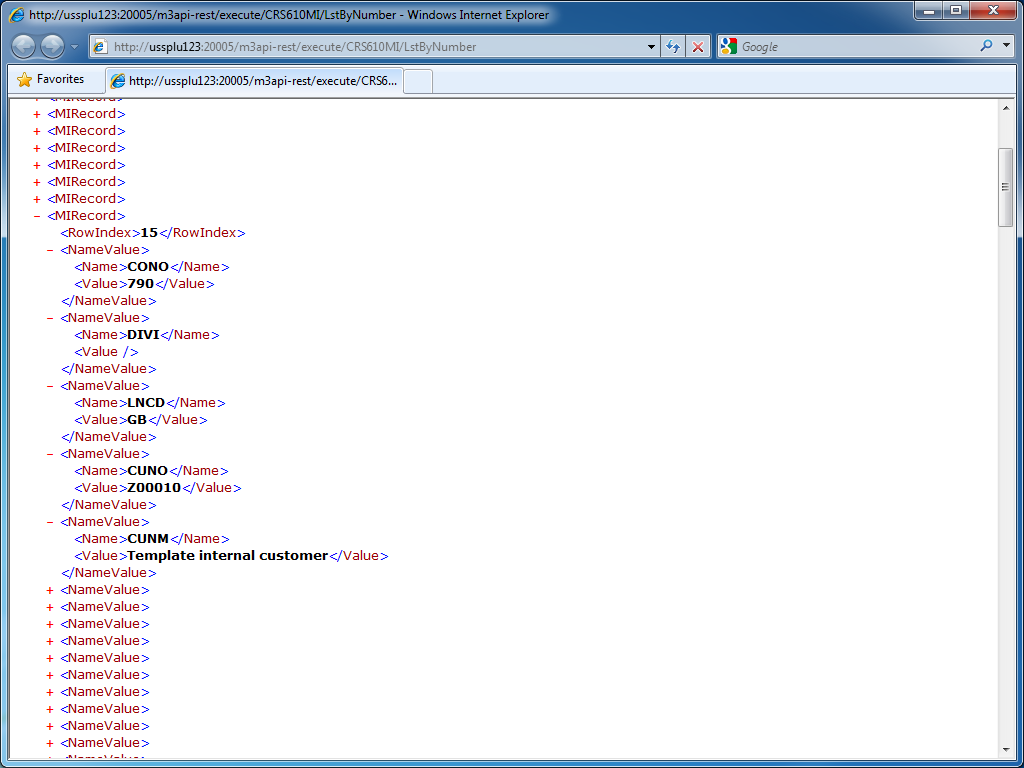
And the result in XML is a collection of MIRecord elements with Name/Value pairs:

JSON

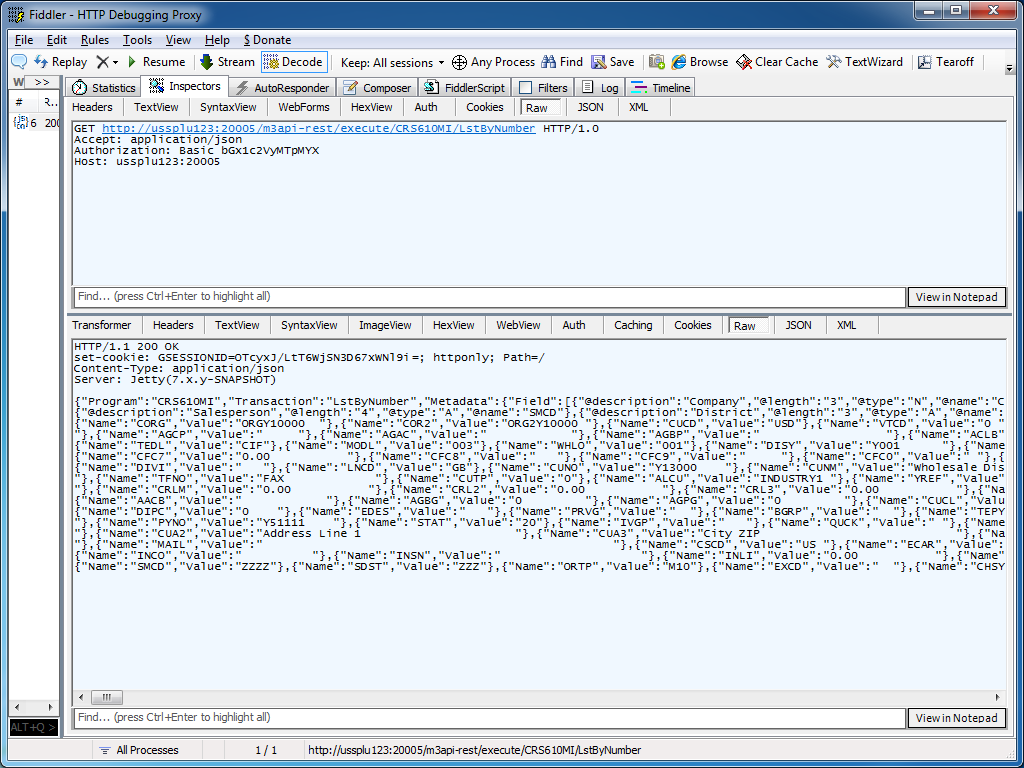
We can get the result in JSON by adding the HTTP Header field:

Accept: application/json

The result is:

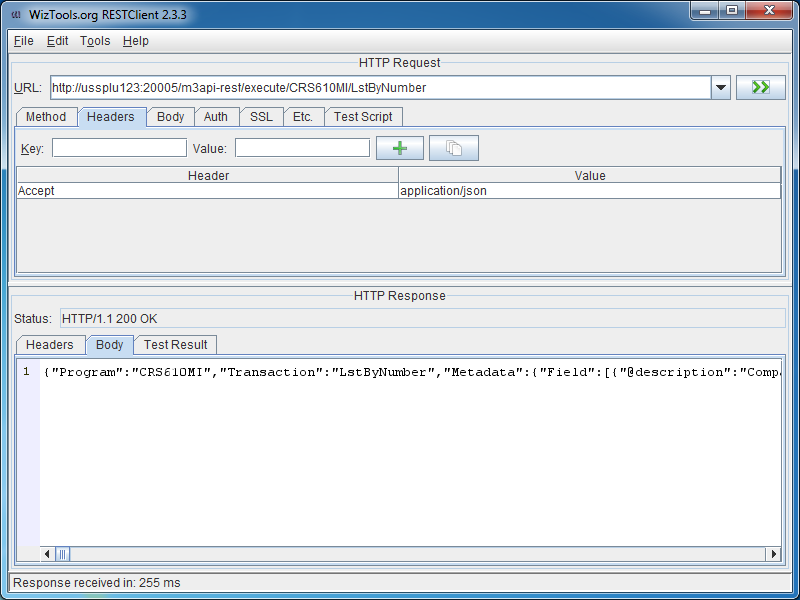
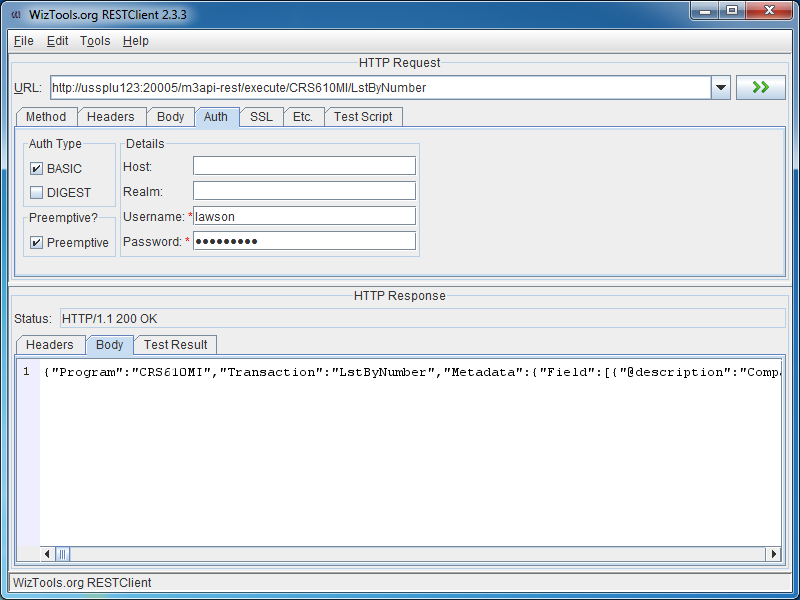
REST GUI

RESTClient is a great REST graphical user interface which we can use to test M3 API; you can download it at http://code.google.com/p/rest-client/

Paste the URL, set the M3 userid and password in the Authentication tab, optionally set the Header to get the response in JSON, and click Go!

Conclusion

With the Lawson Grid, software clients can now natively call M3 API from third-party software, and from previously unsupported or difficultly supported programming languages, without the need for proprietary libraries, and without the need for Lawson Web Services.

Updates

Input parameters

UPDATE 2012-07-17: You can set input parameters in the URL, for example: http://hostname:port/m3api-rest/execute/MMS200MI/GetItmBasic?CONO=531&ITNO=ABCDEF . Also, you can hook RESTClient to use Fiddler as a proxy in Tools >;; Options.

Max number of records

UPDATE 2012-07-31: You can set the maximum number of records returned with the matrix parameter maxrecs, for example: http://hostname:port/m3api-rest/execute/CRS610MI/LstByNumber;maxrecs=20?CONO=1

Output fields

UPDATE 2012-08-02: You can set the output fields returned with the parameter returncols, for example: http://hostname:port/m3api-rest/execute/CRS610MI/LstByNumber;returncols=CUNO,CUNM,CUA1,STAT,PHNO

Related articles