Continuous integration of Mashups #3 – HELP GOTTEN!!

I will explore useful information I received from Karin – Principal Software Architect at Infor Product Development and technology evangelist at the Smart Office blog – in response to my ask for help with continuous integration of Mashups. Refer to my posts #1 and #2 for the backstory.

Disclaimer

I will be exploring web services and APIs that are internal to Smart Office, and not supposed to be used by anyone other than Infor Product Development. Also, they may change at any time in a future version. So use are your own risk.

No command line 😦

Karin confirmed “unfortunately there is no command-line support in LifeCycle Manager (LCM)”, at least not publicly available. And regarding the Velocity scripts, she said they “are only for applications so via LCM it is not possible to use command line.”

Bummer!

Use MangoServer, not LCM 🙂

She added “In the latest version of 10.2.1. you can consider using REST/Servlet upload to automatically upload Mashups. But that means that you will be managing them from outside of LCM from that time on which kind of leaves the installation you will be working on in a limbo since it will have old entries in LCM that you should never care about again. But it might still be worth the effort to remove all the mashups in LCM and manage them in the Management pages for the Mango Server. [The service] is internal as we use it from the Management pages it is not a real WS/REST service but grid internal.”

Waaaa? We can deploy directly to MangoServer and short-circuit LCM?
board__

Web Services

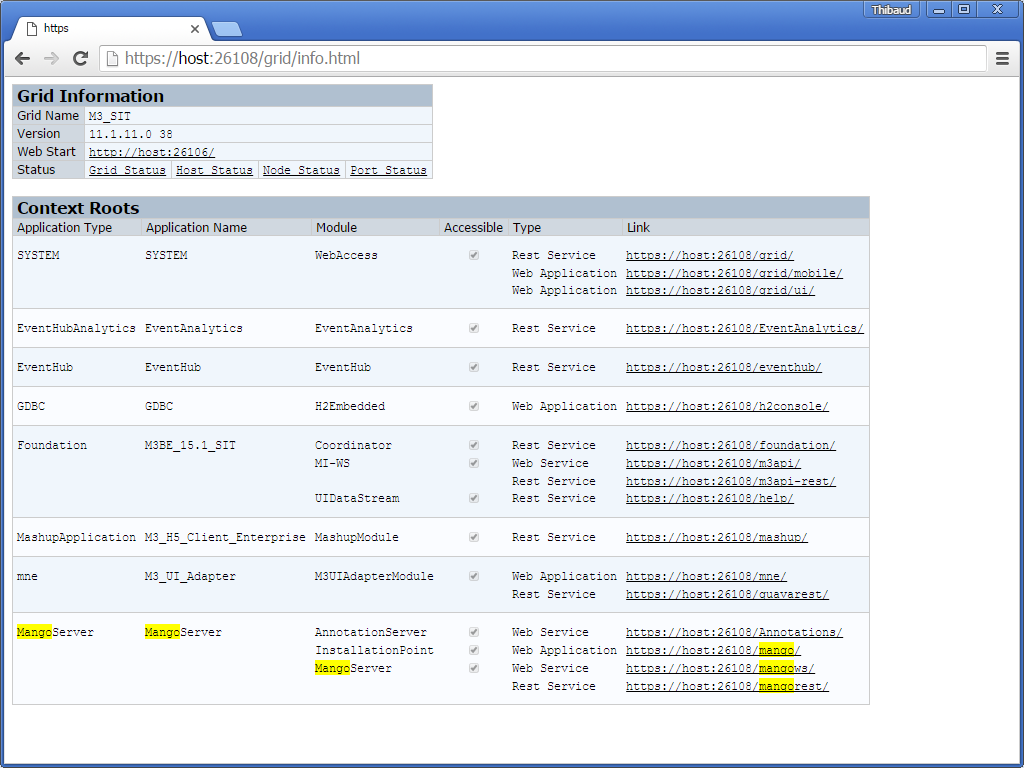
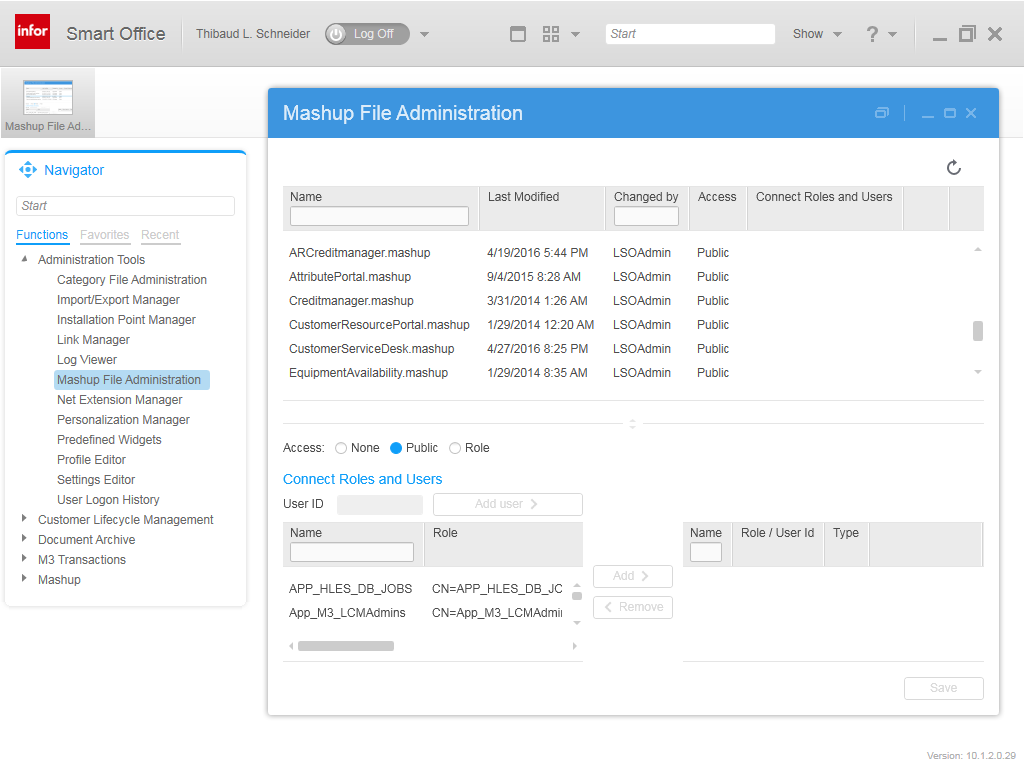
I think Karin is referring to the /mangows Web Service used by the Mashup File Administration tool as identified with .NET Reflector and Fiddler:
4
1_

I explored the various WSDL and found that InstallationPointManager has the method DeployMashup:
5

The method takes two input parameters: Name takes the Mashup’s filename+extension (e.g. Thibaud.mashup), and MashupFile takes the Base64-encoding of the Mashup’s binary contents; I use the bash command $ base64 -w 0 Thibaud.mashup or whatever Base64 encoding tool, and make sure to copy/paste the result as a single line:
11
8

The web service adds the Mashup to the MangoServer database:

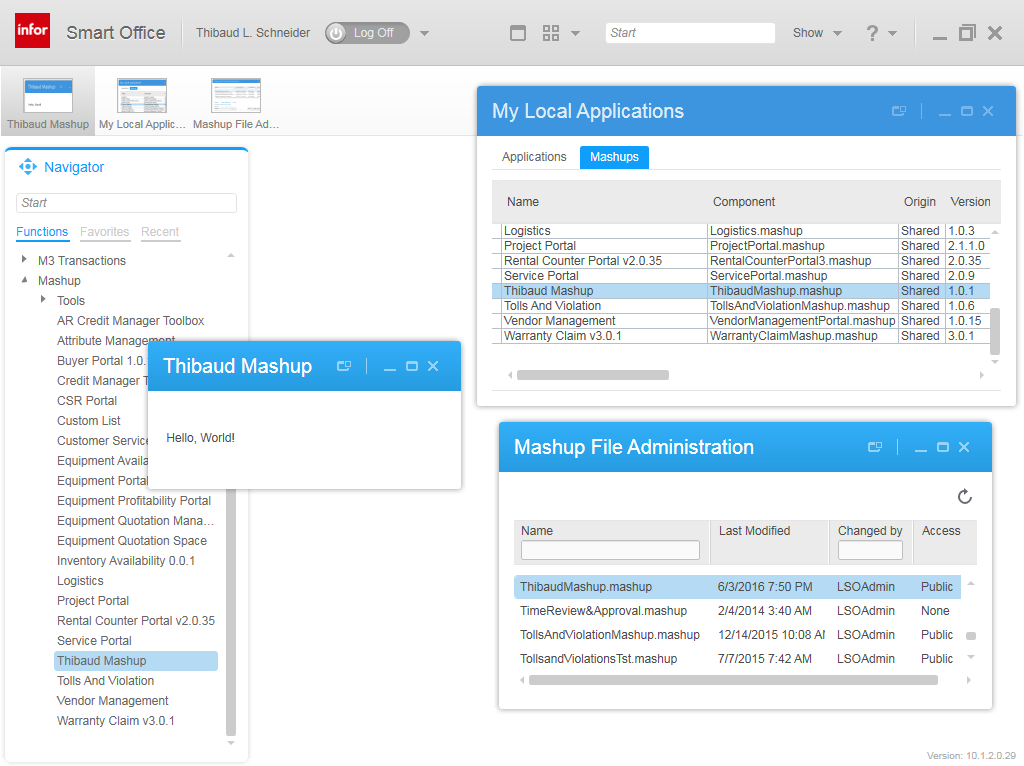
Finally, we restart Smart Office, and we can now use the Mashup:
12

FANTASTIC! I can easily write a command line that calls the web service.

Note 1: We can keep calling the web service to deploy new versions of the Mashup, and it will override the old version with the new versions; good.

Note 2: I could not find a web service to un-deploy a Mashup. So if we need to remove a Mashup, I guess we have to change the access to None in the Mashup File Administration tool; to be tested.

Note 3: The web service will always return the same response regardless of if it succeeded or not. I had to turn on the DEBUG and TRACE log levels of the MangoServer application and of other Grid applications to get the details I needed:
14

Note 4: I think you have to be in the MangoServer/Administrator role:
15

To LCM, or not to LCM?

As Karin said, from now on that Mashup cannot be administered in LCM, it doesn’t even show in LCM:
13

We can still continue to use LCM to administer legacy Mashups and to upload new Mashups, as long as they don’t have the same name as the Mashups we deploy via the MangoServer web service. That’s mixed administration.

Now we have the choice of how to administer Mashups: either we administer them all in LCM as before, either we administer them all in MangoServer with the web service, in which case it’s probably best to un-register the legacy Mashups from LCM to avoid confusion, either we administer them mixedly, in which case it will probably be confusing.

UPDATE 2016-06-06: Karin said it is very important to remove Mashups from LCM and only manage them via Smart Office if that is what we decide to do.

MangoAdmin

Karin adds: “[You can] use the MangoAdmin tool to import mashups files. But since they require a metadata file with table entries it’s a bit too much work to do them manually. But it is an alternative if you create one zip and then import against different environments. But it needs to be in the UI to be able to upload the file. There is a command line version but it requires the zip to already be uploaded to the server in the MangoData/Import folder. With the Mango Admin tool I mean the stand alone tool (exe) that is found in the download zip. It has one UI version and one command line exe version.”

I could not find said MangoAdmin tool. I found some tools in the Smart Office SDK but they do not take Mashups as input nor output:

PackWin.exe:
18

Pack.exe:
16

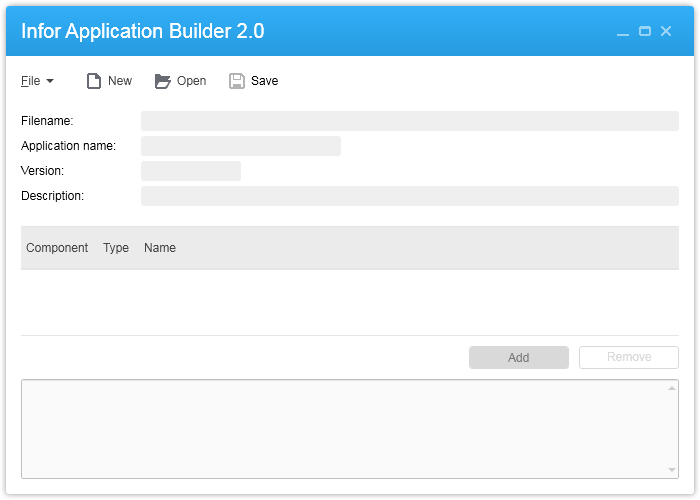
InforApplicationBuilder.exe:
17

UPDATE 2016-06-06: The Mango Admin Tool is explained at, https://smartofficeblog.com/2014/11/20/mango-admin-tool-the-import-and-export-tool/

Instead, I decompiled the Mashup Designer again, and replicated how it generates the Mashup file:
19

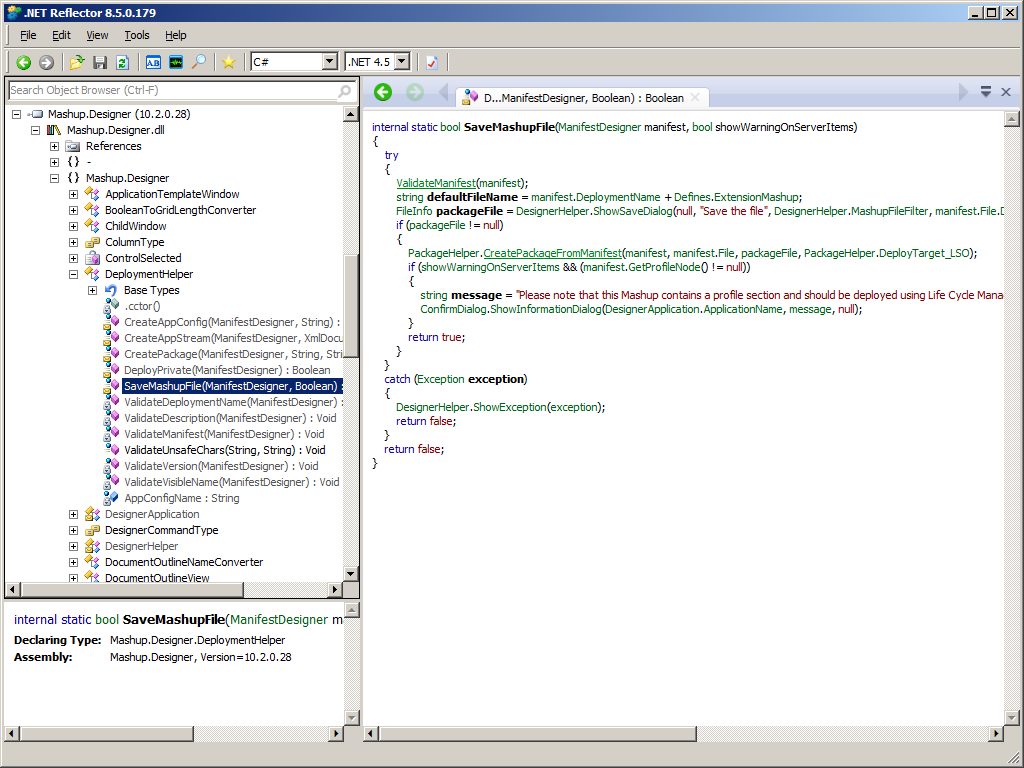
It calls the method Mashup.Designer.DeploymentHelper.SaveMashupFile which calls the private method ValidateManifest and the public method CreatePackageFromManifest:
20

Here is the source code to do the same:

import System.IO;
import System.Reflection;
import Mango.UI.Services.Mashup;
import Mango.UI.Services.Mashup.Internal;
import Mashup.Designer;

package MForms.JScript {
    class Test {
        public function Init(element: Object, args: Object, controller : Object, debug : Object) {
            var manifest: ManifestDesigner = new ManifestDesigner(new FileInfo("C:\\Mashups\\ThibaudMashup.manifest"));
            DeploymentHelper.InvokeMember("ValidateManifest", BindingFlags.InvokeMethod | BindingFlags.NonPublic | BindingFlags.Static, null, null, [manifest]);
            var defaultFileName: String = manifest.File.Directory + "\\" + manifest.DeploymentName + Defines.ExtensionMashup;
            var packageFile: FileInfo = new FileInfo(defaultFileName);
            Mango.UI.Services.Mashup.Internal.PackageHelper.CreatePackageFromManifest(manifest, manifest.File, packageFile, PackageHelper.DeployTarget_LSO);
            var message: String = "Please note that this Mashup contains a profile section and should be deployed using Life Cycle Manager. Warning - Using the Mashup File Administration tool will not result in a merge of profile information into the profile.";
            if (manifest.GetProfileNode() != null) {
                debug.WriteLine(message);
            }
        }
    }
}

FeatureServlet

Karin said of the latest Smart Office: “I looked around to see what we had to upload a .lawsonapp and we just added it to the HF that will be released now. Anyway we have added a upload servlet that needs to get a single file using: “A file upload request comprises an ordered list of items that are encoded according to RFC 1867, “Form-based File Upload in HTML”. FileUpload can parse such a request and provide your application with a list of the individual uploaded items.” You post a file to /FeatureServlet and then it will be uploaded. You need to be a Smart Office administrator to do this. This servlet is completely new so if you browse to /mango/FeatureServlet and get HTTP 404 you don’t have it. No documentation available.”

My server does not have that hotfix so that’s future work.

Future work

Next time I will:

  • Call the MangoServer web service from a command line
  • Transform the script into a command line
  • Explore the Mango Admin tool
  • Explore the FeatureServlet of the latest Smart Office hotfix

Conclusion

I now have a solution to deploy Mashups via a web service. It short-circuits LifeCycle Manager and deploys directly to the MangoServer, so we have to decide how to administer Mashups from that point forward. Also, I have a solution to generate the Mashup files from the manifest, with validation and metadata. That’s all I need for my goal of a command line. Next time I will do the command line.

That’s it!

Please leave a comment below, slap a Like, follow this blog, share with your colleagues, and come write something.

Thank you Karin!!

Related posts

Continuous integration of Mashups #2 – Reverse engineering

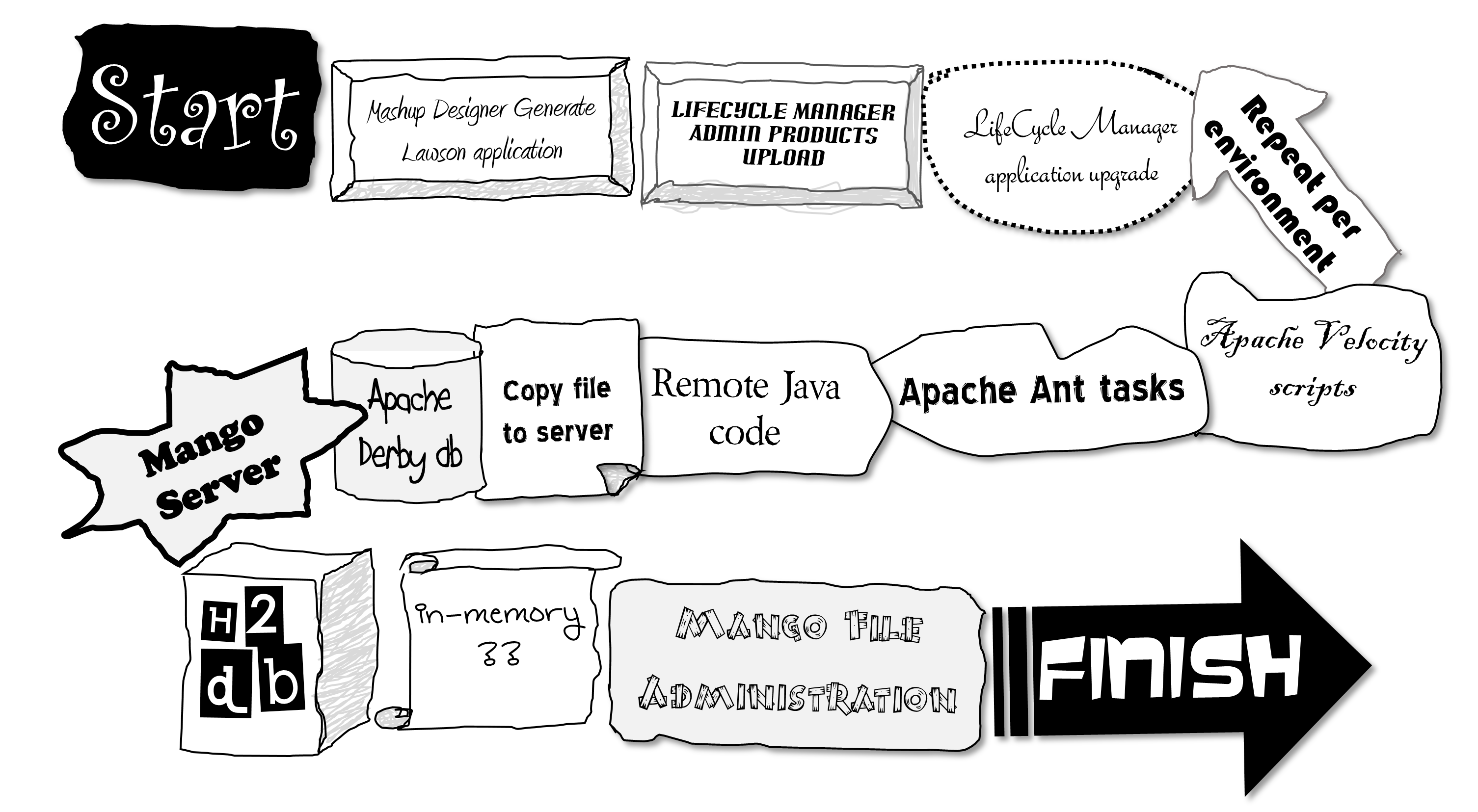
I will try to explain what happens internally in the various Infor applications when we deploy Mashups. I need to understand this so I can streamline the deployment for my needs. Here is my artistic rendering of the current flow:

Disclaimer

I will reverse engineer the applications by static analysis. This exposes the internals of the Infor applications, which are not supposed to be used by anyone other than Infor Product Development, and which may change with future versions of the applications. So the result is informative only. Also, I am not allowed to show any proprietary source code – I will just show snippets of decompiled code – and I will hide sensitive information such as hostnames, IP addresses, and passwords.

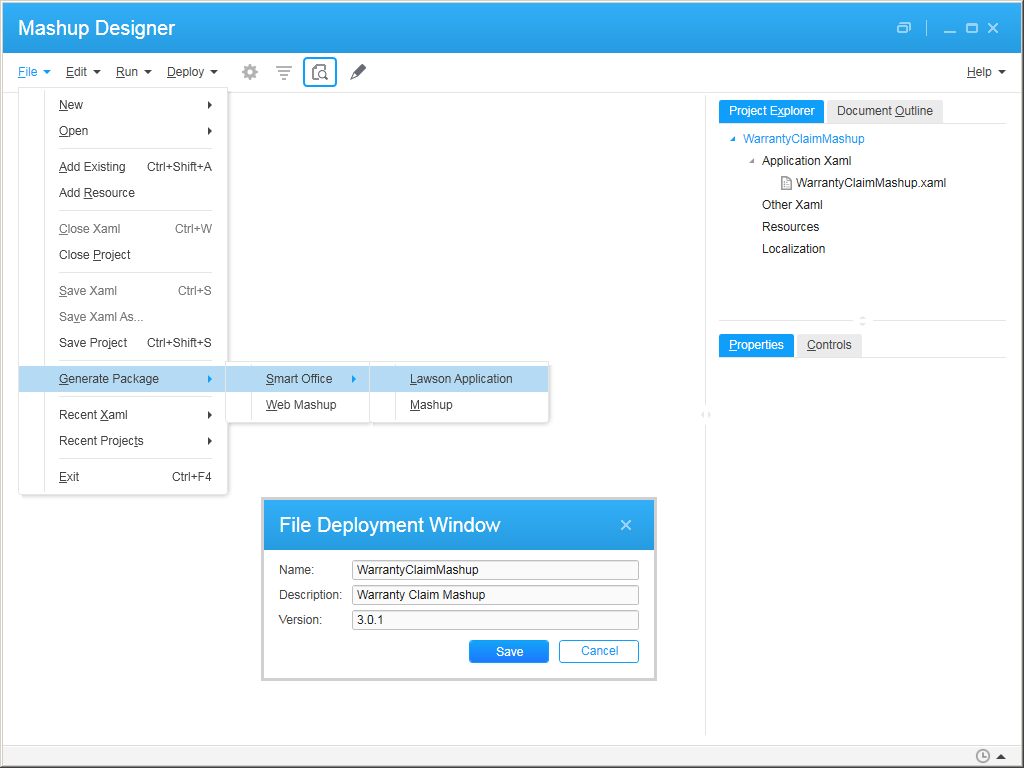
1. Mashup Designer > Generate > Lawson application

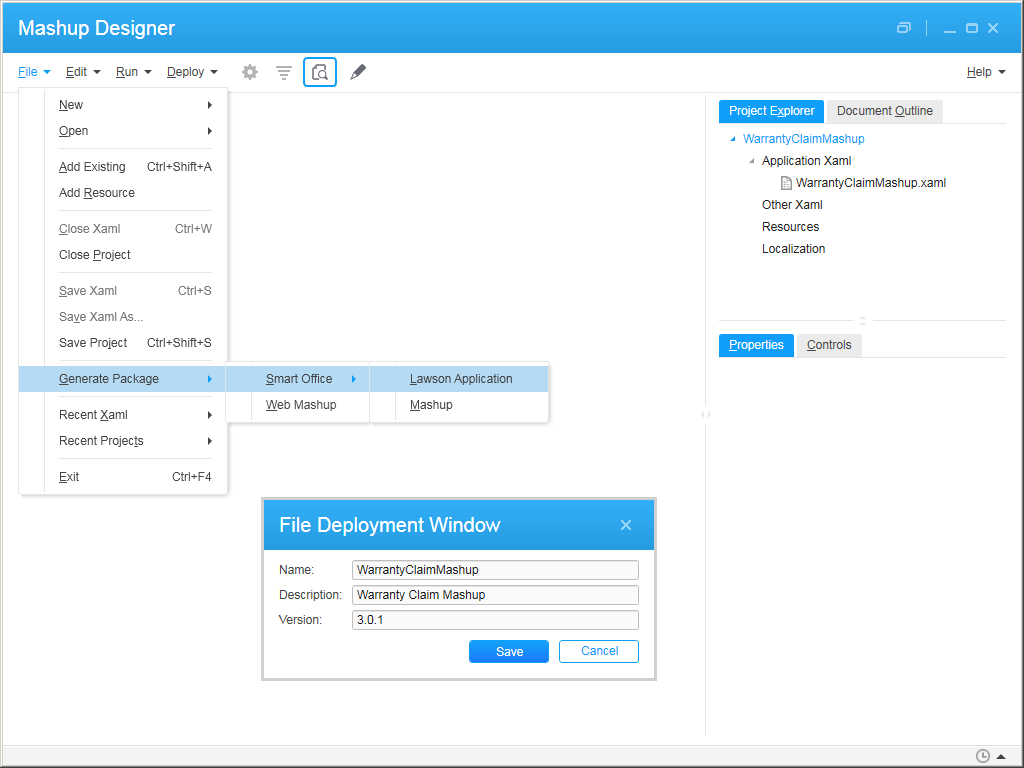
It all starts in Infor Smart Office > Mashup Designer > Generate Package > Smart Office > Lawson Application:
1

Reverse engineering

That MenuItem is created with the following event handler:
2

It then follows this stack of methods:

Mashup.Designer.MainWindow.IComponentConnector.Connect
 Mashup.Designer.MainWindow.OnFileDeploy
  Mashup.Designer.FileDeploymentWindow.OnSave
   Mashup.Designer.DeploymentHelper.CreateAppStream

Note: If instead we clicked the other MenuItem to generate a Mashup, it would follow this other stack of methods which doesn’t overlap with the previous:

Mashup.Designer.MainWindow.OnFileDeployMashup
 Mashup.Designer.DeploymentHelper.SaveMashupFile
  Mashup.Designer.DeploymentHelper.ValidateManifest
 Mango.UI.Services.Mashup.Internal.PackageHelper.CreatePackageFromManifest

The previous methods eventually create a .lawsonapp file which is a ZIP archive of the .mashup file and an app.config file:

8

The Mashup file is itself another ZIP archive of metadata files, the manifest, the XAML source code, and optional profile and resource files:
4

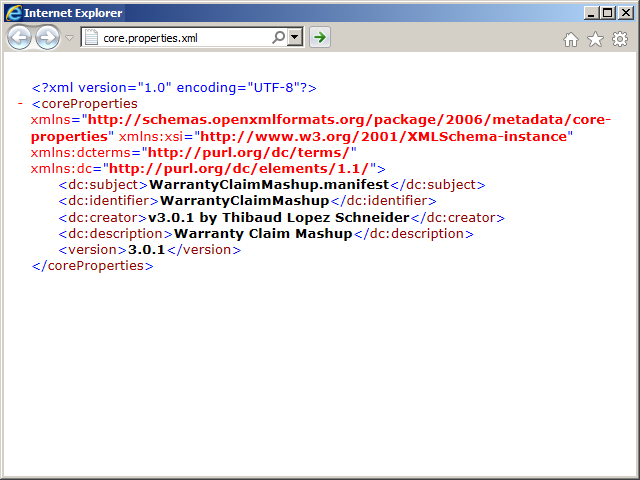
\package\services\metadata\core-properties\core.properties.xml:

\_rels\ .rels:
7

\[Content_Types].xml:
5

2. LifeCycle Manager > Admin Products > Upload

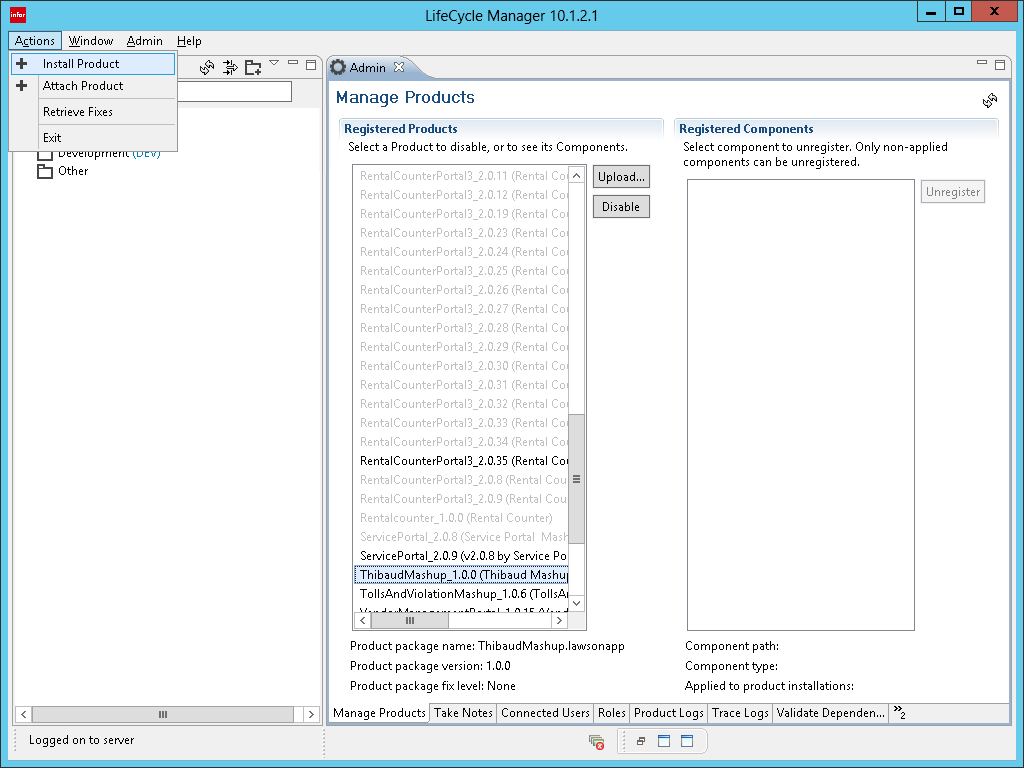
Then, we upload the .lawsonapp file to Infor LifeCycle Manager (LCM) > Admin > Upload Products > Upload (I switched Mashups, so the screenshots don’t match):

The result is:
9_____

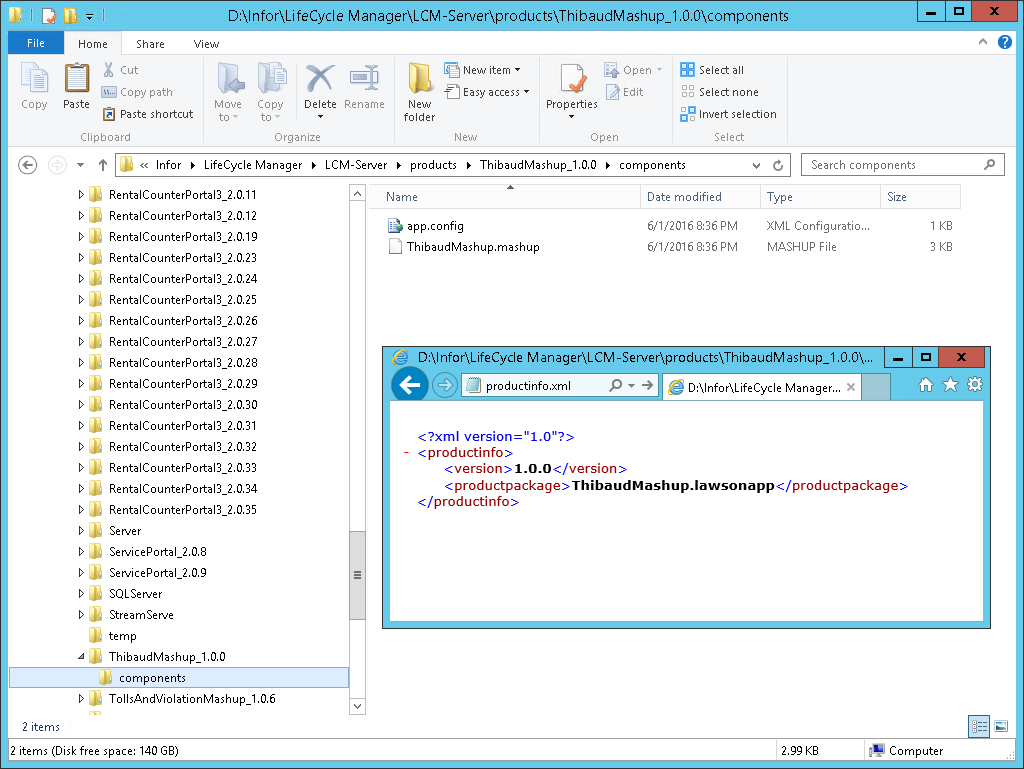
It creates the Mashup folder in LCM-Server\products\ with a file productinfo.xml and unzips the .lawsonapp file in the components sub-folder:
12

Reverse engineering

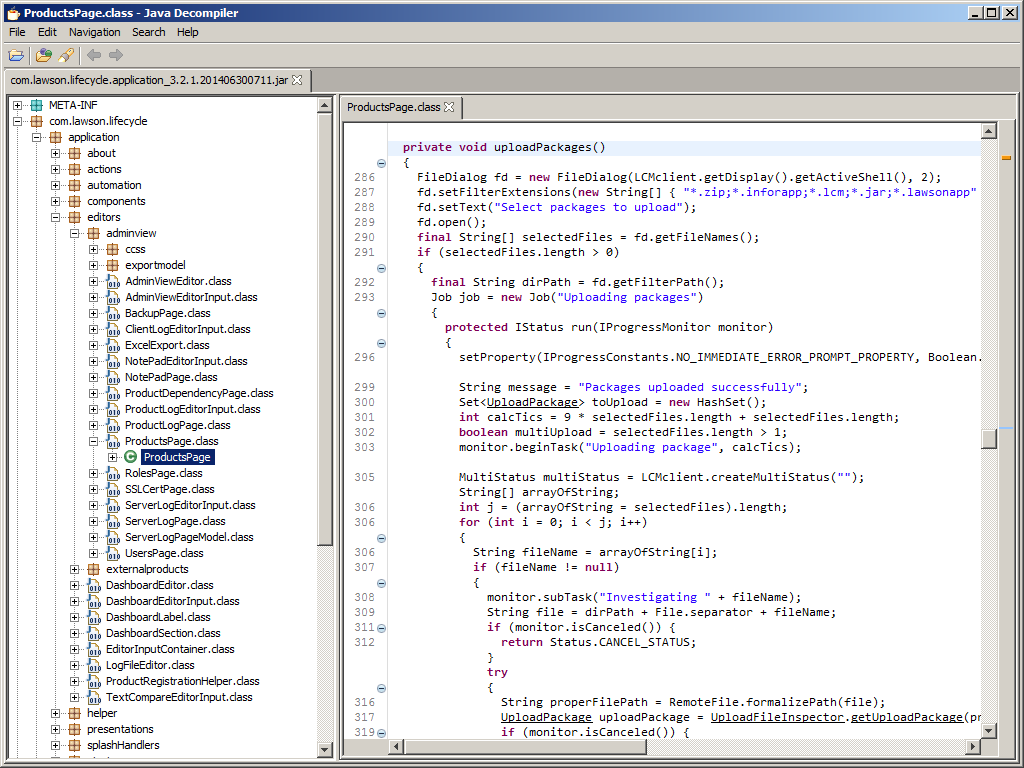
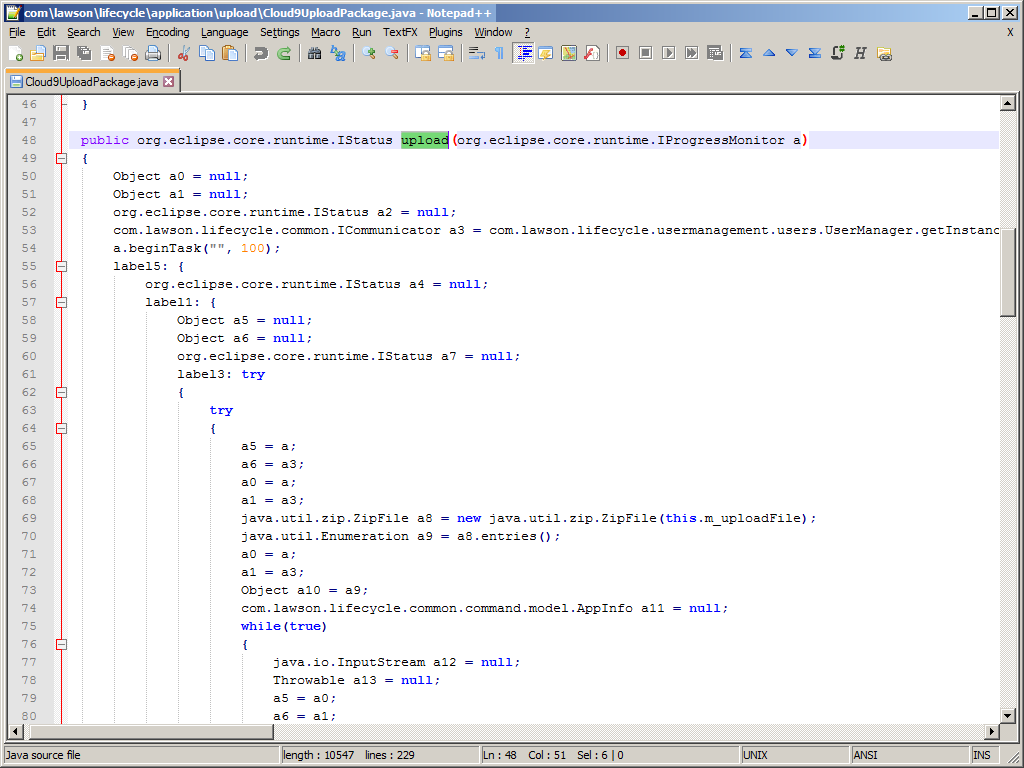
A quick search of the upload popup with the command findstr /c:"Select packages to upload" /s *.class in the LCM Client folder gives us the class D:\Infor\LifeCycleManagerClient\LCM-Client\plugins\com.lawson.lifecycle.application_3.2.1.201406300711\com\lawson\lifecycle\application\editors\adminview\ProductsPage.class with method uploadPackages() which calls the interface com.lawson.lifecycle.application.upload.UploadPackage.upload(monitor):
10

A quick search of the success message “Package successfully uploaded to LifeCycle Manager Server” gives us classes Cloud9UploadPackage.class which implements the interface and JavaInstallerUploadPackage.class in folder D:\Infor\LifeCycle Manager\LCM-Client\plugins\com.lawson.lifecycle.application_3.2.1.201406300711\com\lawson\lifecycle\application\upload\

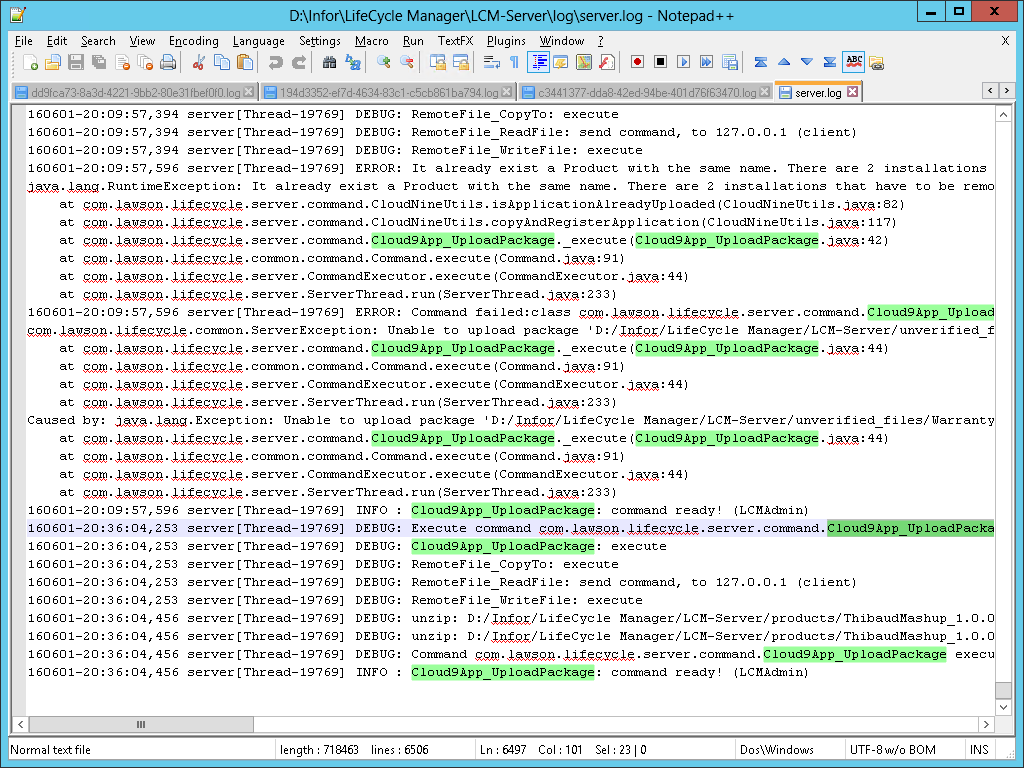
And a quick search in the LCM Client and Server logs gives us com.lawson.lifecycle.server.command.Cloud9App_UploadPackage:
11

Java Decompiler was not able to decompile these methods, so I used Krakatau decompiler in Python by Robert Grosse:

$ python decompile.py -path "C:/Program Files/Java/jre1.8.0_91/lib/rt.jar;LCM-Client/configuration/org.eclipse.osgi/bundles/9/1/.cp/lib/lcm-common-3.2.1.jar;LCM-Client/plugins/com.lawson.lifecycle.client_3.2.1.201406300711.jar" -skip LCM-Server/client/plugins/com.lawson.lifecycle.application_3.2.1.201406300711.jar

13

The method Cloud9UploadPackage.upload() gets a connection to the server, and uploads the file remotely. Then I kinda lost track of who creates the folder components folder and the file productinfo.xml. But it looks like it’s all about files and folders, nothing in a database, nothing cached in memory.

Let’s move on. This is becoming too dense.

3. LifeCycle Manager application install/upgrade and repeat per environment

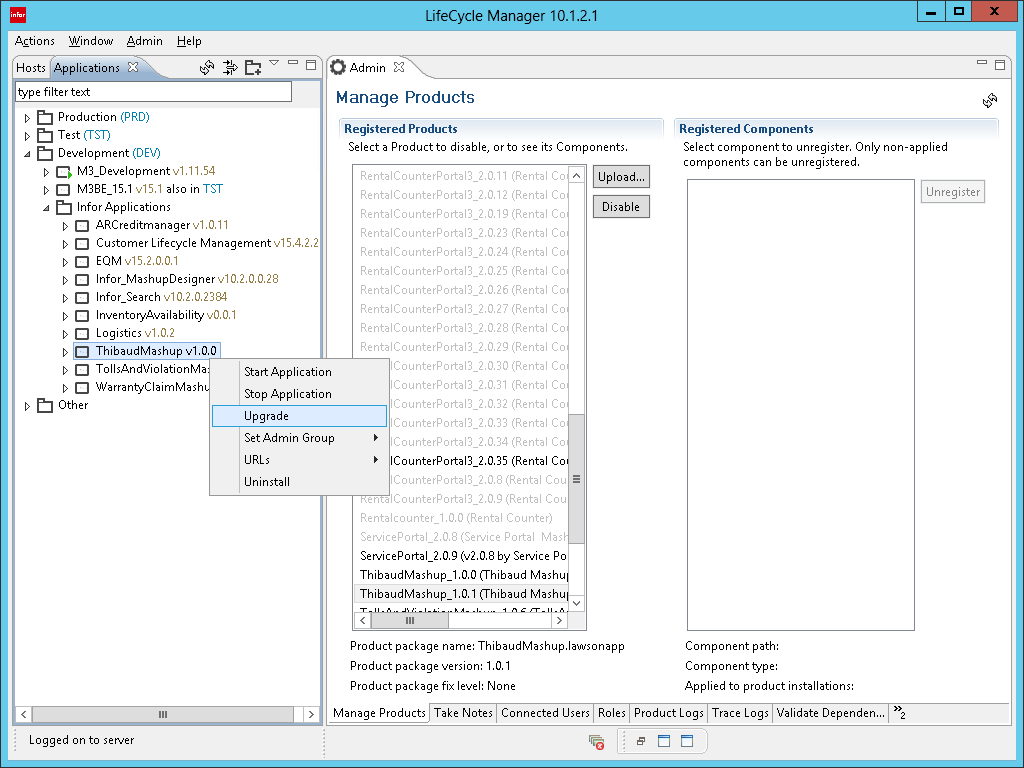
Then, we install the product on the desired environment (e.g. DEV, TST):

14_14__14___14____14_____

Note: Once the Mashup is installed, we can upgrade it to a new version, and repeat the steps for another environment:
23

4. Apache Ant tasks

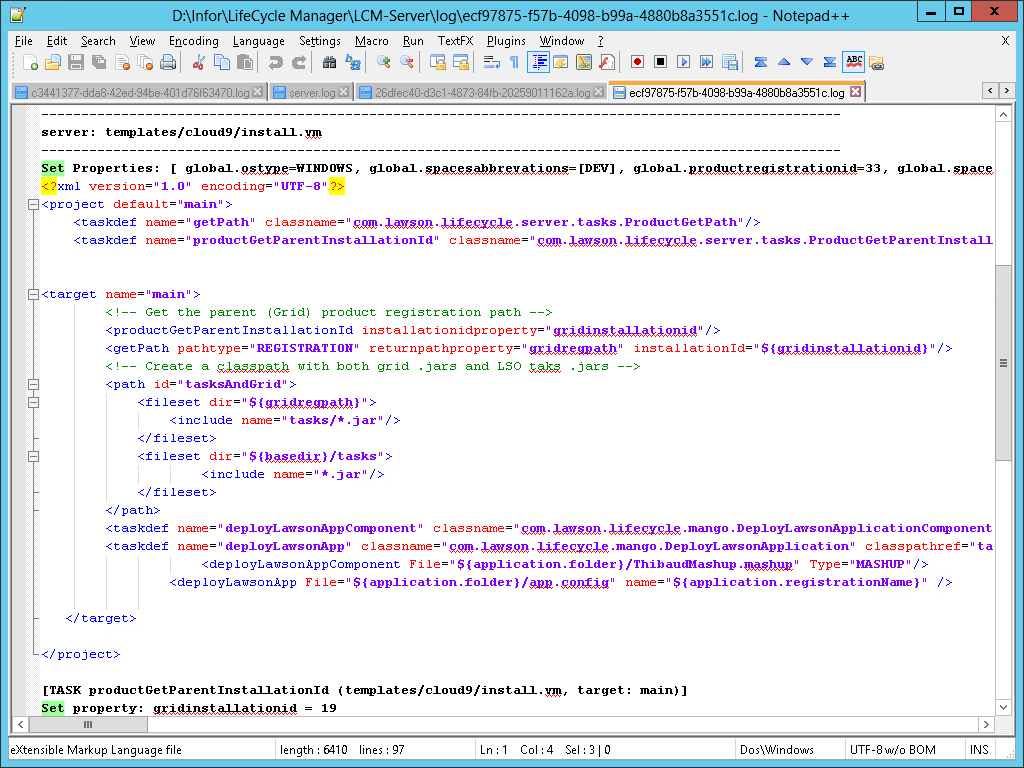
The install logs show it executed three remote Apache Ant scripts:

templates/cloud9_install.vm
templates/cloud9/install.vm
templates/cloud9_install_relation.vm

15
17
18

5. Apache Velocity templates

The Ant tasks are compiled from Apache Velocity templates at D:\Infor\LifeCycle Manager\LCM-Server\products\Infor_Applications_1.0.0\templates\:

The scripts have control structures (if-then-else, for-loop) and getters to replace property values:
30
19

I think this is it, com.lawson.lifecycle.common.command.RemoteScript_Run:
33

And com.lawson.lifecycle.server.command.RemoteAntScript_Run:
34

6. Remote code

LCM Server will execute code from tasks.jar at D:\Infor\LifeCycle Manager\LCM-Server\products\Infor_Applications_1.0.0\tasks\ :
20

Here we see the first reference to a database, the LCM Server database.

There are also these methods in D:\Infor\LifeCycle Manager\LCM-Server\products\LSO_10.2.1\tasks\tasks.jar and mangoserver_10.2.1.0.16.gar\lib\mangoserver-app-10.2.1.0.16.jar:

com.lawson.lifecycle.mango.DeployLawsonApplication.execute()
com.lawson.lifecycle.mango.GridLCMTask.deployLawsonApplication()
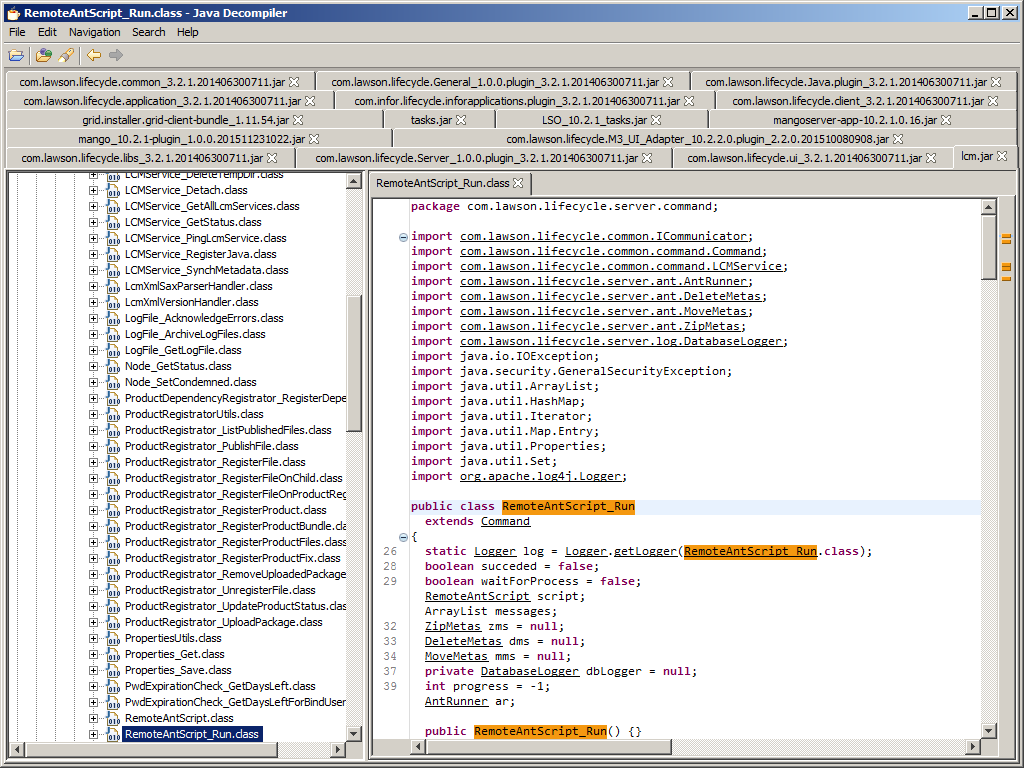
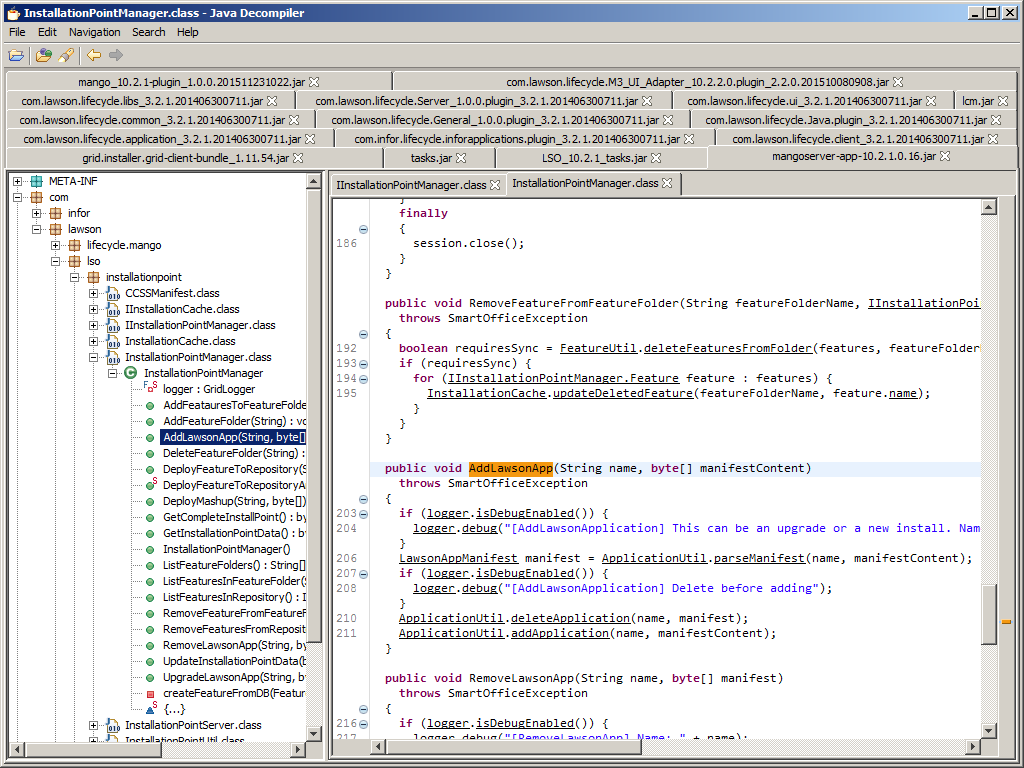
com.lawson.lso.installationpoint.InstallationPointManager.AddLawsonApp()

31 32

7. Apache Derby

The LCM Server database is an Apache Derby database that LCM uses with the Hibernate object-relational mapping framework:
21

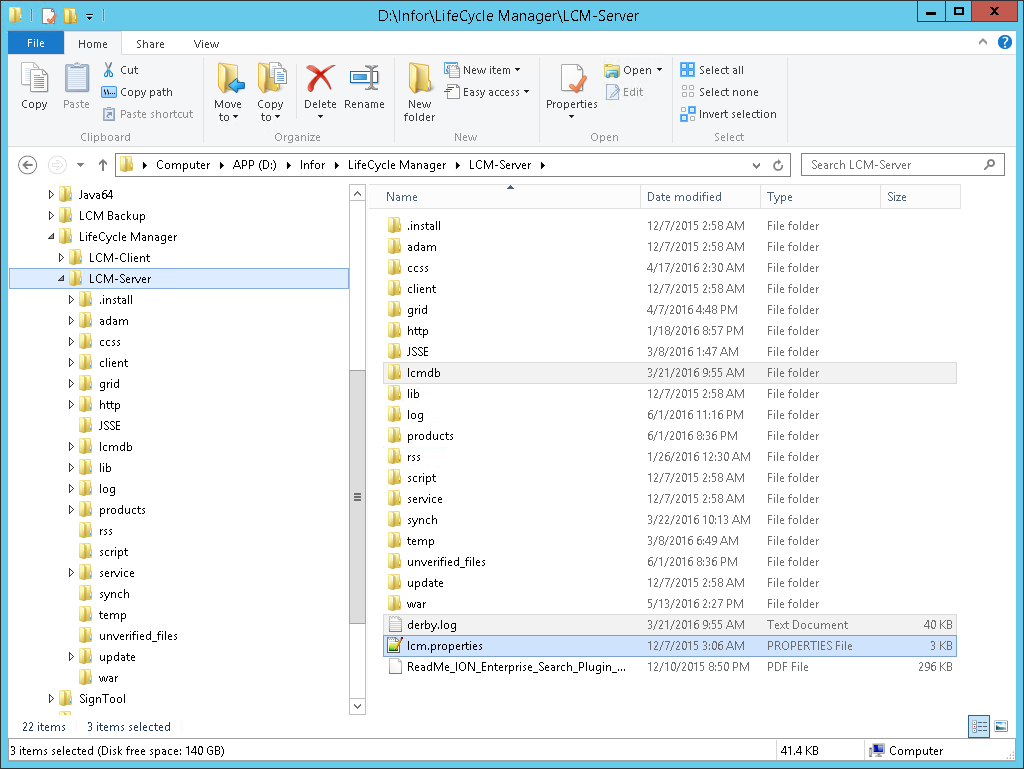
The JDBC connection parameters are in the file lcm.properties at D:\Infor\LifeCycle Manager\LCM-Server\ :

hibernate.connection.driver_class=org.apache.derby.jdbc.EmbeddedDriver
hibernate.connection.username=*****
hibernate.connection.password=*****
hibernate.connection.url=jdbc:derby:lcmdb
derby.drda.portNumber=*****
database.read.user=*****
database.read.password=*****
database.name=lcmdb

We can see the Mashup in the product registration table:
22

8. Smart Office

Smart Office gets a copy of the Mashups, we can see them in the My Local Applications and Mashup File Administration tools:

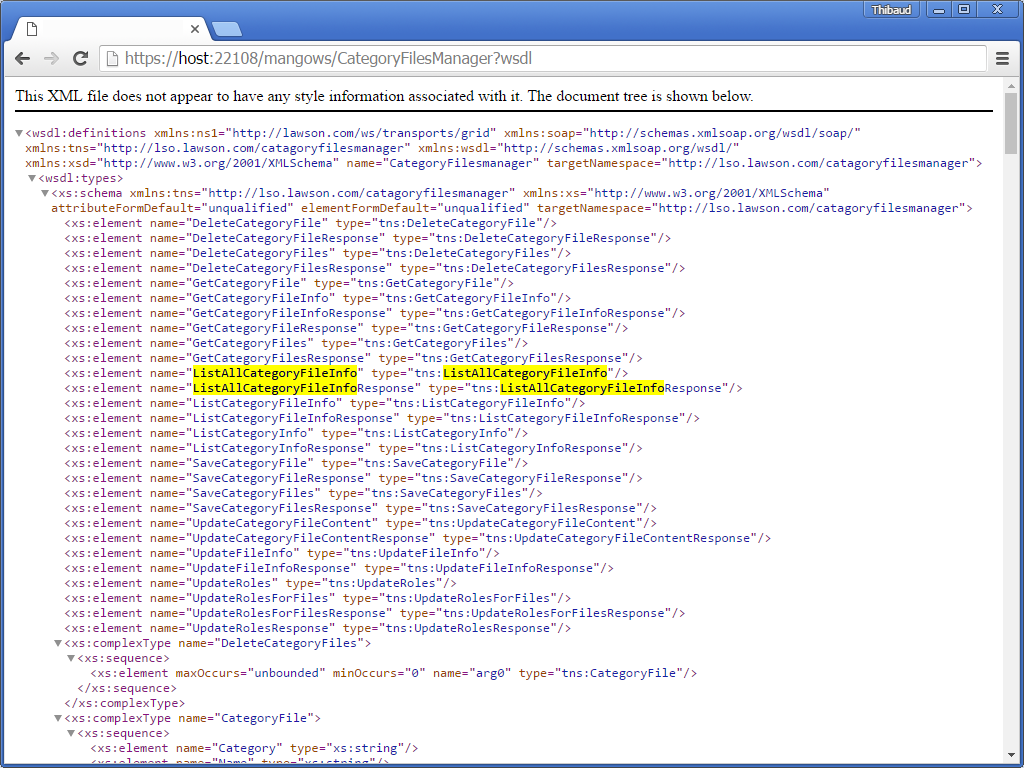
It is populated by Mango.Core.Storage.FileStorageCategory.ListAllCategoryFileInfo:
25

9. MangoServer

That calls ListAllCategoryFileInfo in the SOAP web service /mangows/CategoryFilesManager?wsdl:
26

10. Grid database

MangoServer uses the Grid distributed database – an H2 database – where it duplicates the Mashups contents as blobs and sets authorization (SECURITY=1 means Access=Public, and SECURITY=0 means Access=None):
27

You can find the JDBC connection information at Infor ION Grid Management Pages > Grid DB Broker > View application configuration:
28

You can also use the embedded H2 console application:
29

11. Local Storage

Finally, the Smart Office client that each user starts for each environment will download the Mashup blobs and save them in the local storage:
35

12. Repository

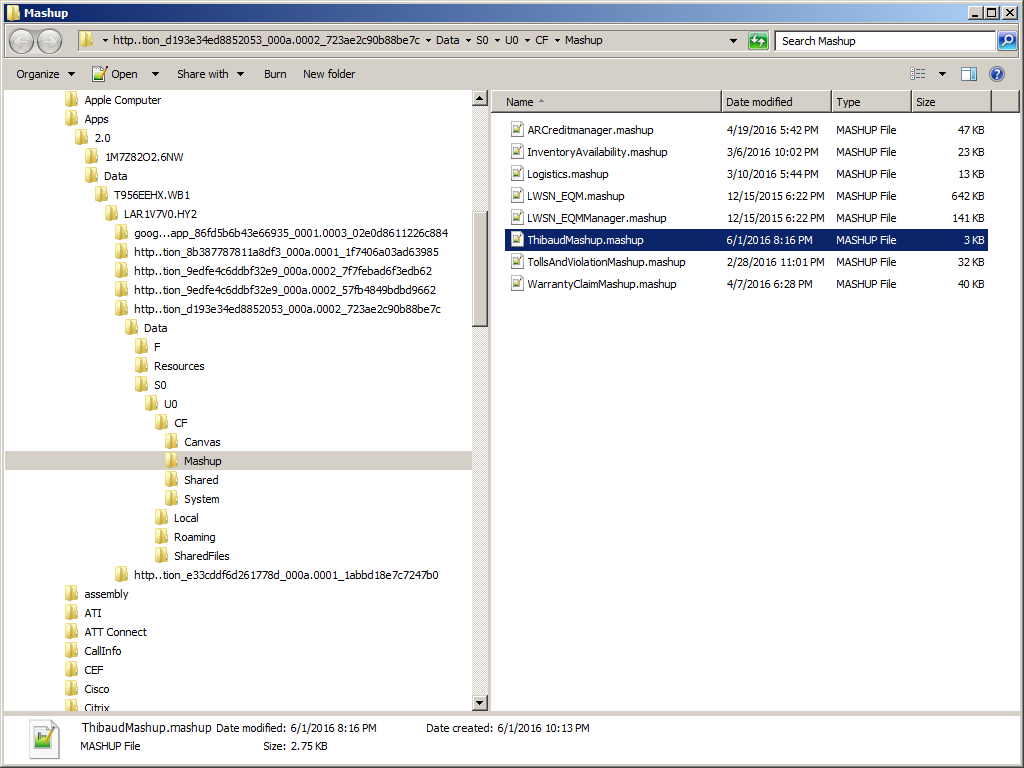
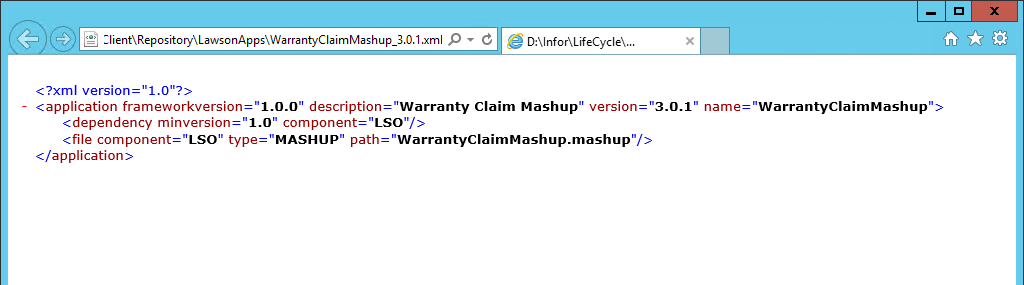
Then there is this repository in the MangoServer grid application with more metadata about the Mashups: D:\Infor\LifeCycle\host\grid\DEV\grids\DEV\applications\MangoServer\Client\Repository\LawsonApps\ :
36 37

Summary

What a rodeo.

Deploying a Mashup globally involves Smart Office client/server, Mashup Designer, metadata and lots more metadata, LiceCycle Manager client/server, remote file copy, Apache Velocity templates that compile into Apache Ant scripts that execute remote code to add records to the Apache Derby database of LifeCycle Manager, then MangoServer gets duplicates of the Mashups from the Grid H2 database via SOAP web services, and finally Smart Office client stores local copies in the user’s computer.

The number of copies that must be kept in sync is 2 + p + pq where p is the number of environments and q is the number of users (1 copy from the developer, 1 copy in the LCM files & folders, p copies in MangoServer H2 databases, and pq copies in local storage). That’s normal for software development, except I did not expect the additional copy in the MangoServer database.

Future work

Next time, I will explore the MangoServer web services to upload Mashups.

Conclusion

My original intention in reverse engineering the internals of Mashup deployment was to learn how to develop a command line to streamline Mashup deployment and simplify it from thousands of clickks down to a few double-clicks; see my previous post for details.

But after all this rodeo, I conclude it would be a bad idea. There are too many moving pieces, too much to learn that’s not part of my job, and Infor Product Development may change it at any time. I need to go back to the drawing board and find a new approach.

At least it was a good learning exercise.

That’s it!

Please leave me a comment, slap a Like, subscribe to follow my experiments, share around you, and come write the next idea with us. This is a volunteer-based blog to help each other in the M3 community. Thank you for your support.

Related posts

Make field mandatory

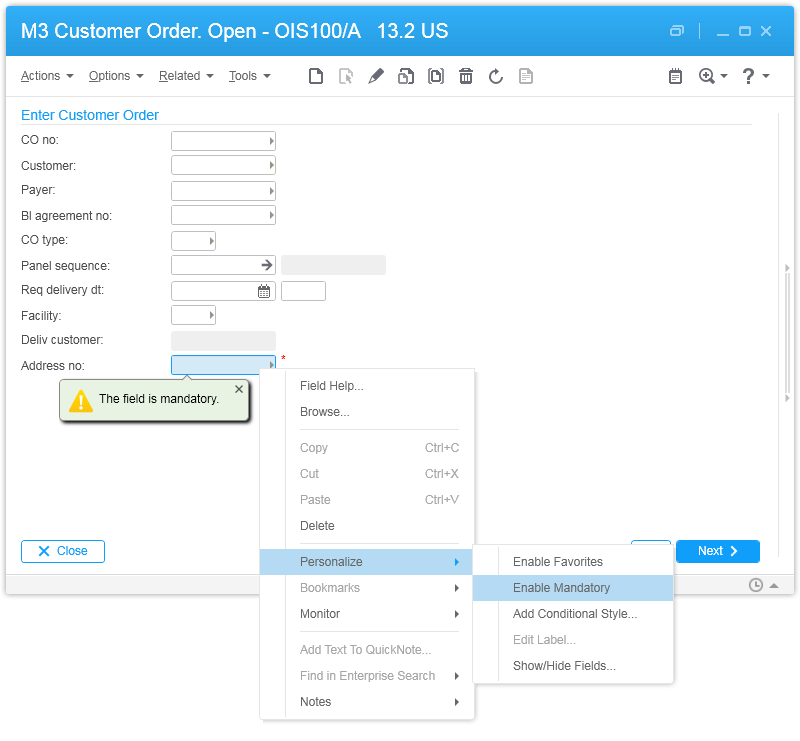
Here is a refresher of a neat feature in Infor Smart Office to make a field mandatory; it should be used instead of developing scripts.

Right-click on the desired field, and select Personalize > Enable Mandatory:

It will also apply to H5 Client:
2

Note: this personalization will not apply to other entry points such as M3 API or M3 Web Services (MWS) of type M3 Display Program (MDP). If you need to enforce the constraint there, you must do an M3 Java modification.

That’s it.

Continuous integration of Mashups – HELP WANTED!!

I need help deploying many Smart Office Mashups, on multiple environments, fast, several times a day. Think continuous integration. Currently, it takes cubic time. Ideally, there would be a solution in linear time.

Scenarios

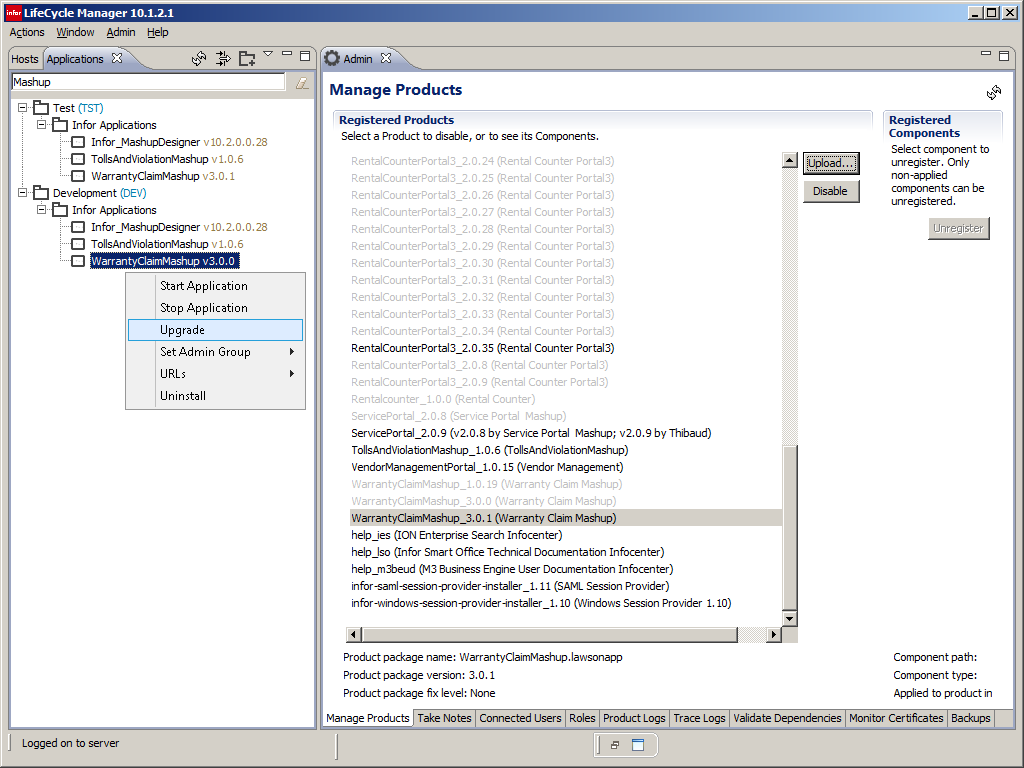
Here is a typical scenario: a user reports an error with a Mashup, I fix the error in the XAML file, and I propagate the fix to the server. For that, I generate the Lawson package in Mashup Designer in Smart Office (ISO), I upload the package in LifeCycle Manager (LCM), and I upgrade the Mashup on each environment.

Here are some screenshots:

My best case scenario is one Mashup and two environments once a day. My average scenario is three Mashups and three environments three times a day. My worst case scenario is 13 Mashups and five environments seven times a day.

(Note: normally we should develop in the DEV environment and push to the TST environment for users to test, but we are in a transition period between on-premise and Infor Cloud, and somehow we have five environments to maintain. Also, we could tell users to install Mashups locally or we could share Mashups with a role, but users got confused with versions and roles, so we have to do global deployments only.)

Clickk counter

I count mouse clicks, mouse moves, and keystrokes as clickks. To optimize as much as possible, I suppose that ISO, Mashup Designer, LCM Client, the Manage Products page, and the Applications tab are all launched and ready to use, and that I don’t close them during the day. The clickk counter is approximately the following:

7 clickks to generate the Lawson package in Mashup Designer
20 clickks to upload the package in LCM
11 clickks to upgrade the Mashup in the environment

Having:

x: number of Mashups
y: number of environments
z: number of times per day

The formula is:

(7x + 20x + 11xy)z

That’s:

  • 49 clickks (7*1+20*1+11*1*2)*1 for my best case scenario
  • 540 clickks (7*3+20*3+11*3*3)*3 for my average scenario
  • 7462 clickks (7*13+20*13+11*13*5)*7 for my worst case scenario

The exact numbers are not important. What matters is that the result has order of n3 time complexity, i.e. it takes cubic time to deploy many Mashups on multiple environments, several times a day !!! In reality the number of environments is pretty constant, so the result will tend to order n2, but that’s still quadratic, not linear. Also, the number of Mashups and the number of times per day will eventually reach a limit, and the result will be constant, but still insanely high (in the range of 7462 clickks in my case).

$ command line ?

The goal is to reduce the number of clickks to a matter of a few double-clicks, ideally via the command line. How? The step in Smart Office can easily be done with a command line, it’s a simple archive of an archive (we can use ZIP tools, command line, .NET System.IO.Packaging.Package, or the Pack.exe tool in the Smart Office SDK). But the steps in LCM do not have a command line. They are Apache Velocity scripts, compiled into Apache Ant tasks, that execute Java code, remotely, to upload files to the server and add records to the Apache Derby database (lcmdb), and also the Mashups contents are saved as blobs in the MangoServer Grid database (GDBC) which is a distributed H2 database (h2db). I think. There is probably a distributed in-memory Grid cache as well. I could not find documentation nor a quick hack for all this.

Ideally there would be a command line like this fake screenshot:
Do you have any suggestions? Please let me know in the comments below.

Thank you.

Related posts

Mashup quality control #6

Here is the code to find hard-coded values in the MForms Automation URIs in Mashups; in this sixth episode of Mashup quality control for Infor Smart Office.

MForms Automation   @deprecated

MForms Automation are the predecessor of MForms Bookmarks; they are used to execute steps in Smart Office, such as run M3 programs and set values in fields. But they are unstable compared to Bookmarks, so they are now deprecated.

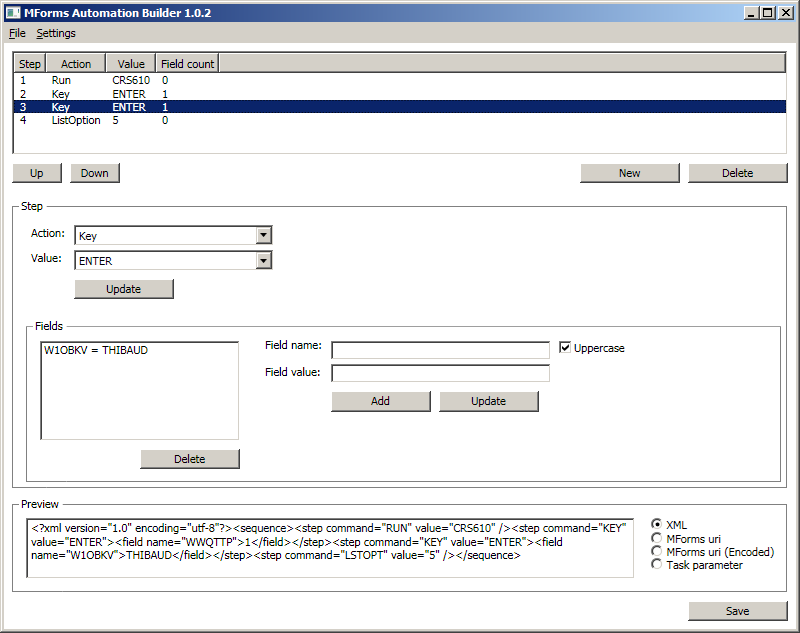
We create them with the MForms Automation Builder, but the tool has been discontinued and is not available anymore the tool is available in the Smart Office SDK > External > M3 > Tools:
2

The result in Mashups is an MForms Automation URI in <mashup:Event LinkUri=…> or <mashup:Link Uri=…> such as:

<mashup:Event SourceEventName="Click" LinkUri="mforms://_automation?data=%3c%3fxml+version%3d%221.0%22+encoding%3d%22utf-8%22%3f%3e%3csequence%3e%3cstep+command%3d%22RUN%22+value%3d%22CRS610%22+%2f%3e%3cstep+command%3d%22KEY%22+value%3d%22ENTER%22%3e%3cfield+name%3d%22WWQTTP%22%3e1%3c%2ffield%3e%3c%2fstep%3e%3cstep+command%3d%22KEY%22+value%3d%22ENTER%22%3e%3cfield+name%3d%22W1OBKV%22%3eTHIBAUD%3c%2ffield%3e%3c%2fstep%3e%3cstep+command%3d%22LSTOPT%22+value%3d%225%22+%2f%3e%3c%2fsequence%3e" />

We can also create the automations with scripts as illustrated in the Infor Smart Office M3 Developers Guide:
docdoc2

I use the method FromXml(String) to parse the automation from an XML string:
SDK

Source code

Here is the source code that will search in all Mashups, all XAML, all MForms Automation URIs, all steps, all fields, and will list the hard-coded values:

import System;
import System.Collections.Specialized;
import System.IO;
import System.Text.RegularExpressions;
import System.Web;
import System.Xml;
import Mango.Core.Util;
import Mango.UI.Core.Util;
import Mango.UI.Services.Mashup;
import Mango.UI.Services.Mashup.Internal;

package MForms.JScript {
    class Test {
        public function Init(element: Object, args: Object, controller : Object, debug : Object) {
            var regex: Regex = StringUtil.GetRegex(ParameterBracket.Curly); // {(?<param>[\u0000-\uFFFF-[}]]*)}
            var mashups /*IList<FileInfo>*/ = PackageHelper.GetSharedMashupList();
            for (var mashup: FileInfo in mashups) {
                var baseUri: Uri = UriHelper.CreateBaseUri(new Uri(mashup.Name, UriKind.RelativeOrAbsolute));
                var manifest: Manifest = PackageHelper.GetManifest(mashup);
                var list /*IList<FileInformation>*/ = manifest.CreateFileInformationList();
                for (var information: FileInformation in list) {
                    if (information.MimeType == Defines.MimeTypeXAML) {
                        var relativeUri: String = information.Path;
                        var stream: Stream = PackageHelper.GetStream(baseUri, new Uri(relativeUri, UriKind.Relative));
                        var document: XmlDocument = new XmlDocument();
                        document.Load(stream);
                        var nodes: XmlNodeList = document.SelectNodes(" //@*[name()='Uri' or name()='LinkUri'] ");
                        for (var attribute: XmlAttribute in nodes) {
                            if (!attribute.Value.StartsWith("{Binding") && !attribute.Value.EndsWith(".xaml")) {
                                try {
                                    var uri: Uri = new Uri(attribute.Value);
                                    if (uri.Scheme == "mforms" && (uri.Host == "_automation" || uri.Host == "automation")) {
                                        var collection: NameValueCollection = HttpUtility.ParseQueryString(new Uri(uri).Query);
                                        var automation: MFormsAutomation = new MFormsAutomation();
                                        automation.FromXml(collection["data"]);
                                        for (var step: MFormsAutomation.Step in automation.Steps) {
                                            for (var field: MFormsAutomation.Field in step.Fields) {
                                                if (!String.IsNullOrEmpty(field.Value)) {
                                                    if (!regex.IsMatch(field.Value)) {
                                                        debug.WriteLine([mashup.Name, relativeUri, attribute.OwnerElement.Name, attribute.Name, field.Name, field.Value]);
                                                    }
                                                }
                                            }
                                        }
                                    }
                                } catch (ex: UriFormatException) {
                                    debug.WriteLine([ex, attribute.Value]); 
                                }
                            }
                        }
                        stream.Close();
                    }
                }
            }
        }
    }
} 

Result

The result is a list of hard-coded values:

In my case I have several hard-coded values: company (CONO), attribute model (ATMO), userid (OBKV), and dates (DATE); I will need to review those in priority. Then, there are other hard-coded values: priority (PREX), inquiry type (QTTP), panel view (PAVR), facility range from/to (FACI), action keys (CMDVAL), and order type (ORTP); they are probably OK.

The metrics are:

  • 13 Mashups
  • 178 XAML files
  • 35,195 lines of code
  • 339 URIs
  • 41 of them are MForms Automation URIs
  • 96 automation steps
  • 157 automation fields
  • 44 hard-coded values
  • 7 of them to un-hard-code (16% of above)

The tool helped me quickly scan over 35,000 lines of code and identify 7 hard-coded values to un-hard-code. I would not have been able to do it so fast and so accurately by visual inspection only.

That’s it!

Please comment, like, subscribe, share, author. Thanks for your support.

Related posts

Mashup quality control #5

Today I will verify if the MForms Bookmarks of the Infor Smart Office Mashups have any leftover hard-coded values – such as company (CONO), division (DIVI), facility (FACI), or warehouse (WHLO) – that developers may have forgotten to un-hard-code; in this fifth episode of Mashup quality control.

MForms Bookmark URI

I am looking for MForms Bookmark URI in Mashups. They look like this:

<mashup:Event SourceEventName="Click" LinkUri="mforms://bookmark/?program=OIS300&amp;tablename=OOHEAD&amp;startpanel=B&amp;includestartpanel=True&amp;requirepanel=True&amp;suppressconfirm=False&amp;source=MForms&amp;sortingorder=1&amp;view=E01&amp;name=Customer+Order.+Open+Toolbox+-+OIS300%2fB&amp;keys=OACONO%2c100%2cOAORNO%2c%2b&amp;fields=WWFACI%2cABC%2cWWDEL%2c0%2cWFORSL%2c05%2cWTORSL%2c99%2cWFORST%2c05%2cWTORST%2c99%2cW1OBKV%2c2" />

In my case, they are in <mashup:Event LinkUri=…> and <mashup:Link Uri=…>

Un-hard-coded values → OK

Un-hard-coded parameters are of the form CONO,{CONO},DIVI,{DIVI} where Smart Office will replace the names in curly braces with their runtime values. That’s the correct form.

Hard-coded values → error ⚠

If a URI has hard-coded values – such as CONO,200,DIVI,AAA – the user may get error messages such as “You must log on to company X before using the bookmark”:

Can you spot the hard-coded values in the example above? There are nine. It’s difficult for me to find them visually. I need a tool.

Bookmark Class

To parse a Bookmark URI, I could use the MForms.Mashup.Bookmark class:
b4

import MForms.Mashup;
var uri: String = "mforms://bookmark/?...";
var bookmark: Bookmark = new Bookmark(new Uri(uri));
debug.WriteLine(bookmark);

Test0

The result shows the keys. But the fields and parameters are missing or not accessible from this scope. Instead, I will parse the URI query myself.

Source code

Here is the final source code that will scan all Mashups, all XAML files, all MForms Bookmarks URI, in all keys, fields, and parameters, for hard-coded values; I use the built-in Regex to find the values not in curly braces:

import System;
import System.Collections.Specialized;
import System.IO;
import System.Text;
import System.Text.RegularExpressions;
import System.Web;
import System.Xml;
import Mango.Core.Util;
import Mango.UI.Services.Mashup;
import Mango.UI.Services.Mashup.Internal;

package MForms.JScript {
    class Test {
        public function Init(element: Object, args: Object, controller : Object, debug : Object) {
            var regex: Regex = StringUtil.GetRegex(ParameterBracket.Curly); // {(?<param>[\u0000-\uFFFF-[}]]*)}
            var mashups /*IList<FileInfo>*/ = PackageHelper.GetSharedMashupList();
            for (var mashup: FileInfo in mashups) {
                var baseUri: Uri = UriHelper.CreateBaseUri(new Uri(mashup.Name, UriKind.RelativeOrAbsolute));
                var manifest: Manifest = PackageHelper.GetManifest(mashup);
                var list /*IList<FileInformation>*/ = manifest.CreateFileInformationList();
                for (var information: FileInformation in list) {
                    if (information.MimeType == Defines.MimeTypeXAML) {
                        var relativeUri: String = information.Path;
                        var stream: Stream = PackageHelper.GetStream(baseUri, new Uri(relativeUri, UriKind.Relative));
                        var document: XmlDocument = new XmlDocument();
                        document.Load(stream);
                        var nodes: XmlNodeList = document.SelectNodes(" //@*[name()='Uri' or name()='LinkUri'] ");
                        for (var attribute: XmlAttribute in nodes) {
                            if (!attribute.Value.StartsWith("{Binding") && !attribute.Value.EndsWith(".xaml")) {
                                try {
                                    var uri: Uri = new Uri(attribute.Value);
                                    if (uri.Scheme == "mforms" && uri.Host == "bookmark") {
                                        var collection: NameValueCollection = HttpUtility.ParseQueryString(new Uri(uri).Query);
                                        for (var name: String in collection) {
                                            if ("keys,fields,parameters".Contains(name, StringComparison.InvariantCultureIgnoreCase)) {
                                                var pairs: String[] = collection[name].Split(",");
                                                for (var j: int = 0; j < pairs.Length; j = j + 2) {
                                                    var key: String = pairs[j];
                                                    var value: String = HttpUtility.UrlDecode(pairs[j + 1], Encoding.UTF8).Trim();
                                                    if (!String.IsNullOrEmpty(value)) {
                                                        if (!regex.IsMatch(value)) {
                                                            debug.WriteLine([mashup.Name, relativeUri, attribute.OwnerElement.Name, attribute.Name, key, value]);
                                                        }
                                                    }
                                                }
                                            }
                                        }
                                    }
                                } catch (ex: UriFormatException) {
                                    debug.WriteLine([ex, attribute.Value]); 
                                }
                            }
                        }
                        stream.Close();
                    }
                }
            }
        }
    }
}

I made it based on:

Mango.Core.Util.StringUtil
Mango.Core.Util.WebUtil.ReplaceParameters
Mango.UI.Services.Mashup.Link.LaunchLink
MForms.Mashup.Bookmark

Note 1: I originally had the XPath expression searching too widely as //@*[starts-with(., ‘mforms://’)] but that unnecessarily caught MForms Automation URIs like mforms://_automation?data= and URIs that start M3 programs like mforms://CRS610 . Then I made the XPath expression too precise as //@*[starts-with(., ‘mforms://bookmark/?’)] but that failed to catch several valid URIs: those that start with a white space, those that have backslashes such as mforms:\\ , those that are mixed case such as MFORMS:// , and those that do not have the slash in the query such as mforms://bookmark? , all of which are valid. I could have used the XPath function normalize-space() for trimming, but then XPath 1.0 does not have the lower-case() function, only XPath 2.0 does. So I eventually decided to change the XPath expression to look for attributes Uri and LinkUri, and search for scheme mforms and host bookmark in script once the URI is parsed.

Note 2: This code assumes the MForms Bookmark URIs are in either an attribute named Uri or LinkUri, with attribute value not ending in .xaml .

Result

The result is the following: a list of Mashups and XAML files, with MForms Bookmark URI that contain hard-coded values:

The most worrisome hard-coded values are: company (CONO), division (DIVI), and warehouse (WHYA); I will review those first. The hard-coded facility (FACI) are probably OK as they define a range from/to. There are also hard-coded dates (FVDT/LVDT), filters and positioners; I will review those next. The hard-coded inquiry type (QTTP) is probably OK.

The metrics in this case are:

  • 13 Mashups
  • 178 XAML files
  • 339 URIs
  • 61 of them are MForms Bookmark
  • 774 name/values pairs in the URIs
  • 284 of them are keys, fields, and parameters
  • 43 of them have hard-coded values (15% of above)
  • 10 of them to review (23% of above)

In other words, I was able to quickly scan about 800 values and identify 10 hard-coded-values to review. I would not have been able to pinpoint it as fast and as accurately manually.

Future work

Also, I want to:

That’s it!

Please comment, like, subscribe, share, author. Thanks for your support.

Related posts

Mashup quality control #4

In the previous post about my Mashup quality control tool for Infor Smart Office Mashups, I used the Smart Office API to list the Mashups and their XAML files; today I will load the XAML files and run my predicate rules.

GetStream

Mashup files are packed with ZIP compression. The Smart Office API has methods to unpack the XAML files with System.IO.Packaging, and to get their stream of bytes so we can load them with System.Xml.XmlDocument:
1

The Smart Office Mashup SDK documentation does not have much useful information, but I show it anyway:
2

Source code

Here is the source code to run a predicate rule on each XAML file of each Mashup; for illustration purposes, this example will list the <m3:ListPanel> controls that are missing the property IsListHeaderVisible, but you can replace this rule with whatever rule you wish:

 import System;
 import System.IO;
 import System.Xml;
 import Mango.UI.Services.Mashup;
 import Mango.UI.Services.Mashup.Internal;
 
 package MForms.JScript {
     class Test {
         public function Init(element: Object, args: Object, controller : Object, debug : Object) {
             var mashups /*IList<FileInfo>*/ = PackageHelper.GetSharedMashupList();
             for (var mashup: FileInfo in mashups) {
                 debug.WriteLine(mashup.Name);
                 var baseUri: Uri = UriHelper.CreateBaseUri(new Uri(mashup.Name, UriKind.RelativeOrAbsolute));
                 var manifest: Manifest = PackageHelper.GetManifest(mashup);
                 var list /*IList<FileInformation>*/ = manifest.CreateFileInformationList();
                 for (var information: FileInformation in list) {
                     if (information.MimeType == Defines.MimeTypeXAML) {
                         var relativeUri: String = information.Path;
                         var stream: Stream = PackageHelper.GetStream(baseUri, new Uri(relativeUri, UriKind.Relative));
                         var document: XmlDocument = new XmlDocument();
                         document.Load(stream);
                         var nsmanager: XmlNamespaceManager = new XmlNamespaceManager(document.NameTable);
                         nsmanager.AddNamespace("m3", "clr-namespace:MForms.Mashup;assembly=MForms");
                         var nodes: XmlNodeList = document.SelectNodes("//m3:ListPanel[not(@IsListHeaderVisible=\"True\")]", nsmanager);
                         if (nodes.Count == 0) {
                             debug.WriteLine("\t" + relativeUri + " PASSED");
                         } else {
                             debug.WriteLine("\t" + relativeUri);
                             for (var e: XmlElement in nodes) {
                                 debug.WriteLine("\t\t" + e.Attributes["Name"].Value + " FAILED");
                             }
                         }
                         stream.Close();
                     }
                 }
             }
         }
     }
 } 

It was inspired by:
Mango.UI.Services.Mashup.Internal.MashupApplication.InitMashups
Mango.UI.Services.Mashup.Internal.PackageHelper.GetStream
Mango.UI.Services.Mashup.MashupInstance.CreateInstance.

Note: For the namespace, I should use the fields NamespacePrefix and NamespaceUri, or even better the field NamespaceManager, from MForms.Mashup.MashupUtil, but they are internal; I may use Reflection next time.

Result

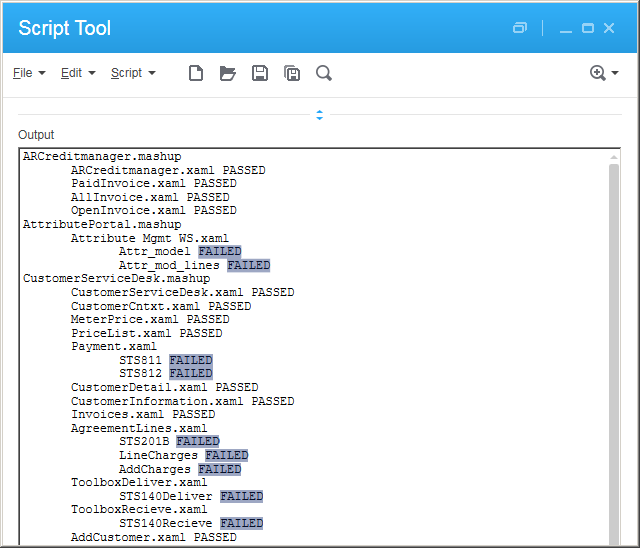
In my case, the result is the list of <m3:ListPanel> controls and whether they PASSED or FAILED the predicate rule:

For the metrics:

  • Number of Mashups: 13 (7 FAILED, 54% error)
  • Number of XAML files: 178 (40 FAILED, 29% error)
  • Number of <m3:ListPanel>: 347 (115 FAILED, 33% error)

In other words, with this tool I was able to quickly scan about 200 files, covering over half of the Mashups, and find errors in a third of the <m3:ListPanel>. I would not have been able to do the same manually so fast with such accuracy.

Future work

There is more work to be done. Next time I will explore Mango.UI.Services.Mashup.Internal.MashupNameScope.CreateInstance. Stay tuned.

That’s it.

Please comment, like, subscribe, share, author. Thanks for your support.

Related posts

Mashup quality control #3

I am attempting to develop a quality control tool for Infor Smart Office Mashups. In my original post I was using Python. This time I will use the Smart Office API to get the list of Mashups.

List of Mashups in Smart Office

Smart Office automatically installs the Mashups on each user’s computer:
3

The list is based on what is installed in LifeCycle Manager:
4

Smart Office uses the Mango web services CategoryFilesManager.ListAllCategoryFileInfo and ListCategoryFileInfo to get the list of Mashups:
6

And it stores the files locally in a temporary user based path:
5

The administrator can fine tune the Mashups access:
7

That is more than sufficient information for my needs. Let’s move on.

Smart Office API

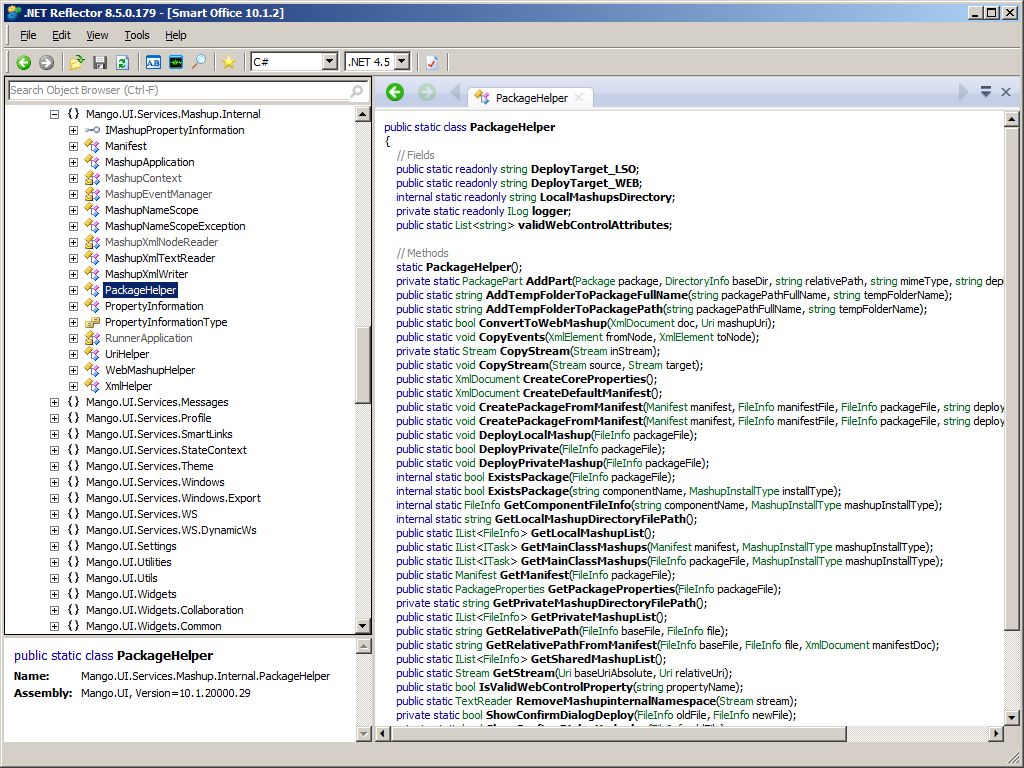
The Smart Office API has a class PackageHelper for Mashups:
1

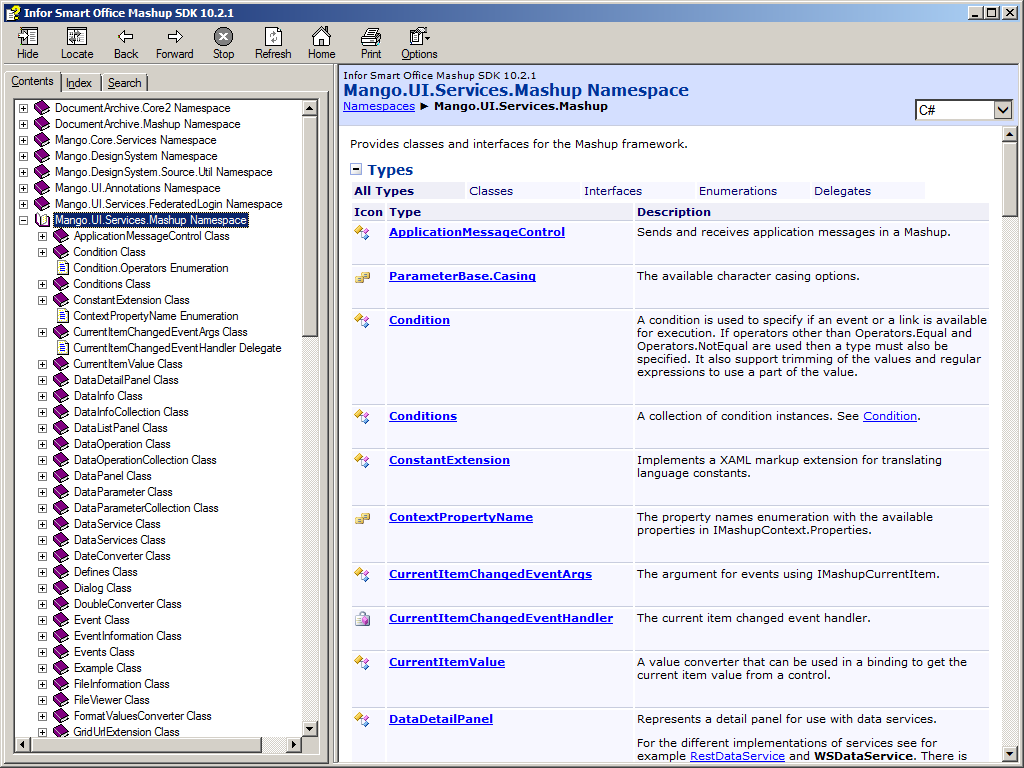
I could not find it in the Smart Office Mashup SDK Documentation, but here is a screenshot of the documentation anyway:
1_

Source code

Here is the source code to get the list of Mashups, the Manifest, the XAML files, and the resources:

import System.IO;
import System.Xml;
import Mango.UI.Services.Mashup.Internal;

package MForms.JScript {
  class Test {
    public function Init(element: Object, args: Object, controller : Object, debug : Object) {
      var mashups /*IList<FileInfo>*/ = PackageHelper.GetSharedMashupList();
      for (var i: int = 0; i < mashups.Count; i++) {
        var mashup: FileInfo = mashups[i];
        debug.WriteLine(mashup.ToString());
        var manifest: Manifest = PackageHelper.GetManifest(mashup);
        var xml: XmlDocument = manifest.Document;
        var files: XmlNodeList = xml.SelectNodes("/Manifest/Files/File");
        for (var j: int = 0; j < files.Count; j++) {
          var node: XmlElement = files[j];
          var relativeUri: String = node.GetAttribute("Path");
          debug.WriteLine(relativeUri);
        }
        debug.WriteLine("");
      }
    }
  }
} 

It was inspired by PackageHelper.GetSharedMashupList and Manifest.CreateFileInformationList.

In addition to GetSharedMashupList(), we can also use GetPrivateMashupList()GetLocalMashupList() to get the various Mashups origins: shared, private, and local.

Reminder: To deploy a shared Mashup, use LifeCycle Manager > Admin > Upload Products > Upload; to deploy a Mashup privately, use Mashup Designer > Deploy > Private; and to deploy a Mashup locally, use Smart Office > Show > My Local Applications > Install.

Result

Here is the resulting list of files: *.mashup, *.xaml, *.png, etc.:
2

Future work

The next steps are:

  • Load the XAML and run my predicate rules
  • Deal with the name scoping across multiple files, e.g. <mashup:Event SourceName=”CustomerList”> where CustomerList is in a separate file
  • Instead of simple static analysis of the XAML files, do dynamic analysis as well, i.e. when the Mashups are running in Smart Office.
  • Explore the UriHelper.CreateMashupUri, Package.Open, Package.GetParts, PackageHelper.GetStream, MashupInstance.CreateInstance, MashupInstance.Load, MashupNameScope, etc.

That’s it.

Please comment, like, subscribe, share, author. Thanks for your support.

Related posts

Missing columns? Restore columns

Somehow I am doing a lot of maintenance and troubleshooting of Infor Smart Office Mashups these days.

Missing columns

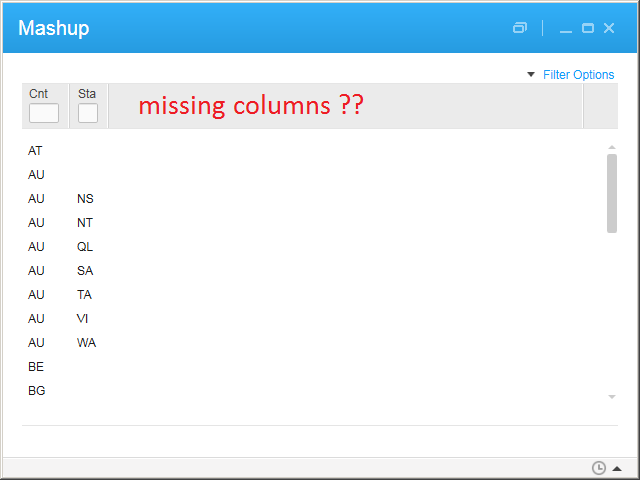
Today I had the unusual case of a user that was missing many columns in a list. The list is an <m3:ListPanel> of STS300/B1 in a Mashup. The problem did not occur when running STS300 directly, it did not occur for other users, and it did not occur with his userid on another computer. The problem occurred only with the specific combination of his userid, on his computer, on that M3 program, in that Mashup. Good luck troubleshooting that.

Here is an illustration of missing columns, shown here simply with CRS046/B:

Troubleshooting in vain

We wasted time troubleshooting in vain: the XAML source code, the sorting order, the view, personal views. the filters, the personalizations, the Bookmark in MTS043, the M3 program Java source code, the interactive subsystem, and we uninstalled/re-installed Smart Office, without progress.

Duh, restore the columns

Then, the user selected right-click > Restore Columns in the list, and that fixed the problem [FACEPALM] It is one of those little things that are easy to forget. We do not know how 32 columns accidentally went missing in the first place, it is not something one does by mistake without remembering. That is still a mystery.

Anyway, here is the reminder for next time:

User specific data storage

Where are those settings stored you ask? They are stored in the file MFormsColumnDefinitions.xml in the user specific data storage path, and are persisted to disk when the user logs out of Smart Office:
b5

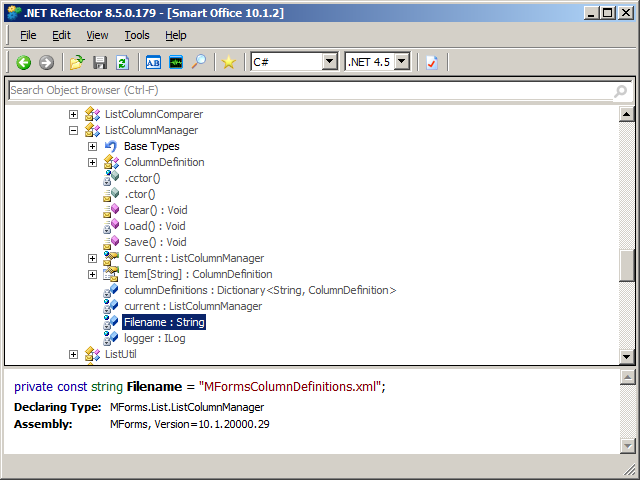
And those settings are loaded and saved in MForms.List.ListColumnManager:
b6

That’s it.

Please comment, like, subscribe, share, author. Thanks for your support.

New blog! Beyond the Limits of M3

I was doing some web search about Infor M3, and I discovered this new blog that was started over a year ago, Beyond the Limits of M3, by Kasun Sandaruwan, Consultant at Brandix i3, Sri Lanka. The blog is about M3 technology: M3 Enterprise Collaborator, M3 Web Services, M3 API, LifeCycle Manager, Smart Office Scripts, etc. Congratulations Kasun!

Go check out his blog, say hi, and subscribe to it. Check out the other blogs too.