Quick illustration of how to set the user’s country as the default selection in a Mashup ComboBox in Infor Smart Office.
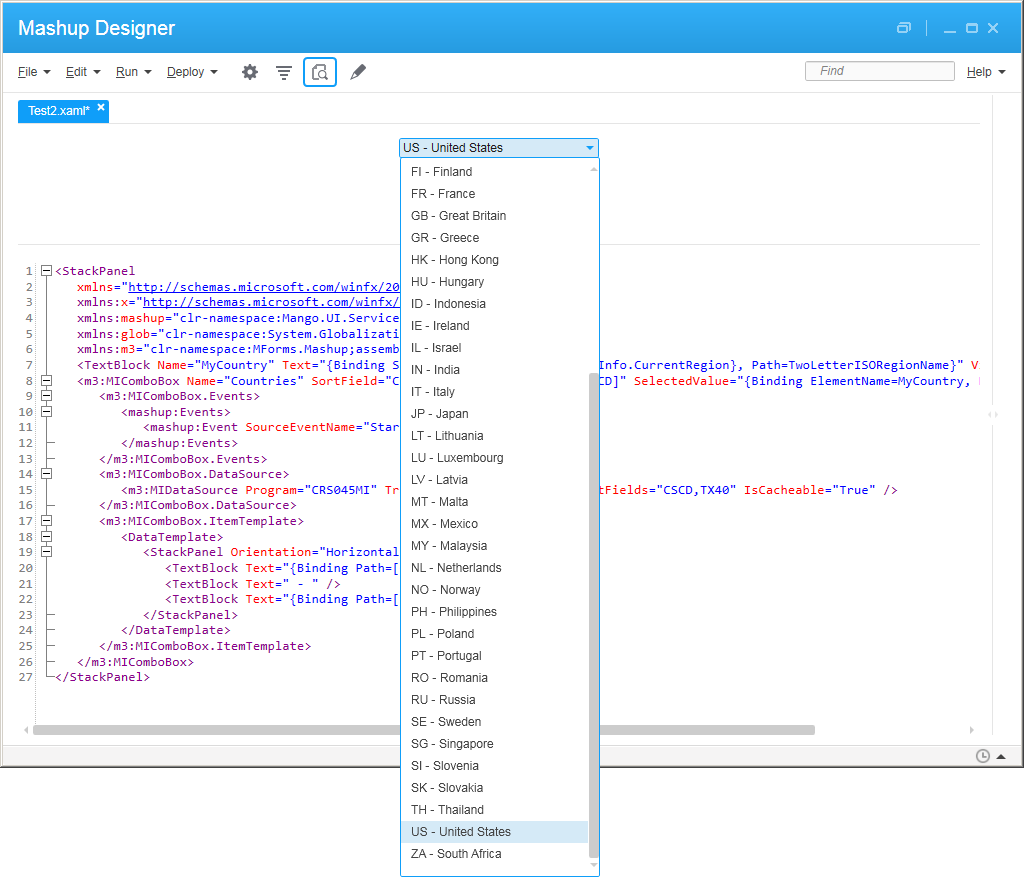
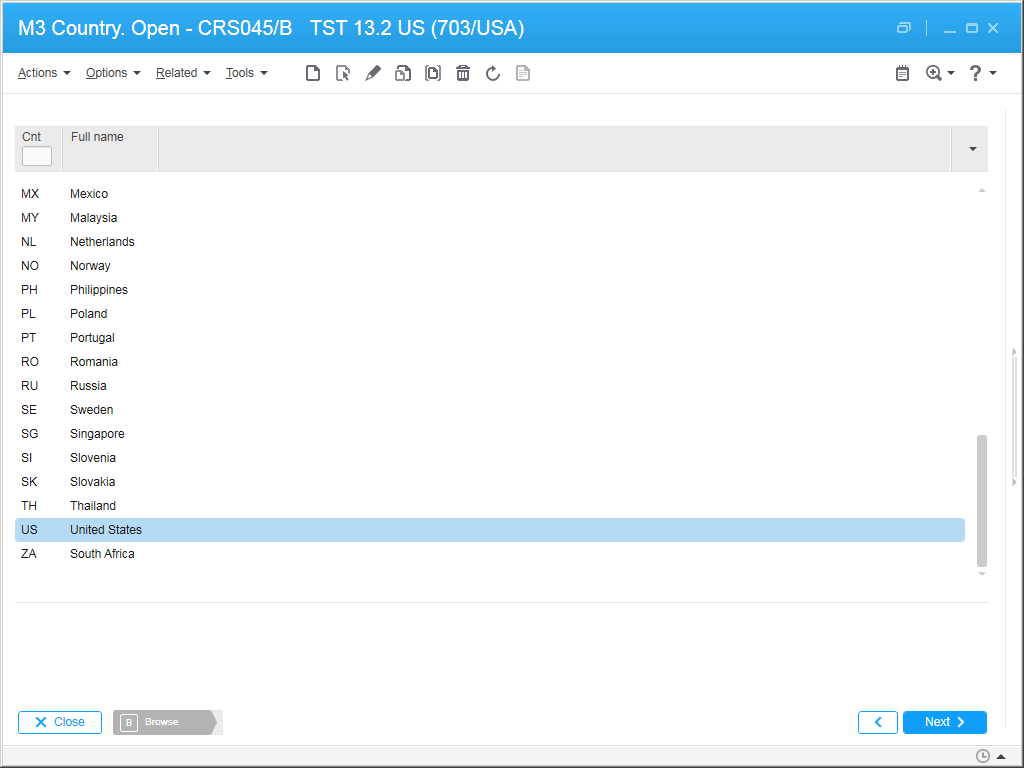
Suppose you have a <m3:MIComboBox>, and you want it to be a list of countries (e.g. FR-France, SE-Sweden, US-United States, etc.), populated from the M3 API CRS045MI.LstByCode, displaying CSCD and TX40, and you want the default selection to be the user’s country (e.g. US).
For that, I will use the System.Globalization.RegionInfo.CurrentRegion’s property TwoLetterISORegionName and assume that CRS045 uses the same two-letter ISO codes.
Here is the code with the relevant lines:
<StackPanel
   xmlns="http://schemas.microsoft.com/winfx/2006/xaml/presentation"
   xmlns:x="http://schemas.microsoft.com/winfx/2006/xaml"
   xmlns:mashup="clr-namespace:Mango.UI.Services.Mashup;assembly=Mango.UI"
   xmlns:glob="clr-namespace:System.Globalization;assembly=mscorlib"
   xmlns:m3="clr-namespace:MForms.Mashup;assembly=MForms">
    <TextBlock Name="MyCountry" Text="{Binding Source={x:Static glob:RegionInfo.CurrentRegion}, Path=TwoLetterISORegionName}" Visibility="Hidden" />
    <m3:MIComboBox Name="Countries" SortField="CSCD" SelectedValuePath="[CSCD]" SelectedValue="{Binding ElementName=MyCountry, Path=Text}" Width="200">
       <m3:MIComboBox.Events>
          <mashup:Events>
             <mashup:Event SourceEventName="Startup" />
          </mashup:Events>
       </m3:MIComboBox.Events>
       <m3:MIComboBox.DataSource>
          <m3:MIDataSource Program="CRS045MI" Transaction="LstByCode" OutputFields="CSCD,TX40" IsCacheable="True" />
       </m3:MIComboBox.DataSource>
       <m3:MIComboBox.ItemTemplate>
          <DataTemplate>
             <StackPanel Orientation="Horizontal">
                <TextBlock Text="{Binding Path=[CSCD]}" />
                <TextBlock Text=" - " />
                <TextBlock Text="{Binding Path=[TX40]}" />
             </StackPanel>
          </DataTemplate>
       </m3:MIComboBox.ItemTemplate>
    </m3:MIComboBox>
 </StackPanel>
Here is the result:
That’s it. Please like, share, subscribe, author.

 M3 ideas
One thought on “Default country in Mashup ComboBox”