Here is a quick peek at the Infor ION Grid command line interface (CLI).
Early days
The earliest reference I found is the following. The Grid Scripting Utility, a.k.a. Grid Script Client, a.k.a. Scripting Client, was introduced in Lawson Grid 10.1.8.0 in 2011, and can control the Grid and Grid applications, e.g. start/stop the Grid and applications, as well as query the Grid for status information:

java –cp grid-core.jar;grid-ui.jar com.lawson.grid.util.ScriptingClient agentAddress agentPort -ks keystoreFileName keystorePassword command target
It does not seem to be available anymore, at least I could not find grid-ui.jar. And as per NCR 6975, “CLI tool is to be seen as a replacement for Scripting Client that has been deprecated and will be discontinued in Grid 2.0.”
Nowadays
In the Grid 11.1.13, there is a command line interface (CLI), a.k.a. Grid Commander:

D:\LifeCycle\host\grid\DEV\tools>java -jar grid-cli.jar

I could not find documentation about it, but here is the first set of commands:
grid
    start                     Start the Grid
    stop                      Stop the Grid
    info                      Display Grid name, version and state
    offline                   Set Grid offline
    online                    Set Grid online


router
    list                      List routers


host
    start                     Start the specified hosts. Defaults to the local host if no host is specified
    stop                      Stop the specified hosts. Defaults to the local host if no host is specified
    list                      List all hosts in the Grid
    configureHost             Update host configuration, if the address is changed and the new address is not valid for the current host certificate the certificate will be regenerated, this command requires the grid to be stopped
    setSecondaryHost          Set secondary host, this host will get the registry and administrative router in case of the primary host becomes unavailable
    changePrimaryHost         Move Registry and Administrative router to a second host, make sure <gridname>.ks and <gridname>.pw is available in secure folder before this is performed. Also note that the secondary host configuration will be reset
    configurePrimaryHost      Reconfigure registry port and adminrouter ports and external address, only possible to run on the current primary host
    updateHttpsCertificate    Create a new HTTPS certificate for this host with a specific address, requires <gridname>.ks and <gridname>.pw to be available in secure the folder
    add                       Add a new host
    remove                    Remove a host from the Grid
    installer                 Download a host installer


app
    permanentlyOffline        Set a specified application or all applications permanently offline
    propertiesXml             Print application properties as XML
    permanentlyOfflineState   Print application permanently offline state
    start                     Start application
    stop                      Stop application
    list                      List application versions, started and global state
    uninstall                 Uninstall an application
    info                      Print detailed application information
    scaleOut                  Deploy the application to additional host(s)
    scaleIn                   Remove this application from host(s)
    upgrade                   Upgrade an existing application
    online                    Set an application online
    offline                   Set an application offline
    listBindings              List all bindings for a given application
    install                   Install an application
    deploymentStatus          List deployment status for a given application


keystore
    pemFormat                 Convert Java keystore to PEM format


database
    info                      Print details about the Grid database
    config                    Update database url, user and password


keyValueStore
    load                      Loads a byte array property from KeyValueStore and writes it into a file
    save                      Saves a file as a byte array property in the KeyValueStore
    delete                    Delete the property for the given application and key
    listProperties            List all properties for given application and key
    listKeys                  List keys for given application
    deleteAll                 Deletes all stored data for the given application and key


persisteddata
    load                      Loads a byte array property from persisted data and stores it into a file
    save                      Saves a file as a byte array property into persisted data
    delete                    Delete the given property for the given application
    list                      List all properties for given application
    deleteAll                 Deletes all stored data for the given application


node
    log                       Print node log
    stop                      Stop a given node
    list                      Print a list of all running nodes in the Grid
    info                      Print details about a Grid node
    start                     Launch a binding on a specified host


repository
    list                      List gar files in the repository
    clean                     Remove all non deployed gar files of a specific application type from the repository, specifying -version allows to remove gar files matching a specific version
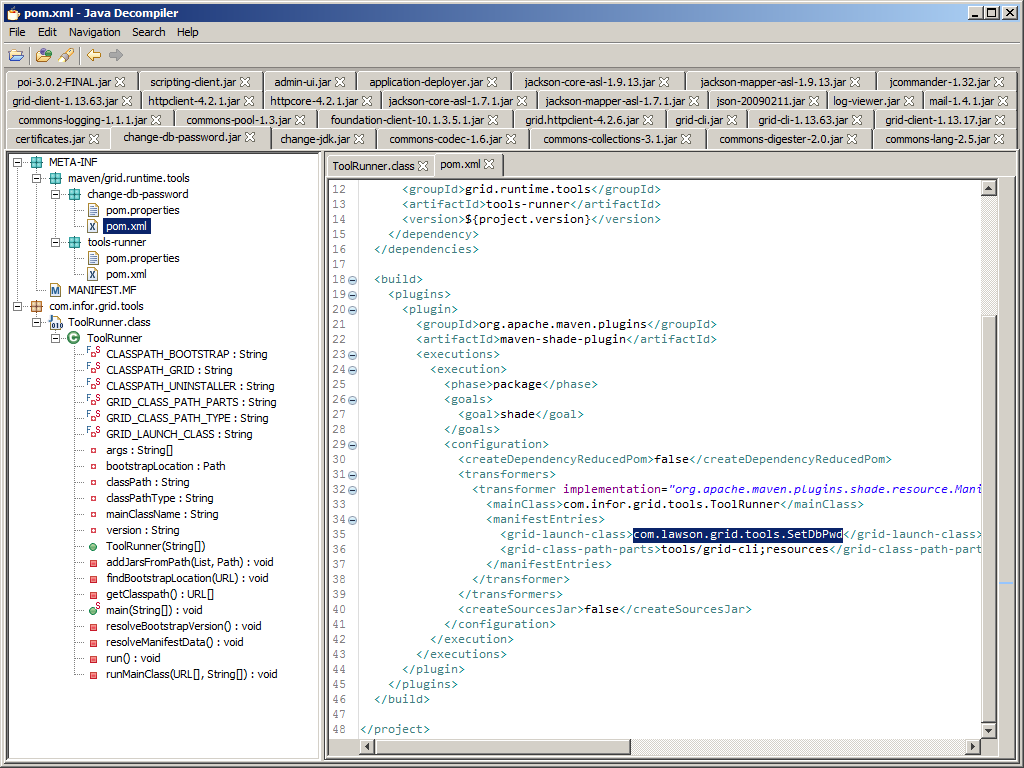
Each tool references a grid-launch-class in the Maven POM, e.g. change-db-password:
Wait, there’s more
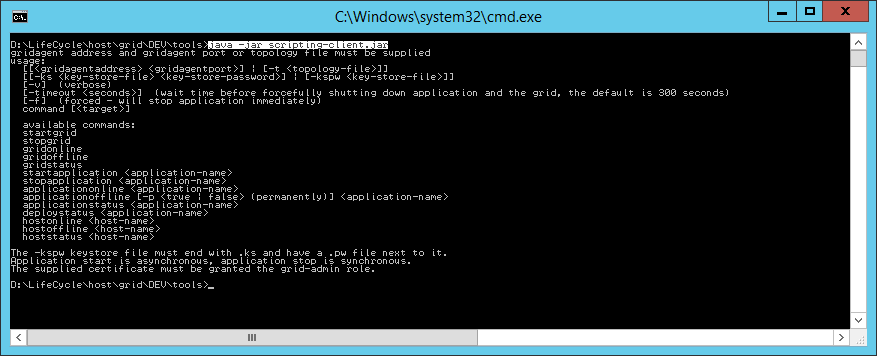
It seems the old script client is still available, renamed:
Conclusion
That was a quick peek at the Grid command line interface (CLI). It is useful for system administrators to manage the Grid as an alternative to the graphical user interface (GUI). In a previous post I was looking for a command line to install Mashups (*.mashup) onto LifeCycle Manager (LCM). But this CLI does not seem to do that, it seems to only install Grid applications (*.gar).
That’s it.
M3 Ideas, now 250 subscribers.

 M3 ideas
UPDATE: Here is some new documentation about the Grid CLI in M3 13.3: https://docs.infor.com/help_m3_coreit_13.3/index.jsp?topic=%2Fcom.lawson.help.administration%2Fcom.lawson.help.iongridag-uwa_11.1.13.0%2FL66794496658640.html
LikeLike