Here is my first test of the Infor e-Commerce XML Gateway.
It is something like https://example.com/infor-ecom/common/gateway.jsp?user=u&password=p&object=o&method=m&request=r
About
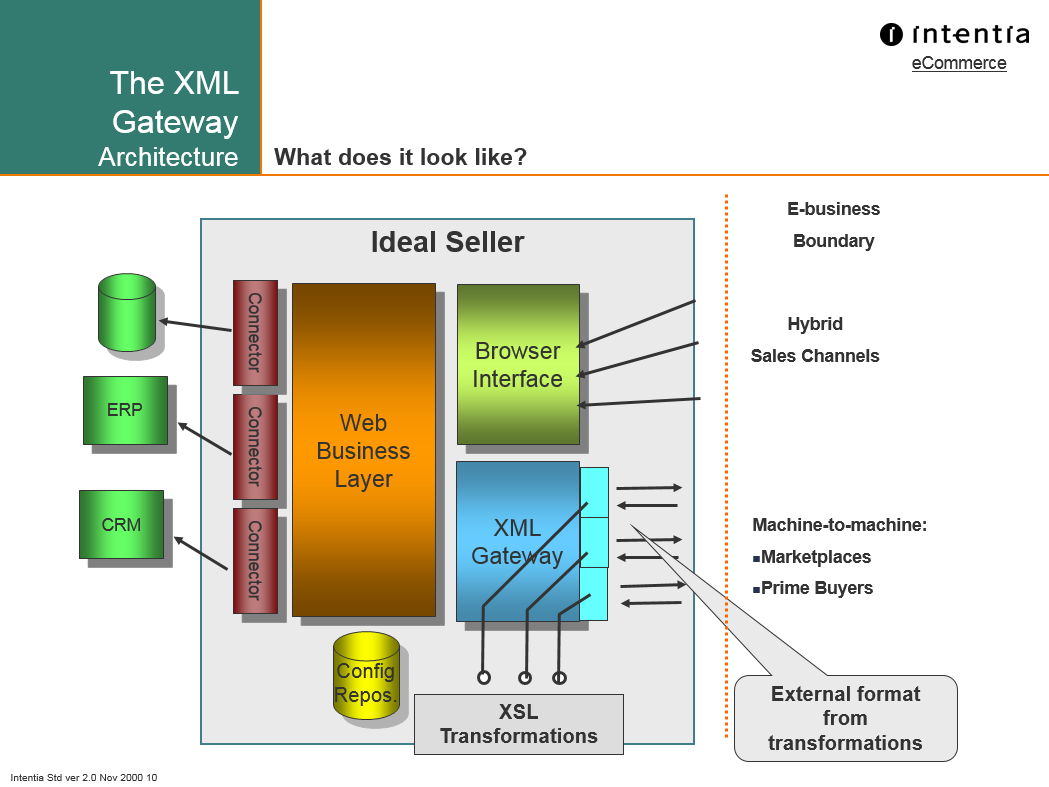
The XML Gateway is an API in Infor e-Commerce, for third-party software to make requests to e-Commerce, e.g. to create an order, to get an invoice, or to delete an item. The requests are XML documents, in the proprietary IdealXML schema, sent to e-Commerce over HTTP, targeting the e-Commerce Business Objects and methods.
History
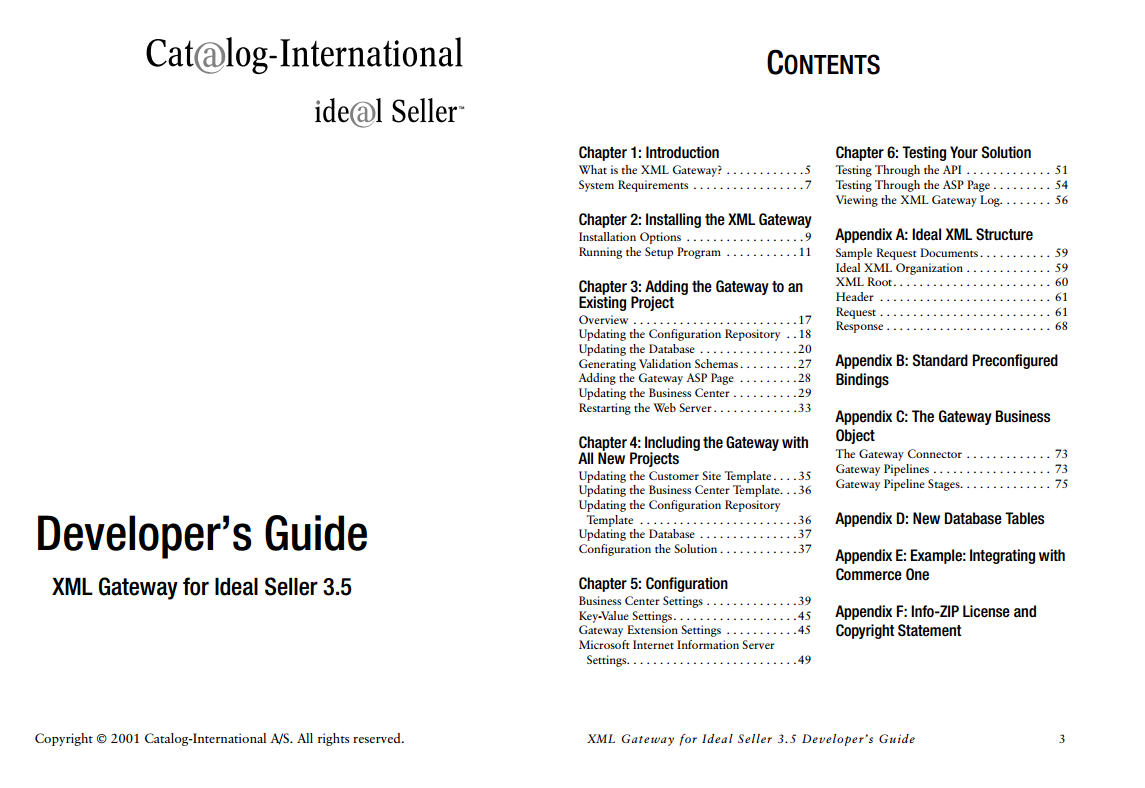
The XML Gateway has existed since the early days of Ideal Seller and e-Sales about 20 years ago:

License
The current part number is M3C-SGX Infor e-Commerce B2B XML Application Adapter:

Is MEC required? No.
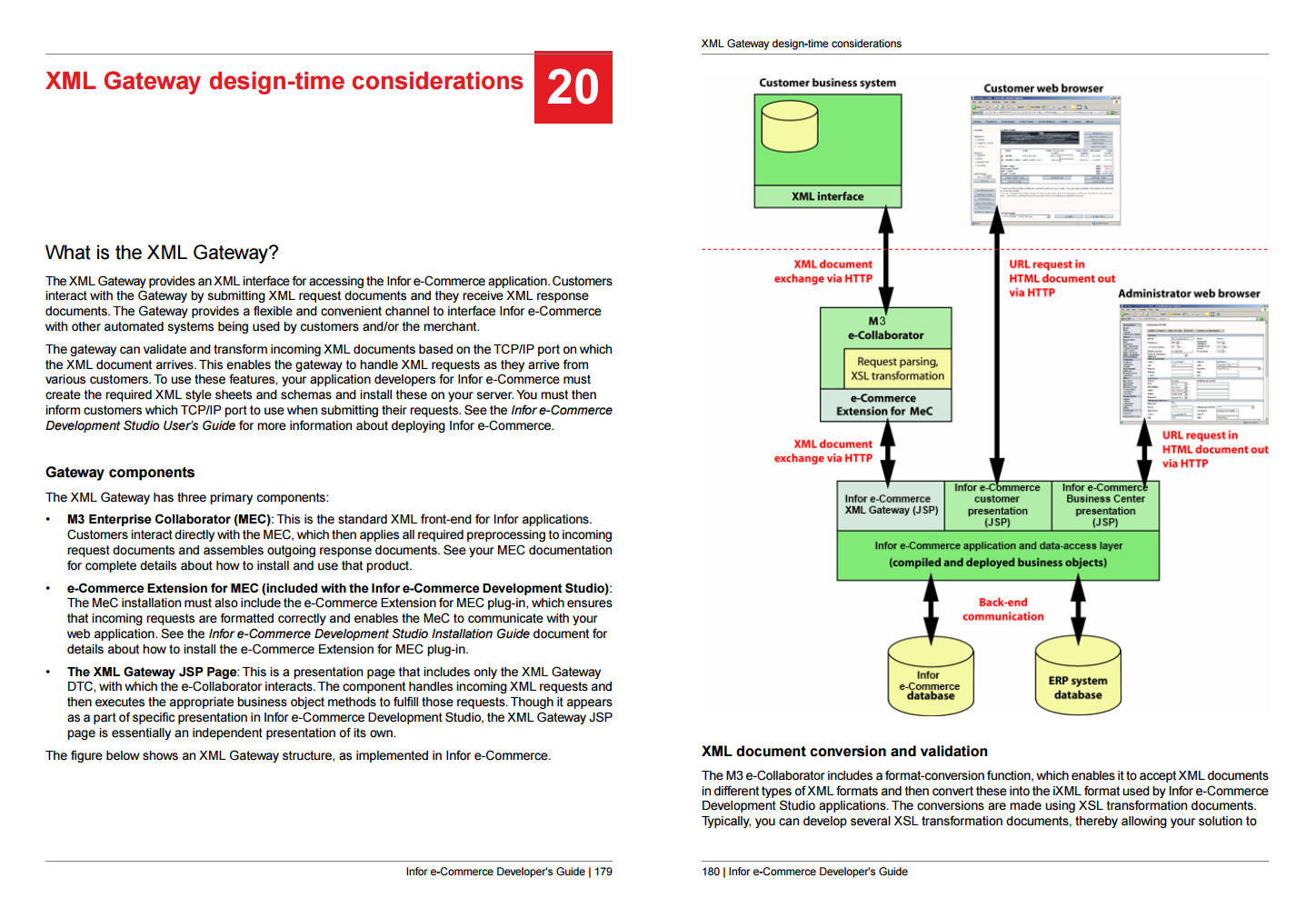
Despite what the Infor sales and documentation say, Infor ION, Infor M3 Enterprise Collaborator (MEC), and the e-Commerce Extension for MEC, are NOT required to use the XML Gateway; the XML Gateway is built-in e-Commerce. MEC is suggested for it provides useful features such as development tools, transaction management, persistence, XML transformation, connection pooling, logging, monitoring, management, etc. Apart from that, you can use any other software that does XML over HTTP. Besides, if you were to use MEC, it would have to be the ancient version 9.0.4.0 which is probably not compatible with the MEC you already have for M3:

Documentation
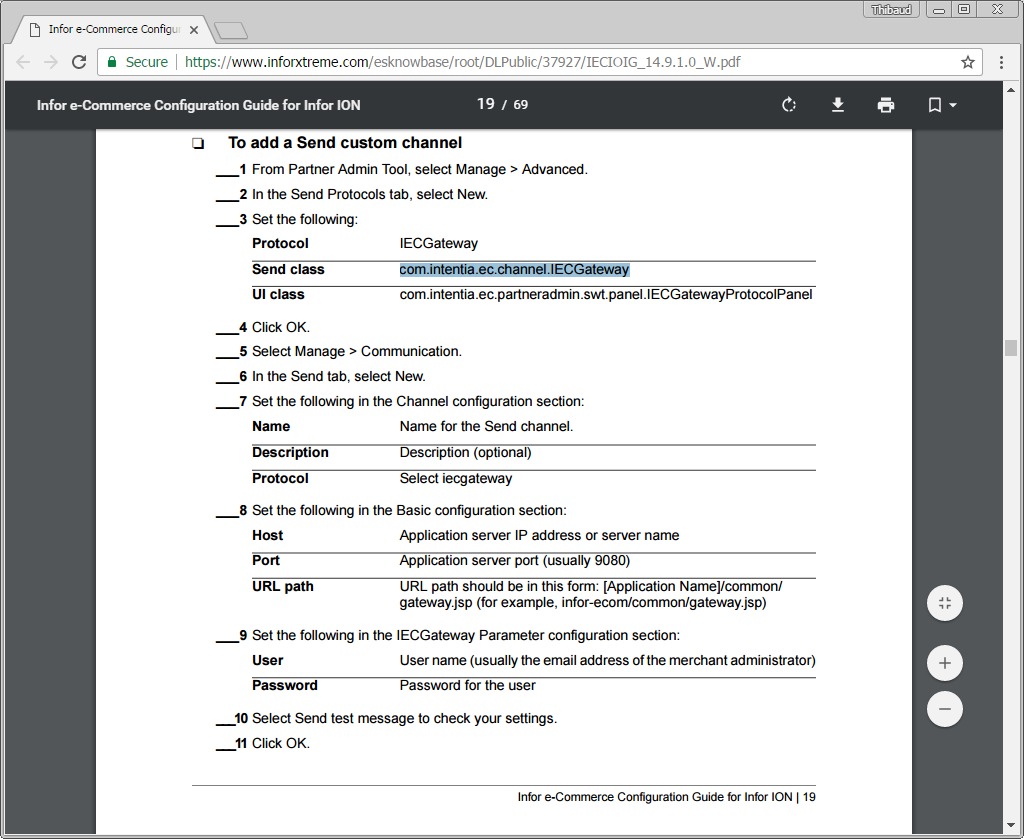
There is some documentation available. The greatest amount of information is located in the Infor e-Commerce Development Studio User’s Guide, and there is some in the Developer’s Guide, Administration Guide, and Configuration Guide for Infor ION:


Business Objects
The business objects and methods of the XML Gateway are listed in the Business Center at Gateway > Requests:

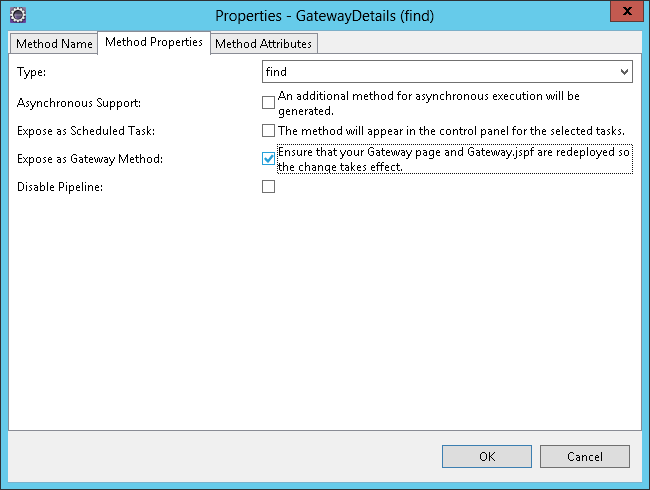
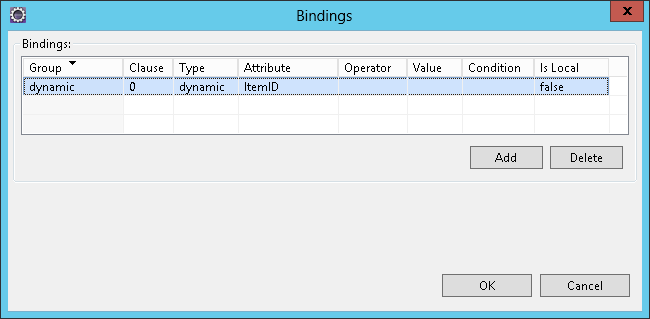
The code is automatically generated from the e-Commerce Development Studio, e.g. Business Object Item and method GatewayDetails to get the details of an item by input parameter ItemID:



Source code
For the curious of us, we can peak at the source code.
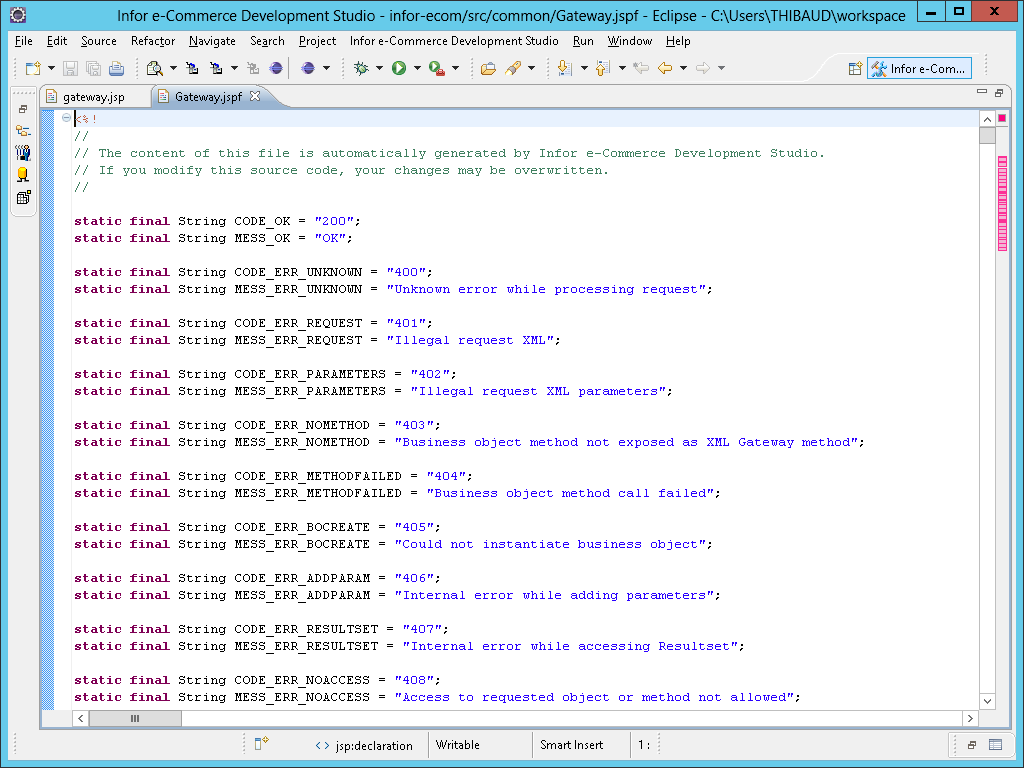
The source code starts at /infor-ecom/src/common/gateway.jsp and includes the automatically generated JSP fragment Gateway.jspf:
And the e-Commerce Java library common-10.0.0.jar includes the class com.intentia.iec.businessobject.input.XMLRequest which parses the XML input:

That is sufficient to start peaking at source code.
Furthermore, the e-Commerce Extension for MEC ecom-extension-9.0.0.jar includes the class com.intentia.iec.meci.http.HttpRequester which sends the HTTP request:

And the ION Connector’s MEC Custom Channel iecprotocol-2.0.0.jar includes the class com.intentia.ec.channel.IECGateway which also sends an HTTP request:

Samples
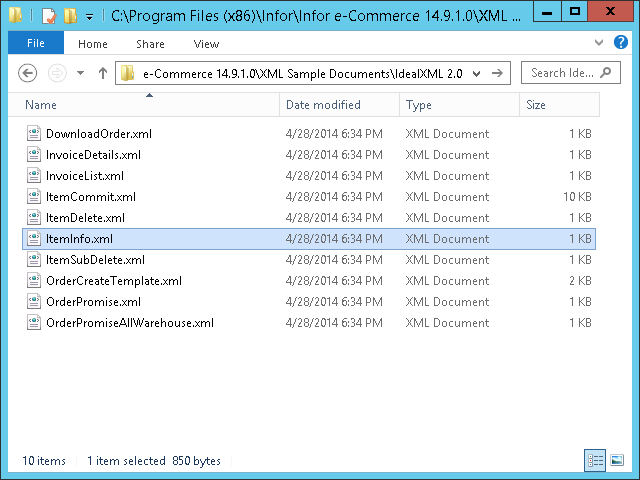
There are sample XML requests in the proprietary IdealXML schema located at C:\Program Files (x86)\Infor\Infor e-Commerce 14.9.1.0\XML Sample Documents\IdealXML 2.0\:

XSD
The XML requests are validated with the proprietary IdealXML Schema located at Infor e-Commerce Development Studio\Infor e-Commerce Extension for Enterprise Collaborator\dist\e-Commerce\request.xsd:
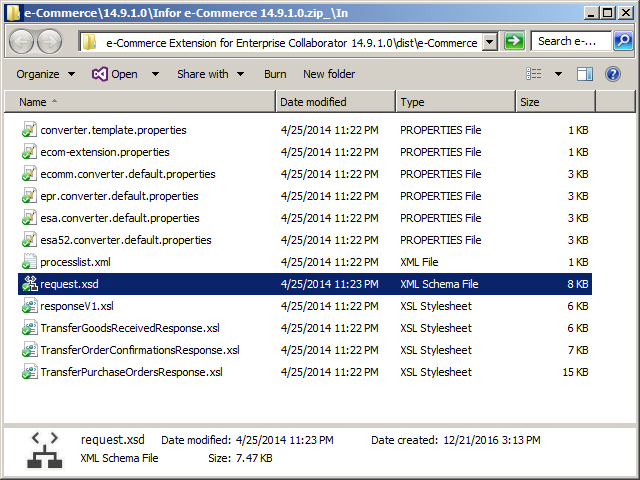
The Development Studio User’s Guide has a chapter The iXML document format.
XSLT? No.
The latest version of the XML Gateway does NOT provide XSL Transformation (XSLT); it may have been included in the early versions when it was ASP, not anymore. You can easily develop a proxy JSP that does XSLT and that forwards the request to gateway.jsp. I will explore this in a future post. Otherwise, if you use MEC and the e-Commerce Extension for MEC, you can do XSLT in MEC as usual.
Setup
To setup the XML Gateway:
Enable the desired Business Object Method (they are all enabled by default), e.g. Item.GatewayDetails:

In the desired Role (e.g. I created role Third-party software), select the Feature Element Gateway User:

In the desired User B2B, select that role:
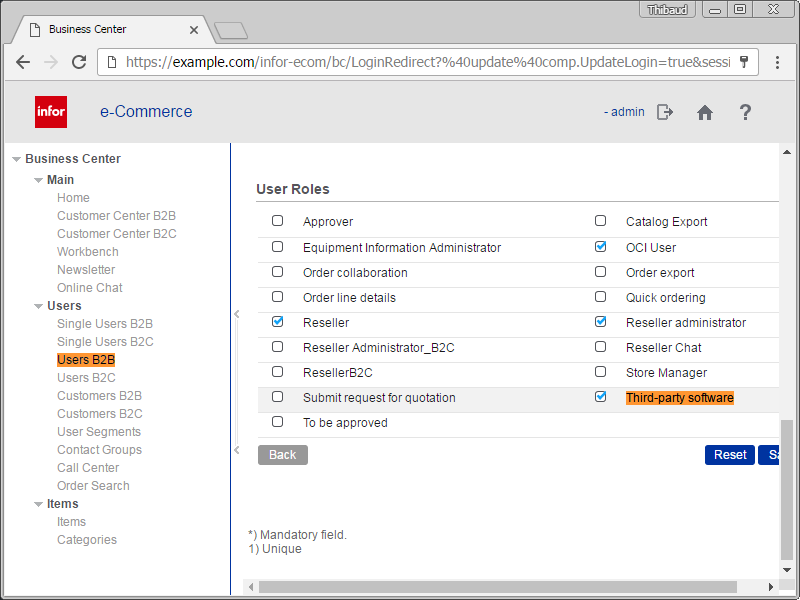
Still, I am not able to reproduce the setup for another user, and I do not know why.
HTTP request
The HTTP request is of the form:
POST https://example.com:443/infor-ecom/common/gateway.jsp HTTP/1.1
Content-Type: application/x-www-form-urlencoded
Host: example.com:443
Content-Length: 123

user=u&password=p&object=o&method=m&request=r
Where:
- I recommend HTTPS (secure), not HTTP (insecure).
- The scheme, hostname and port number are those of your e-Commerce, e.g. https://example.com:443.
- The method can be either GET (with the parameters in the URL) or POST (with the parameters in the request body), but I advise against GET because the user and password would be in the URL, and nodes along the way may store the URL in clear text in the logs; I recommend POST instead.
- The URL path is /infor-ecom/common/gateway.jsp
- The media type is application/x-www-form-urlencoded
- The input parameters user and password are for authentication. Note: the XML Gateway does not accept HTTP Basic authentication.
- The input parameters object and method are for the business object.
- The input parameter request is the entire <IdealXML> content.
- All parameters must be URL-encoded.
Test
For my test, I will call Item.GatewayDetails to get the details of item 9412-0111:

Here is the corresponding IdealXML that I created from the sample XML:
<?xml version="1.0" encoding="UTF-8"?>
<idealXML version="2.0" id="Thibaud test">
   <commands>
      <command>
         <request>
            <params>
               <param name="@LanguageCode">en</param>
            </params>
            <search>
               <bindings operand="or">
                  <bindings operand="and">
                     <binding attribute="ItemID" value="9412-0111" operator="eq"/>
                  </bindings>
               </bindings>
            </search>
         </request>
      </command>
   </commands>
</idealXML>
Notes:
- I removed the <login> and <password> from the <credential> as they are ignored.
- I removed the <command>’s name and method attributes as they are ignored.
Result
Here is the result in raw and parsed view:
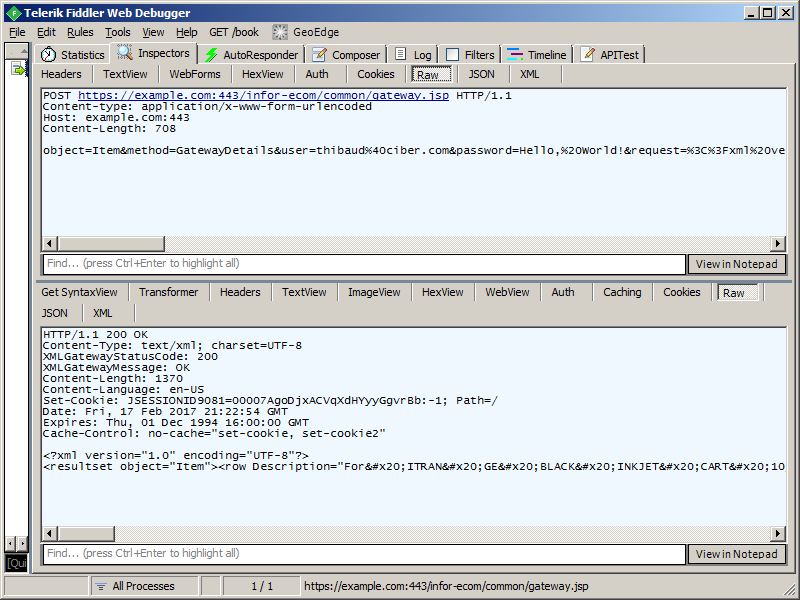

The XML response is the following, successful, with the requested item details:
<?xml version="1.0" encoding="UTF-8"?>
<resultset object="Item">
   <row Description="For ITRAN GE BLACK INKJET CART 10/CTN" GroupCode="OE" GroupName="Impact Inking" IsActive="Y" IsDangerous="0" IsEmphasized="N" ItemCode="normal" ItemCodeID="normalItemCode" ItemField1="WELLS FARG" ItemField2="201502861.00" ItemField3="" ItemField4="12/99" ItemField5="Y" ItemID="9412-0111" Key="8685" MainCategoryID="59052" MinimumQty="0.0000" ModularQty="0.0000" Name=" INK JET EQUIPMENT" SupplierID="" UnitCodeID="CTItemUnit" Weight="2.4940">
      <Category CategoryID="59052" CategoryName=" INK JET EQUIPMENT" InternalName=" INK JET EQUIPMENT (59052)"/>
      <Text Description="For ITRAN GE BLACK INKJET CART 10/CTN" LanguageID="de" Name=" INK JET EQUIPMENT"/>
      <Text Description="For ITRAN GE BLACK INKJET CART 10/CTN" LanguageID="en" Name=" INK JET EQUIPMENT"/>
      <Text Description="For ITRAN GE BLACK INKJET CART 10/CTN" LanguageID="fr" Name=" INK JET EQUIPMENT"/>
      <Text Description="For ITRAN GE BLACK INKJET CART 10/CTN" LanguageID="it" Name=" INK JET EQUIPMENT"/>
   </row>
</resultset>
Troubleshooting
For troubleshooting:
Inspect the HTTP response headers that indicate either success:
XMLGatewayStatusCode: 200
XMLGatewayMessage: OK
Or an error:
XMLGatewayStatusCode: 401
XMLGatewayMessage: Login failed
XMLGatewayStatusCode: 403
XMLGatewayMessage: Access to requested object or method not allowed
XMLGatewayStatusCode: 500
XMLGatewayMessage: Internal error while executing Gateway method
The Development Studio User’s Guide has a chapter Gateway error messages, with codes, but the codes do not match this.
It is better to look in the logs at C:\IBM\WebSphere\AppServer\profiles\AppSrv01\logs\server1\SystemOut.log:


Problems
- The user and password are echoed in clear text in the logs, it is insecure:

- The XML Gateway accepts requests over plain HTTP (instead of HTTPS) even though the request contains the user and password and other private data in clear text, it is insecure.

Future work
- Force HTTPS (secure) by default, disable HTTP (insecure).
- Do XSL transformation (XSLT).
- Finish reproducing the setup.
- Try the e-Commerce Extension for MEC.
- Try the WSDL and the Infor e-Commerce Web Service Specifications for Synchronous Calls.
- Try other Business Objects and methods.
- Try custom Business Objects and methods.
- Understand more about the bindings.
Conclusion
That was my first test of the XML Gateway in Infor e-Commerce, for third-party software to make requests to e-Commerce, e.g. to place an order or get the details of an item. I have more work to do if I want to master the XML Gateway.
That’s it!
Please like, comment, subscribe, share, participate.

 M3 ideas