Last week Thibaud invited me to share some of our M3 ideas from a customer’s point of view.
The invitation was accepted, hoping to make the community grow beyond just Infor.
I will be sharing some of our knowledge and experience on the subject mashup, and this is my first post.
One of the first thing the end-users requested after releasing our first mashups was the F4/browse functionality missing.
A few request for help was sent, but the main feedback was that this is not possible from a mashup and had to be part of a SDK application.
Unfortunately this was out of my range and a work around had to be made.
After spending quite some time googling/reading I came across the popup class.
“A Popup control displays content in a separate window relative to an element or point on the screen. ”
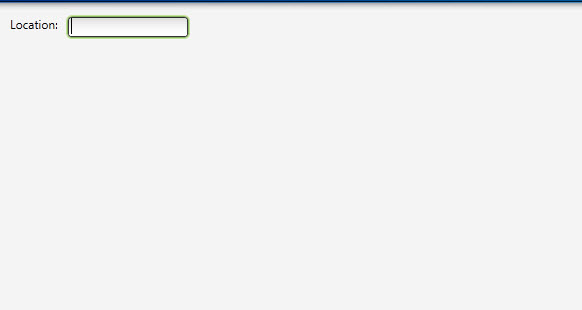
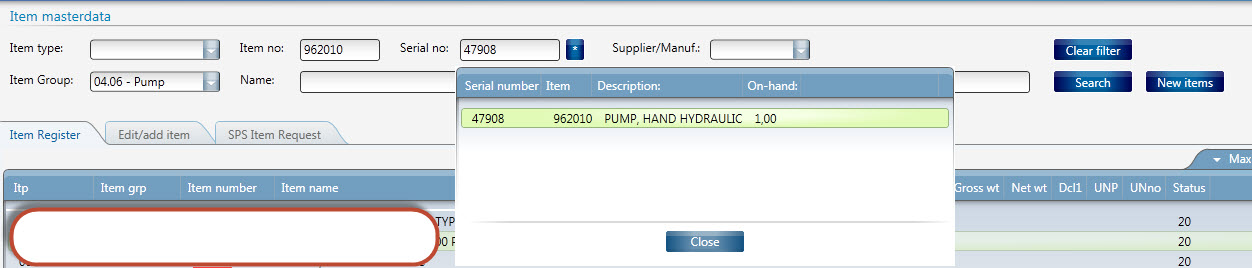
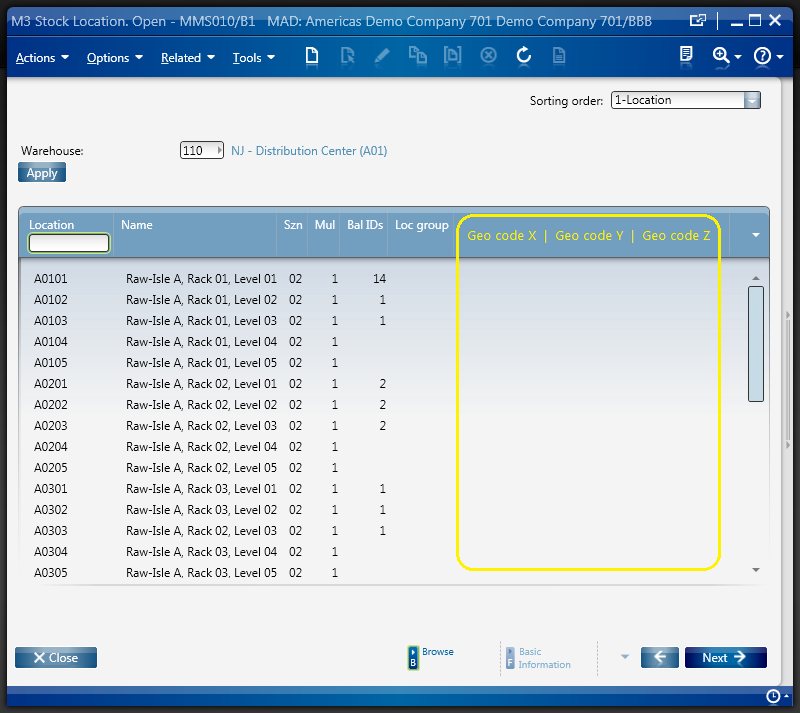
This is a simple example using the F4 command to open the popup and then allowing you to browse and write back with CurrentItemChanged.
Before:
After:

Real world example, but this time with a button controlling the popup.
And here is the code:
<Grid xmlns="http://schemas.microsoft.com/winfx/2006/xaml/presentation" xmlns:x="http://schemas.microsoft.com/winfx/2006/xaml" xmlns:ui="clr-namespace:Mango.UI.Controls;assembly=Mango.UI" xmlns:mashup="clr-namespace:Mango.UI.Services.Mashup;assembly=Mango.UI" xmlns:m3="clr-namespace:MForms.Mashup;assembly=MForms">
	<Grid.Resources>
	</Grid.Resources>

	<Grid.ColumnDefinitions>
		<ColumnDefinition Width="400" />
		<ColumnDefinition Width="*" />
	</Grid.ColumnDefinitions>
	<Grid.RowDefinitions>
		<RowDefinition Height="40" />
		<RowDefinition Height="Auto" />
	</Grid.RowDefinitions>

	<StackPanel Grid.Row="0" Margin="8,8,0,0" Orientation="Horizontal">
			<StackPanel.InputBindings>
        		 <KeyBinding Key="F4" Command="mashup:MashupInstance.MashupCommand">
					 <KeyBinding.CommandParameter>
						<mashup:Events>
							<mashup:Event Target="{mashup:SetProperty ElementName=BrowseLocation, Path=IsOpen}">
								<mashup:Parameter TargetKey="Value" Value="True" />
							</mashup:Event>
						</mashup:Events>
					</KeyBinding.CommandParameter>
				</KeyBinding>
      	</StackPanel.InputBindings>

			<TextBlock Text="Location:" />
			<TextBox Name="Location" Width="50" Height="20" Margin="5,0,0,0" />

	</StackPanel>

	<StackPanel HorizontalAlignment="Left" Grid.Column="0" Grid.Row="0">

		<Popup Name="BrowseLocation" Width="600" Height="450" Popup.StaysOpen="False">
			<Border Background="White">
				<Grid>
					<Grid.RowDefinitions>
						<RowDefinition Height="400" />
						<RowDefinition Height="50" />
					</Grid.RowDefinitions>
					<Grid.ColumnDefinitions>
						<ColumnDefinition Width="600" />

					</Grid.ColumnDefinitions>
					<m3:ListPanel Name="ListLocation" Grid.Column="0" Grid.Row="0" EnableBasicOptions="False" IsDefaultActionEnabled="False" EnableRelatedOptions="False">
						<m3:ListPanel.Events>
							<mashup:Events>
								<mashup:Event SourceEventName="Startup">
									<mashup:Parameter TargetKey="MLCONO" />
									<mashup:Parameter TargetKey="MLFACI" DefaultValue="100" />
									<mashup:Parameter TargetKey="MLWHSL" />
								</mashup:Event>

								<mashup:Event SourceName="ListLocation" SourceEventName="CurrentItemChanged" Target="{mashup:SetProperty ElementName=Location, Path=Text}">
										<mashup:Parameter TargetKey="Value" SourceKey="WHSL" />
								</mashup:Event>
							</mashup:Events>
						</m3:ListPanel.Events>
						<m3:ListPanel.Bookmark>
							<m3:Bookmark Program="MMS010" Table="MITPCE" KeyNames="MSCONO,MSWHLO,MSWHSL" SortingOrder="1" />
						</m3:ListPanel.Bookmark>
					</m3:ListPanel>

					<Button Name="Close" Content="Close" Grid.Row="1" Grid.Column="0">
								<Button.CommandParameter>
									<mashup:Events>
										<mashup:Event Target="{mashup:SetProperty ElementName=BrowseLocation, Path=IsOpen}" SourceEventName="Click">
											<mashup:Parameter TargetKey="Value" Value="False" />
										</mashup:Event>
									</mashup:Events>
								</Button.CommandParameter>
					</Button>
				</Grid>
			</Border>
		</Popup>
	</StackPanel>
</Grid>
Regards
Ken Eric
















 M3 ideas